
To enjoy the advanced remote monitoring features of a 70mai dashcam, verifying compatibility with the 4G hardwire kit and assessing your vehicle’s electrical system are critical first steps. The 4G hardwire kit provides the continuous power required for real-time parking surveillance, GPS tracking, and instant app notifications. However, because this setup draws power directly from your car’s battery while parked, a mismatched configuration can lead to electrical issues or a dead battery. In the tropical climate of the Philippines, where intense cabin heat can accelerate battery wear, taking the time to verify your setup ensures both safety and reliability.
How to Verify 70mai Dashcam Compatibility
Before purchasing a 4G hardwire kit, you must confirm that your specific dashcam model supports cellular connectivity. Not all dashcams in the manufacturer’s lineup are designed to process 4G data or interface with the external telecommunications module. To avoid purchasing incompatible hardware, locate the official compatibility list on the manufacturer’s website or consult the product manual. Avoid relying solely on product descriptions on online marketplaces, as these listings can sometimes contain outdated or generalized information.
Next, inspect the physical connection ports on your dashcam. The 4G hardwire kit utilizes a proprietary interface—often a specific USB Type-C configuration—that handles both power delivery and high-speed data transmission. Standard hardwire kits only feature power and ground wires, whereas the 4G kit includes specialized wiring to communicate with the dashcam’s internal modem. If your dashcam uses an older Micro-USB port or lacks the internal hardware to support data transfer through its power port, the 4G kit will not function.
Products mentioned in this guide
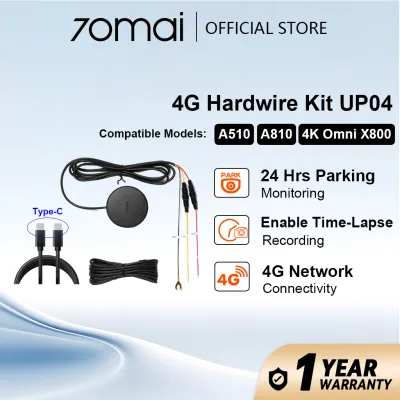
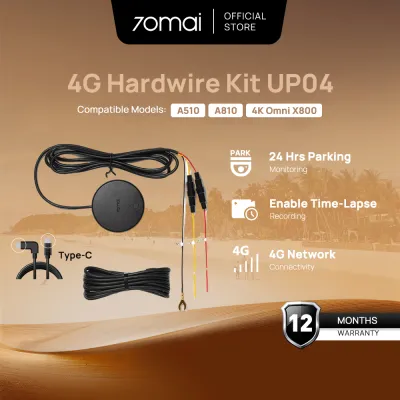
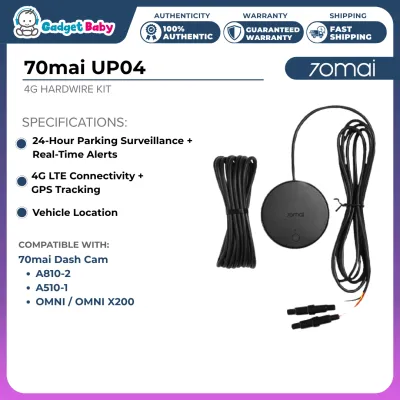
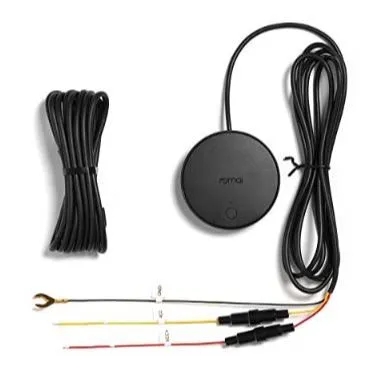
Prices are valid at publication and may change. Please refer to the product page for the latest price.
Finally, check if your dashcam requires a firmware update to enable 4G features. Even if the hardware is physically compatible, older firmware versions may not recognize the 4G module. Connect your dashcam to the official mobile application, check for any pending system updates, and install them before attempting to configure the hardwire kit. This ensures that the camera’s operating system has the necessary protocols to communicate with the cellular network and handle remote wake-up commands.
Vehicle Electrical System Requirements
Installing a 4G hardwire kit requires a clear understanding of your vehicle’s electrical architecture. First, confirm whether your vehicle operates on a standard 12V system or a heavy-duty 24V system. While most passenger cars, SUVs, and pickups in the Philippines use a 12V electrical system, some larger commercial trucks operate on 24V. Check the input voltage rating labeled on the hardwire kit’s transformer box to ensure it is rated to handle your vehicle’s specific voltage range safely.

Next, you must locate your vehicle’s cabin fuse box and identify the correct slots for connection. The hardwire kit requires three connections: a constant power wire (often labeled BATT), a switched power wire (labeled ACC), and a ground wire. The constant power wire connects to a fuse that receives power even when the engine is off, such as the hazard lights or central locking system. The switched power wire connects to a fuse that only receives power when the ignition is turned on, such as the accessory outlet or radio. Use a digital multimeter to test the fuse slots; never rely on guesswork or visual inspection alone.
Additionally, verify the amperage rating of the target fuse slots. You should use fuse taps (add-a-circuit adapters) that match your vehicle’s specific fuse type, such as Micro2, Mini, or Low-Profile Mini. Ensure you tap into non-critical circuits rather than safety-critical systems like airbags, engine management, or anti-lock brakes. The target circuit must have a sufficient amperage rating to accommodate the minor additional draw of the dashcam and 4G module without blowing the fuse or overloading the wiring harness.
Safety Boundaries and Installation Precautions
Safety must be your primary concern when routing wires and connecting electrical components. When running the power cable from the windshield to the fuse box, ensure the wire is routed safely behind any side-curtain airbags. If you simply tuck the cable into the rubber weatherstripping along the A-pillar, it can obstruct the airbag’s deployment path, creating a severe hazard in an accident. Secure the cable tightly to the vehicle’s existing wiring harnesses using zip ties, keeping it clear of the steering column and foot pedals.
Managing the dashcam’s low-voltage cutoff settings is essential to protect your vehicle’s battery health. The hardwire kit features an integrated voltage regulator that automatically cuts power to the dashcam if the car battery drops below a specified threshold. In the Philippines, where high ambient temperatures put additional strain on lead-acid batteries, setting a conservative cutoff threshold (such as 12.0V) is highly recommended. This ensures that your vehicle retains enough cranking power to start reliably, even after sitting parked for an extended period.
If you encounter any uncertainty during the installation process, stop immediately and seek professional assistance. Modern vehicles often feature complex CAN bus multiplex wiring systems or advanced battery management systems (BMS) that monitor electrical draw closely. Splicing into the wrong wire or tapping an incorrect fuse can trigger dashboard error lights, disable vehicle features, or void your manufacturer’s warranty. A certified automotive electrician can complete the installation safely, ensuring all connections are secure and electrically sound.
Frequently Asked Questions (FAQ)
Will the 4G hardwire kit drain my car battery?
The 4G hardwire kit is equipped with a built-in low-voltage protection mechanism designed to prevent complete battery drain. When the vehicle’s battery voltage drops to your pre-configured threshold, the kit automatically cuts off power to the dashcam. However, if your car battery is already weak, old, or degraded by tropical heat, its overall capacity may be limited. To prevent starting issues, regularly inspect your battery’s health and configure the cutoff threshold to a higher voltage setting within the dashcam’s companion app.
Can I use a third-party hardwire kit with my 70mai dashcam?
Using a third-party or generic hardwire kit with a 4G-enabled 70mai dashcam is not recommended. Third-party kits typically lack the proprietary data lines and multi-pin configurations required to transmit cellular data and control signals between the 4G module and the camera. Furthermore, generic kits may not offer reliable low-voltage protection or stable voltage regulation, which can lead to premature battery drain or damage to the dashcam’s internal circuitry. To protect your equipment and maintain your warranty, always use the official manufacturer-approved hardwire kit.
Community discussion
Share your experience or ask a question. Comments are reviewed before publication.