
Selecting the right phone mount for your vehicle involves more than just finding a secure place to rest your device. When you introduce a 12V USB charging setup into the equation, the physical mount style directly dictates how efficiently your phone charges, how safely the cables are routed, and how well your device handles heat. In tropical climates like the Philippines, where cabin temperatures can soar rapidly, managing the thermal load of a charging smartphone is just as critical as ensuring the mount stays attached to your dashboard.
Each of the three primary mount styles—air vent, suction cup, and magnetic—interacts differently with your vehicle’s 12V USB charging system. There is no single universal winner for every driver. The ideal choice depends on your vehicle’s interior layout, the design of your air conditioning vents, your phone’s compatibility with wireless charging, and your willingness to route power cables safely around your driving controls.
Baseline Requirements for 12V USB Charging Mounts
Before comparing mount styles, you must understand the foundational electrical and physical requirements for powering a charging mount via a vehicle’s 12V accessory socket. Charging mounts generally fall into two categories: active mounts with built-in wireless charging modules, and passive mounts that simply hold your phone while you plug a standard USB cable directly into the device. Active wireless mounts require a continuous, stable power supply to feed their internal transmitter coils, making cable management a permanent consideration.
Products mentioned in this guide
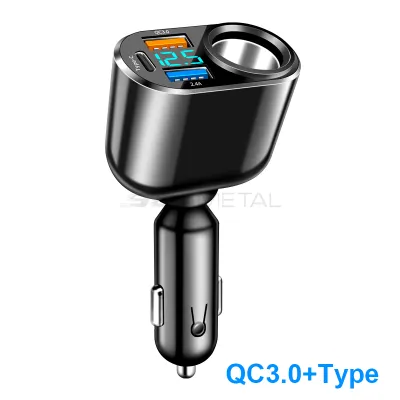
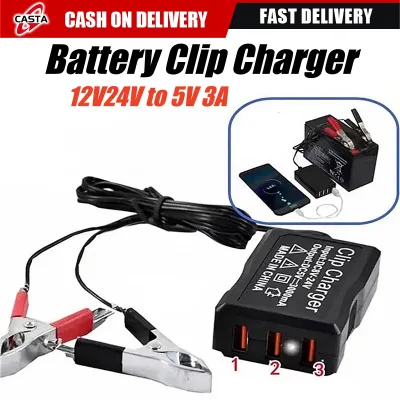
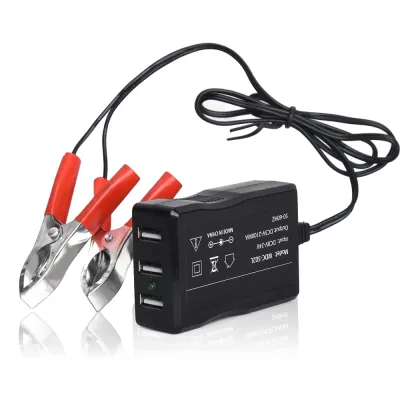
Prices are valid at publication and may change. Please refer to the product page for the latest price.
To achieve optimal charging speeds, you must match your 12V car charger adapter’s output profile with the mount’s input requirements. Modern smartphones and active charging mounts rely on specific fast-charging protocols, such as Qualcomm Quick Charge (QC) or USB Power Delivery (PD). If you plug a high-draw wireless charging mount into an underpowered or uncertified 12V adapter, the mount may fail to initiate charging, or it may charge so slowly that your phone’s battery continues to drain while running navigation apps.
Many drivers make the mistake of plugging their charging mounts directly into the vehicle’s factory-installed USB ports. In most vehicles, especially older models, these built-in ports are designed primarily for data transfer or low-power audio integration, often outputting only 0.5 amperes of current. This is insufficient for modern fast charging or wireless charging mounts. Utilizing a dedicated, high-quality adapter plugged into your vehicle’s 12V cigarette lighter socket ensures your mount receives the necessary wattage to charge your device efficiently.
Ultimately, the success of your 12V USB charging setup depends on a combination of physical and environmental factors. Your dashboard layout, the structural integrity of your AC vents, and your phone’s thermal tolerance all play a role. In high-humidity environments, managing the heat generated by both the charging process and external weather conditions is paramount to protecting your phone’s battery health.
Air Vent Mounts: Balancing Cable Convenience and Thermal Limits
Air vent mounts are highly popular due to their simple installation and unobtrusive placement. From a cable management perspective, they offer a distinct advantage. Because center air vents are typically positioned directly above or adjacent to the center console, the distance to your 12V accessory socket is minimal. This allows you to use a short USB cable, typically 0.5 to 1 meter in length, which minimizes cable clutter and keeps the area around your gear shifter and physical console buttons clean and unobstructed.

However, air vent mounts present a unique thermal conflict. Charging a smartphone—especially via wireless induction—generates a significant amount of internal heat. If you operate your vehicle’s climate control system with the heater turned on, blowing warm air directly onto the back of a charging phone can quickly trigger thermal throttling. When a smartphone’s internal temperature crosses safe thresholds, its operating system will automatically reduce charging speeds or halt charging entirely to protect the lithium-ion battery from permanent degradation.
Conversely, during hot days when your air conditioning is blasting cold air, an air vent mount can actually act as an active cooling system for your phone. The cold airflow dissipates the heat generated by the 12V USB charging process, allowing the phone to maintain its maximum charging rate without interruption. You must balance this benefit against the physical limitations of your vehicle’s vents. Before purchasing, verify if your vent blades are sturdy enough to support the combined weight of the mount, the phone, and the attached USB cable. Circular, vertical, or exceptionally thin horizontal vent blades often sag or bend under the weight, which can damage the vent assembly over time.
Suction Cup Mounts: Managing Cable Routes and Sun Exposure
Suction cup mounts, designed for attachment to either the windshield or smooth sections of the dashboard, offer exceptional placement flexibility. By elevating the phone closer to your line of sight, these mounts make it easier to view navigation prompts without taking your eyes off the road. Physically separating the phone from the air vents also allows the vehicle’s cabin air to circulate more freely around the device, preventing the localized heating issues associated with vehicle climate control vents.
Despite their placement advantages, suction cup mounts require careful cable routing. Because the mount is positioned higher up on the windshield or dashboard, a standard short USB cable will not reach the 12V socket. You will need a longer cable, typically 1.5 to 2 meters, to bridge the gap. It is critical to secure this cable using adhesive routing clips along the seams of your dashboard. Allowing a long power cable to hang loosely across the cabin is a serious safety hazard, as it can easily snag on your hand while shifting gears, block your view of instrument clusters, or interfere with your steering wheel and foot pedals.
Environmental factors also pose a significant challenge for suction cup setups. Placing your phone directly against the windshield exposes it to intense solar radiation. In tropical climates, the greenhouse effect inside a parked or moving car can raise windshield temperatures to extreme levels. When you combine direct sunlight with the heat generated by 12V USB charging, the phone is highly likely to overheat and display a temperature warning. Furthermore, prolonged exposure to intense ultraviolet (UV) light and high cabin temperatures can dry out the silicone or polyurethane gel pad of the suction cup, causing the adhesive to fail and the mount to fall while you are driving.
Magnetic Mounts: Alignment and Power Delivery for Wireless Charging
Magnetic mounts represent the modern standard for convenience, allowing you to mount and dismount your phone instantly with one hand. When integrated with a 12V USB wireless charging system, these mounts rely on precise physical alignment to function correctly. Wireless charging operates via electromagnetic induction, transferring power from a transmitter coil in the mount to a receiver coil inside your phone. If the magnetic connection does not align these coils perfectly, the transfer efficiency drops, and the unused energy is converted directly into excess heat, slowing down your charge.
Case compatibility is a critical factor when using magnetic charging mounts. Thick, rugged protective cases, leather cases, or cases with integrated metal kickstands can obstruct the magnetic field and prevent a secure hold. To use these mounts safely, you must use a phone case specifically designed with integrated magnetic rings that match the mount’s magnetic pattern. While some aftermarket kits provide adhesive metal rings to stick onto standard cases, you must align these rings with absolute precision. An improperly placed metal ring can block the inductive charging field entirely or, worse, absorb the electromagnetic energy and become dangerously hot to the touch.
To maintain a stable charge while running demanding applications like GPS navigation and music streaming, your 12V USB adapter must deliver the exact wattage required by the magnetic mount. Many magnetic wireless chargers require an input of 15W or higher to output a standard 7.5W to 10W charge to the phone. Ensure your 12V adapter supports the necessary Power Delivery (PD) or Quick Charge (QC) profiles specified in your mount’s user manual. Using an underpowered adapter will result in intermittent charging cycles, where the mount repeatedly connects and disconnects as it struggles to draw sufficient current.
Decision Matrix: Matching Mount Styles to Your Car Layout
To help you select the most reliable setup for your vehicle, use the following decision matrix to compare how each mount style handles the logistics of 12V USB charging.
| Mount Type | Cable Length Needed | Heat Management | Installation Stability | Best Use Case | Verify First |
|---|---|---|---|---|---|
| Air Vent | Short (0.5m – 1.0m) | Excellent with AC; poor with heater | Moderate; depends on vent blade strength | Drivers wanting minimal cable clutter and quick installation | Check if vent blades are horizontal and thick enough to support weight. |
| Suction Cup | Long (1.5m – 2.0m) | Poor under direct sunlight; good airflow | High on glass; variable on textured dashboards | Drivers who prefer eye-level navigation and have deep dashboards | Check local windshield tint and obstruction laws before mounting. |
| Magnetic | Short to Medium | Moderate; wireless charging adds internal heat | High; instant magnetic coupling | Drivers seeking one-handed convenience and using compatible cases | Verify magnetic alignment and ensure your 12V adapter supports 15W+ output. |
When applying this matrix to your purchasing decision, consider these conditional rules:
- Choose an Air Vent Mount if your vehicle has sturdy, thick horizontal vent blades, your 12V socket is located directly below the vents, and you want to avoid routing long cables across your dashboard.
- Choose a Suction Cup Mount if your dashboard has a smooth, flat surface or you prefer windshield placement, and you are willing to spend time routing a longer cable safely using adhesive clips to keep your controls clear.
- Choose a Magnetic Mount if you already own a magnetically compatible phone or case, prioritize quick one-handed mounting, and have a certified high-wattage 12V USB adapter to support wireless power delivery.
Pre-Purchase Checks: Verifying 12V Output and Physical Fit
Before spending ₱500 to ₱2,000 or more on a high-quality charging mount, you must perform a physical and electrical audit of your vehicle’s cabin. Sit in the driver’s seat and locate your primary 12V accessory socket. Visualize the path the USB cable must take from that socket to your desired mounting location. Ensure the cable will not drape over the gear shifter, block your view of the infotainment screen, or interfere with your physical access to the hazard lights, climate controls, or emergency brake.
Next, examine the electrical specifications of both the mount and your 12V adapter. Read the fine print on the mount’s packaging or instruction manual to find its required input parameters (for example, 9V at 2A or 12V at 1.5A). Compare these requirements with the output specifications printed on your 12V USB adapter. If you do not already own a compatible adapter, purchase a certified multi-port USB-PD adapter from a reputable automotive accessory brand rather than relying on cheap, unbranded alternatives. High-quality adapters feature built-in circuitry to protect your phone from voltage spikes, short circuits, and overheating.
Finally, once you have installed your new setup, conduct a stationary test run before embarking on a long drive. Park your vehicle in a safe, shaded area, plug in the mount, and connect your phone. Launch your preferred navigation app and let the phone charge for 20 to 30 minutes while monitoring the physical temperature of both the phone and the 12V adapter. If the phone becomes excessively hot to the touch or displays a temperature warning, you may need to adjust your mounting position—such as moving a suction cup mount away from direct sunlight or adjusting your AC vents to provide better airflow to the device.
Frequently Asked Questions (FAQ)
Can I use my car's built-in USB port instead of a 12V adapter?
In most cases, you should avoid using your vehicle’s factory-installed USB ports to power an active charging mount. These built-in ports are typically designed for low-power data connections, such as enabling wired smartphone integration or reading media files from a flash drive. They generally output only 5 watts of power (5V at 1A or less), which is insufficient to run a fast-charging wireless mount. Attempting to use these ports will result in extremely slow charging speeds, and your phone’s battery may actually discharge if you are running GPS navigation and screen brightness is set to high. A dedicated 12V adapter plugged into your cigarette lighter socket is necessary to provide the stable, high-wattage power required for modern fast charging.
Will a magnetic wireless charger drain my car battery when parked?
Whether a charging mount drains your car battery depends entirely on how your vehicle’s 12V accessory socket is wired. In many modern vehicles, the electrical system automatically cuts power to the 12V socket as soon as the ignition is turned off or a few minutes after the driver’s door is opened. However, some vehicles keep the 12V socket permanently live, meaning it draws power directly from the battery even when the engine is off and the keys are removed. If your vehicle has a permanently live socket and your magnetic mount features an active LED indicator or internal cooling fan, it will continue to draw a small amount of parasitic current. To prevent battery drain, consult your vehicle’s owner’s manual to verify if your 12V socket remains active when parked, and unplug your 12V adapter if you plan to leave the vehicle unused for several days.
Community discussion
Share your experience or ask a question. Comments are reviewed before publication.