
Selecting a magnetic car phone holder specifically for GPS navigation requires looking beyond basic magnetic pull. While standard driving tasks like hands-free calling or music playback only require a mount to hold a phone upright, active navigation subjects both the device and the mounting system to continuous physical, thermal, and operational stress. To ensure uninterrupted route guidance, a high-quality mount must balance strong magnetic alignment, robust base stability, and effective heat management, all while complying with local road safety regulations.
Why GPS Navigation Demands Specific Mount Features
Active GPS navigation is one of the most resource-intensive tasks a smartphone can perform. Unlike background audio streaming, running a navigation application requires the screen to remain continuously illuminated at high brightness levels, especially during daytime driving. Simultaneously, the phone’s internal GPS receiver must constantly communicate with satellites, while the cellular modem continuously downloads real-time traffic data, map tiles, and routing updates. This intense processing load generates substantial internal heat, which can lead to thermal throttling, screen dimming, or sudden device shutdown if not properly managed.
Beyond thermal challenges, navigation demands frequent physical interaction with the device. Drivers often need to tap the screen to report road hazards, swipe to preview alternative routes, or pinch-to-zoom on complex highway interchanges. Each interaction exerts physical force on the phone. If the mount lacks structural rigidity, these touch inputs cause the screen to wobble, making it difficult to read critical turn-by-turn directions and potentially distracting the driver.
Products mentioned in this guide
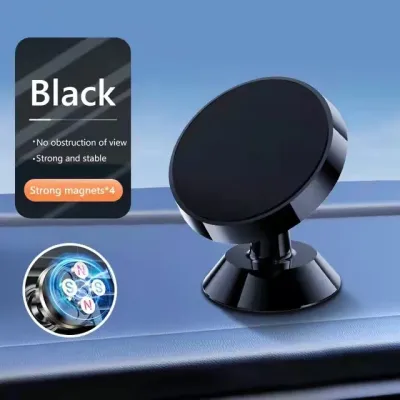
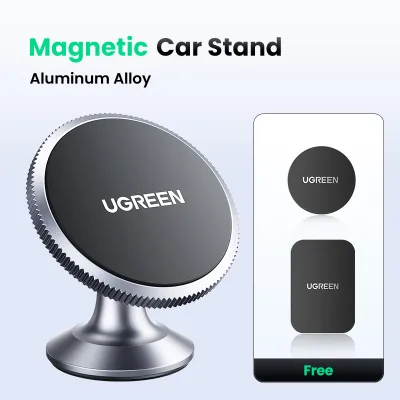
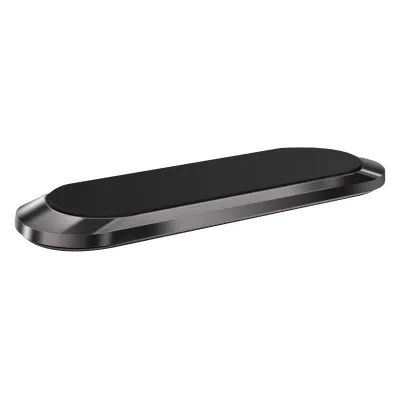
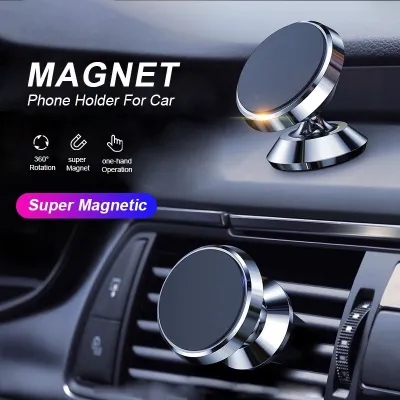
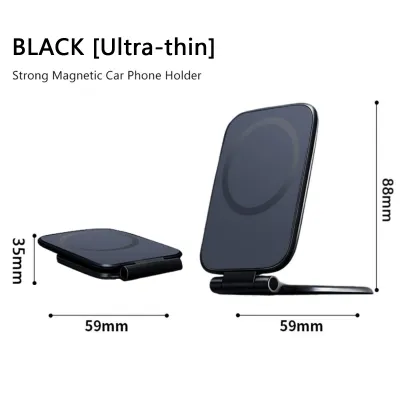
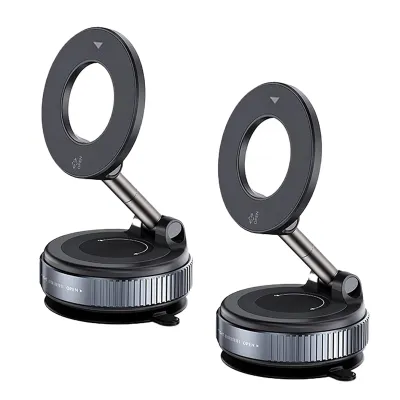
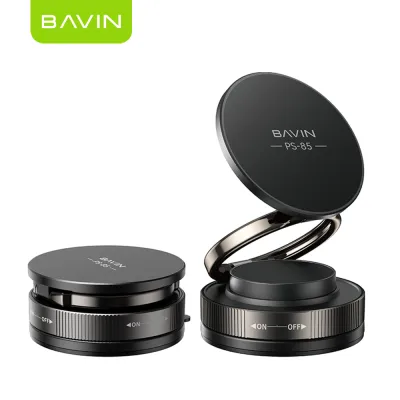
Prices are valid at publication and may change. Please refer to the product page for the latest price.
Furthermore, road conditions introduce constant mechanical stress. Navigating through uneven city streets, crossing speed bumps, or driving over potholes subjects the mounting system to sharp, high-frequency vibrations. A mount designed only for smooth highways will quickly sag, rotate, or drop the phone entirely when encountering rougher terrain. Therefore, a navigation-focused mount must possess superior shock absorption and a highly secure grip to maintain a consistent viewing angle throughout the journey.
Evaluating Magnetic Strength and Alignment Stability
When evaluating a magnetic car phone holder, relying solely on arbitrary pull-force ratings or vague marketing claims can be misleading. Instead, look closely at the physical configuration of the magnet array. High-quality mounts typically utilize a circular or closed-loop array of neodymium magnets. This circular arrangement matches the internal magnetic coils found in modern smartphones, ensuring self-alignment and maximizing the contact surface area. A well-aligned magnetic connection distributes the holding force evenly, preventing the phone from twisting or sliding off-center when driving over bumps.

The method used to attach the metal plate to the phone or case also plays a critical role in stability. For devices without built-in magnetic arrays, manufacturers provide adhesive metal plates. Placing this plate directly on the exterior of the phone case yields the strongest magnetic connection, as there is no material separating the plate from the mount’s magnetic head. If you prefer to hide the plate inside the phone case, you must account for the thickness of the case material. Even a thin plastic or silicone barrier exponentially reduces magnetic attraction, which can cause the phone to detach during sudden braking or sharp turns.
To ensure a secure hold, always verify the manufacturer’s stated weight limits against your specific device configuration. Weigh your phone along with its protective case, as heavy-duty rugged cases, kickstands, or cardholders add significant weight. If your total device weight approaches or exceeds the mount’s rated capacity, the magnetic connection will be highly susceptible to shear forces—the sliding motion caused by gravity and road vibrations. Opting for a mount with a rubberized or high-friction silicone faceplate can help mitigate this sliding effect by increasing lateral grip.
Comparing Mounting Bases for the Best Viewing Angle
The mounting base determines where the phone sits relative to your line of sight and how securely the holder attaches to the vehicle. Air vent mounts are highly popular due to their compact size and ease of installation. They position the phone within easy reach and keep it out of the windshield view. However, they block a portion of the climate control airflow and subject the phone to direct air conditioning. While cold air helps cool a hot phone, blocking the vent can reduce cabin comfort. Additionally, you must verify that the vent clip mechanism is compatible with your vehicle’s vent blades; circular or deeply recessed vents often cannot support standard pinch-style clips securely.
Dashboard and windshield mounts utilize suction cups, often enhanced with a sticky polyurethane gel, to adhere to smooth or lightly textured surfaces. These mounts offer excellent flexibility, allowing you to position the phone closer to your natural line of sight. However, the intense tropical heat and high humidity in the Philippines can rapidly degrade suction gel and adhesives, causing the mount to fall off unexpectedly. Furthermore, placing a large phone on the windshield can create dangerous blind spots, making it essential to choose a position that complies with local visibility laws.
CD slot mounts and custom-fit console mounts offer a highly stable alternative. CD slot mounts insert directly into the vehicle’s unused optical drive, utilizing an expansion wedge to lock firmly in place. This design minimizes vibration and keeps the dashboard clear, though it may block access to the infotainment screen or physical radio controls. Custom-fit mounts, which clip precisely onto specific dashboard panels or trim pieces, provide the highest level of stability and a factory-installed look, but they are vehicle-specific and cannot be easily transferred to another car.
Managing Heat Dissipation During Prolonged Navigation
Overheating is a primary threat to smartphone battery health and navigation performance. When a phone’s internal temperature rises too high, the operating system automatically reduces screen brightness, slows down processing speeds, or disables charging to protect the battery. In extreme cases, the navigation app may close entirely. The design of the magnetic mount’s head can either alleviate or exacerbate this issue.
Closed-back magnetic heads feature a solid, continuous surface that presses flat against the back of the phone. While this provides a large contact area, it also traps heat directly behind the phone’s processor and battery. In contrast, open-back or hollow-ring magnetic designs leave the center of the phone’s rear chassis exposed to the ambient air, facilitating better passive heat dissipation. Some advanced mounts even incorporate active cooling elements, such as small built-in fans or semiconductor cooling plates, to actively draw heat away from the device during operation.
The placement of the mount relative to your vehicle’s climate control system and cabin exposure also dictates thermal performance. A phone mounted on the windshield or the top of the dashboard is exposed to direct sunlight, which acts as a greenhouse, rapidly raising the device’s temperature. If you must use a dashboard mount, selecting one with an adjustable telescopic arm allows you to position the phone lower, shielding it from direct sun exposure. Alternatively, utilizing an air vent mount allows the vehicle’s air conditioning system to actively cool the phone, keeping operating temperatures low even during long midday drives.
Building a Conditional Shortlist for Your Vehicle
To select the right magnetic car phone holder, you must systematically match the mount’s specifications to your vehicle’s interior layout and your device’s physical profile. Start by assessing your dashboard’s real estate. If your vehicle features a heavily curved, textured, or leather-wrapped dashboard, standard suction cups will struggle to maintain a vacuum seal; in this scenario, an air vent mount, CD slot mount, or a specialized adhesive base designed for textured surfaces is a more reliable choice.
Next, consider your phone’s physical dimensions and weight. Large-screen flagship devices require a robust mounting arm with reinforced mechanical joints. Avoid long, flexible gooseneck mounts for heavy phones, as the extended leverage point amplifies road vibrations, causing the screen to shake violently while navigating. Instead, prioritize short, rigid arms made of aluminum or high-density polycarbonate. If your phone supports magnetic wireless charging standards, look for mounts specifically designed with matching circular magnet arrays to eliminate the need for sticking external metal plates to your device.
Finally, allocate your budget toward structural integrity and functional features rather than aesthetic novelties. A high-quality mount constructed with glass-filled nylon joints, a secure locking collar, and a premium silicone faceplate will provide years of reliable service. Investing in a mount with a reliable mechanical tightening mechanism for the vent clip or a dual-pressure suction lever is far more valuable for daily navigation than purchasing a model with decorative LED lighting or automatic motorized clamps that add unnecessary points of failure.
Safety Verification and Installation Boundaries
Before finalizing your mount selection and installation position, you must verify compliance with local traffic safety regulations. In the Philippines, the Republic Act No. 10913, also known as the Anti-Distracted Driving Act, strictly regulates the placement of mobile devices within a vehicle. The law permits the use of mobile phones for dual-purpose applications like GPS navigation, provided that the device is secured in a car holder and positioned in a way that does not obstruct the driver’s line of sight. Generally, this means the phone should be mounted within the “safe zone”—typically on the dashboard or lower portion of the windshield, not rising more than four inches above the top of the dashboard.
In addition to legal compliance, physical safety boundaries must be strictly observed. Never install a phone holder within or adjacent to any airbag deployment zones, including the steering wheel hub, the passenger-side dashboard panel, or the side pillars. A phone mounted in these areas can become a dangerous projectile if the airbags deploy during a collision. Ensure the mount’s arm and the phone itself do not block your view of the instrument cluster, side mirrors, or critical physical controls such as the hazard light button and climate dials.
Once installed, perform a static test before driving. Mount your phone, adjust it to your preferred viewing angle, and verify that you can comfortably reach the screen without leaning forward or taking your eyes off the road. If the mount wobbles, slips, or interferes with your steering or gear shifting, immediately stop the installation, consult your vehicle’s owner manual for alternative mounting locations, or select a different style of mounting base.
Frequently Asked Questions (FAQ)
Will the magnets damage my phone's internal compass or GPS signal?
No, the strong neodymium magnets used in car mounts will not damage your phone’s internal hardware or block GPS signals. GPS receivers rely on high-frequency radio signals from satellites, which are unaffected by static magnetic fields. However, the phone’s internal digital compass (magnetometer) can experience temporary interference from a nearby magnet. This interference only affects the directional arrow’s orientation when you are standing still; once the vehicle is in motion, navigation apps use GPS data and motion sensors to determine your actual direction of travel. If you notice compass calibration issues after removing the phone from the mount, simply perform a figure-eight motion in the air with your phone to recalibrate the sensor.
Can I use a magnetic holder with a thick protective case?
Using a magnetic holder with a thick protective case requires careful planning because magnetic force degrades rapidly as the distance between the magnet and the metal plate increases. If you place a standard metal plate inside a thick rugged or dual-layer case, the magnetic attraction may be too weak to hold the phone securely over bumps. To resolve this, you should adhere the metal plate directly to the exterior of the case, or use a case with a built-in magnetic ring designed to interface directly with the mount. If you prefer not to attach plates to your case and require heavy-duty drop protection, a mechanical cradle mount may be a safer and more reliable alternative for your navigation needs.
Community discussion
Share your experience or ask a question. Comments are reviewed before publication.