
Selecting the ideal Lenovo dashcam for your vehicle requires matching the device’s technical specifications to your daily driving environment rather than simply choosing the model with the highest price tag. In the Philippines, where driving conditions range from the dense, stop-and-go gridlock of Metro Manila to the pitch-black stretches of provincial highways, a single feature set rarely fits every motorist. By understanding how specific hardware components handle local heat, sudden road hazards, and low-light environments, you can make an informed decision that ensures reliable video evidence when you need it most.
Identifying Your Primary Driving Environment
Before browsing online marketplaces or retail stores, take a moment to analyze where your vehicle spends most of its time on the road. A daily commute consisting entirely of slow-moving urban traffic demands different camera priorities than a routine that involves high-speed highway travel or navigating poorly lit rural roads. Identifying these patterns allows you to focus on the exact specifications that will protect you in your specific driving context.
For instance, urban drivers navigating tight city streets benefit most from wide-angle lenses and robust parking mode features to guard against minor scrapes and fender benders. Conversely, provincial commuters who travel long distances require superior night-vision sensors and high-endurance storage capabilities to handle continuous recording over several hours. By mapping your typical route to these core functions, you can avoid paying for premium, high-resolution features you may not actually need.
Products mentioned in this guide



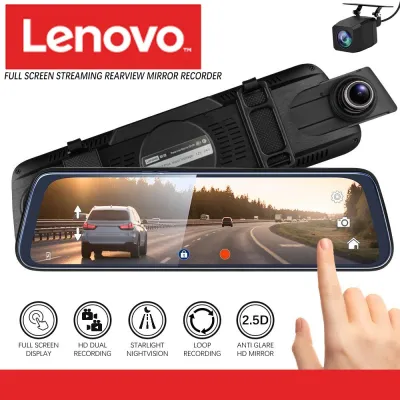
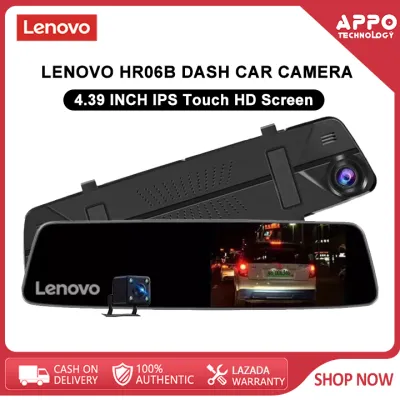
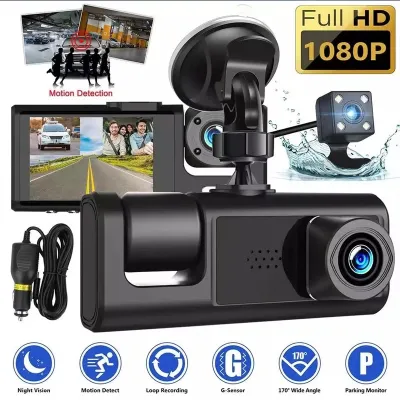
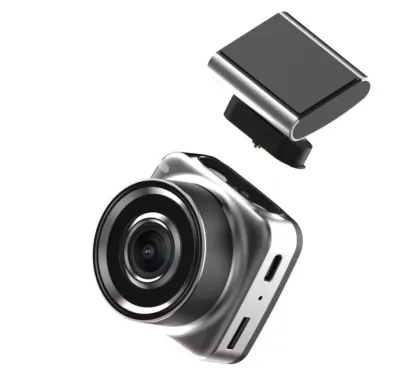
Prices are valid at publication and may change. Please refer to the product page for the latest price.
Establishing this baseline also helps you allocate your budget effectively. If your primary concern is documenting your daily office commute in broad daylight, a standard high-definition model with reliable loop recording is often more than sufficient. However, if your routine includes frequent night driving or parking in unsecured public areas, investing in advanced low-light sensors and a dedicated hardwire kit becomes a necessary safety measure.
Key Specifications for Heavy Metro Manila Traffic
When navigating congested urban centers, your dashcam must be optimized to capture sudden, close-range incidents from multiple angles. The first specification to verify on the Lenovo product packaging is the field of view (FOV). A lens with a diagonal FOV of 130 to 140 degrees is generally ideal for city driving, as it provides enough width to capture adjacent lanes and motorcycles filtering through tight traffic gaps without introducing severe “fish-eye” distortion that can make license plates unreadable.

Another critical feature for stop-and-go traffic is the built-in G-sensor, which detects sudden physical impacts or hard braking and automatically locks the current recording segment to prevent it from being overwritten. In local driving conditions, frequent encounters with deep potholes, high speed bumps, and sudden stops can trigger these file locks unnecessarily. To prevent your memory card from filling up with locked, non-emergency videos, look for a model that allows you to adjust the G-sensor sensitivity to a medium or low setting through the device menu.
Finally, efficient storage management is essential when spending long hours idling in traffic. Ensure the dashcam supports seamless loop recording, which automatically overwates the oldest unprotected footage when the memory card reaches capacity. Choosing a model that records in short, manageable intervals—typically one to three minutes—makes it much easier to locate, download, and share specific clips of traffic incidents without having to sift through hours of continuous footage.
Evaluating Night-Vision Specs for Unlit Provincial Roads
Driving outside major metropolitan areas in the Philippines often means navigating provincial roads with minimal street lighting and unpredictable hazards. To ensure your dashcam can capture clear footage in these challenging conditions, you must look past generic “night vision” marketing claims and examine the actual hardware specifications. The most reliable indicator of low-light performance is the lens aperture, denoted as an f-number (such as f/1.8 or f/2.0) on the product specification sheet.
A lower f-number indicates a larger physical aperture, which allows more ambient light to reach the camera’s image sensor. For unlit or poorly lit roads, prioritizing a Lenovo model with an f/1.8 aperture or lower is highly recommended, as it significantly improves image clarity and reduces motion blur in dark environments. Additionally, check the product specifications for Wide Dynamic Range (WDR) or High Dynamic Range (HDR) technology, which helps the camera balance extreme contrasts, such as the glare of oncoming high beams against a pitch-black background.
It is also important to understand the physical limitations of certain night-vision features, such as infrared (IR) light-emitting diodes (LEDs). While IR lights are highly effective for interior-facing cabin cameras, they are virtually useless for recording the road ahead through a windshield. The infrared light will reflect off the glass back into the camera lens, causing severe glare and rendering the nighttime road footage completely unusable; therefore, focus your selection on sensor quality and aperture size rather than exterior IR lights.
Heat Endurance and Power Management for Long Trips
The tropical climate of the Philippines presents a significant physical challenge for any windshield-mounted electronic device. When a vehicle is parked under direct sunlight, interior cabin temperatures can quickly escalate to levels that degrade battery performance or cause permanent hardware damage. Before purchasing, verify the operating and storage temperature ranges listed in the manufacturer’s documentation to ensure the device is rated to withstand local conditions.
To maximize safety and longevity, pay close attention to how the dashcam is powered. Models equipped with a supercapacitor instead of a standard lithium-ion battery are highly recommended for tropical environments. Supercapacitors do not store energy chemically, meaning they are far more resistant to extreme heat, do not suffer from battery swelling, and are significantly less likely to fail or pose a thermal risk during long, hot road trips.
Continuous, multi-hour recording also places immense strain on your storage media. To prevent sudden write errors or file corruption while driving, always pair your dashcam with a high-endurance microSD card specifically rated for continuous video recording (such as those labeled Class 10, U3, or V30). Standard memory cards are not designed for the constant write cycles of a dashcam and can fail prematurely, leaving you without critical footage when an incident occurs.
Verifying Vehicle Compatibility and Safe Installation
Before finalizing your purchase, you must ensure the dashcam can be safely integrated into your specific vehicle without compromising safety or violating local laws. Begin by checking the power interface; most models connect via a standard 12V/24V auxiliary power outlet (cigarette lighter) or a USB port. When routing the power cable along the headliner and down the A-pillar, verify that the cable does not cross over or obstruct any side curtain airbags, as an improperly routed wire can interfere with airbag deployment during a collision.
Mounting position is equally critical for both driver safety and legal compliance. Under local regulations like the Anti-Distracted Driving Act, electronic devices must not obstruct the driver’s direct line of sight. Mount the dashcam directly behind or adjacent to the rearview mirror, ensuring the screen and housing do not block your view of the road, and verify that the windshield wipers clean the glass directly in front of the camera lens to maintain a clear view during heavy downpours.
If you plan to utilize advanced features like 24-hour parking monitoring, the dashcam will require a dedicated hardwire kit connected directly to the vehicle’s fuse box. Because tapping into the electrical system incorrectly can void your vehicle’s manufacturer warranty, drain the car battery, or create a fire hazard, always refer to your vehicle’s original owner’s manual for fuse layouts. If you are unfamiliar with automotive electrical systems, stop the DIY process and have the hardwiring completed by a qualified auto electrician.
Frequently Asked Questions (FAQ)
Do I need a dual-channel Lenovo dashcam for Philippine roads?
A dual-channel (front and rear) system provides comprehensive coverage, which is highly valuable for documenting rear-end collisions and tailgating incidents on busy highways. However, these systems require more complex cable routing through the vehicle cabin, consume more power, and write larger amounts of data, which demands a higher-capacity, high-endurance memory card. If you primarily drive in slow, bumper-to-bumper city traffic where rear-end impacts are typically low-speed, a single-channel front camera may suffice if you are working within a tight budget.
How do I maintain the dashcam lens in dusty or rainy conditions?
To maintain optimal video clarity, regularly clean both the interior and exterior of your windshield, as dust, road grime, and water spots will degrade the camera’s focus and night-vision performance. For the camera lens itself, use only a clean, dry microfiber cloth to gently wipe away dust or fingerprints; never spray liquid cleaners directly onto the lens, as harsh chemicals can strip away delicate anti-glare coatings. For the windshield area directly in front of the lens, use only label-authorized automotive glass cleaners and avoid abrasive materials that could scratch the glass or damage aftermarket window tints.

Community discussion
Share your experience or ask a question. Comments are reviewed before publication.