
Finding the right position for your smartphone while navigating busy city streets or cruising along expressways is crucial for both safety and convenience. A poorly placed phone can block your view of oncoming traffic, force you to take your eyes off the road, or even fall off mid-journey due to intense tropical heat and humidity. Because every vehicle cabin is designed differently, there is no universal mounting solution that works perfectly for everyone.
Choosing between a dashboard, windshield, or air vent mount requires balancing your personal viewing preferences with the physical layout of your car. Windshield mounts offer an adjustable, high-level line of sight but can sometimes obstruct your view of the road. Dashboard mounts keep your device stable and closer to your natural instrument cluster, while air vent mounts utilize your vehicle’s air conditioning to keep your phone cool during long, hot drives. Understanding these trade-offs will help you select a setup that keeps your GPS clearly visible without compromising your safety.
Comparing Sightlines and Visibility for Each Mount Type
When evaluating where to place your car phone holder, the primary consideration should always be your line of sight. Ideally, your GPS should be positioned within your peripheral vision so you can glance at map directions without fully turning your head or taking your eyes off the road ahead. The height and angle of each mounting type dictate how far your eyes must travel from the asphalt to the screen, which directly impacts your reaction time during sudden stops or lane changes.
Products mentioned in this guide
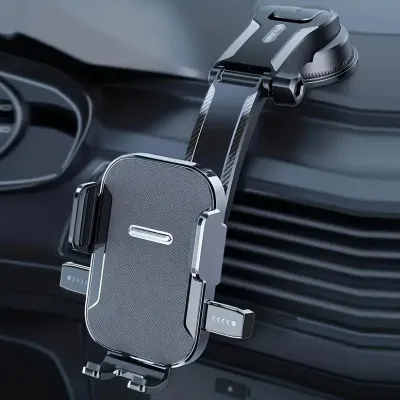
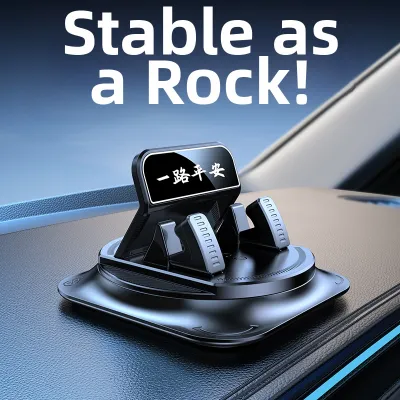
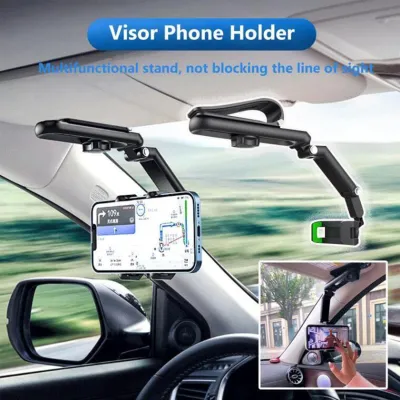
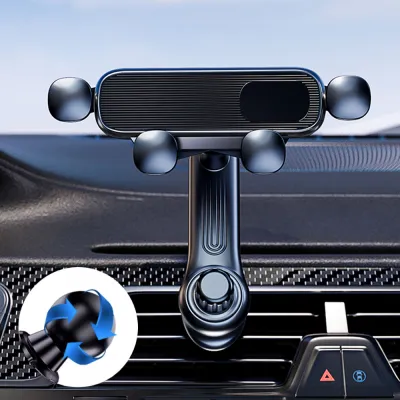


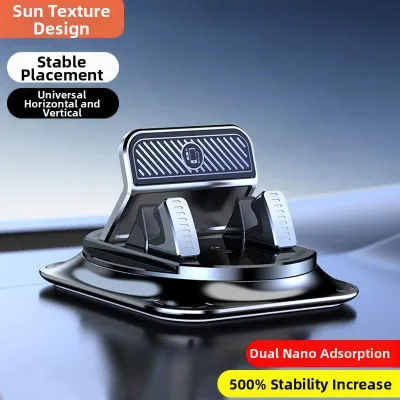
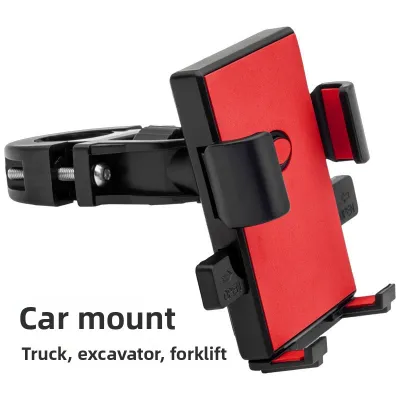
Prices are valid at publication and may change. Please refer to the product page for the latest price.
Windshield mounts typically position the phone highest in your field of view, often placing the device just below or adjacent to your rearview mirror. This high-level placement keeps the GPS map close to your natural driving sightline, meaning you only need to make minor eye adjustments to see upcoming turns. However, this high position can also create new blind spots, particularly when combined with the thick front pillars (A-pillars) found in modern vehicles. If the mount is too large or placed poorly, it can easily hide pedestrians, motorcycles, or low-lying obstacles from your view.
Dashboard mounts offer a slightly lower profile, positioning the phone roughly level with the top of your instrument panel or the central infotainment screen. This setup keeps your forward field of view relatively clear while still keeping the phone high enough for quick glances. The main trade-off here is that the phone sits slightly lower than eye level, requiring a fraction of a second more to refocus your eyes between the road and the screen. It is a balanced option that minimizes windshield clutter while maintaining a highly accessible display.
Air vent mounts place your phone the lowest of the three options, usually clipping directly onto the central air conditioning louvers. Because the phone sits lower down on the center console, you must look further away from the road to read your GPS. This configuration is best suited for drivers who rely heavily on voice prompts and only need to glance at the screen occasionally. The major advantage of this lower position is that it leaves your entire windshield and upper dashboard completely unobstructed, giving you a clean, wide-open view of the road ahead.
Dashboard Mounts: Lower Profile and Quick Glances
Dashboard mounts are highly favored by drivers who want their navigation screen close at hand without cluttering their glass. By sitting on top of or just below the upper edge of the dashboard, these holders keep your GPS map in a highly readable position that aligns naturally with your vehicle’s existing dials and screens. This proximity makes it easy to tap a route alternative or check your arrival time during a brief stop, keeping your physical movements to a minimum.

However, the effectiveness of a dashboard mount depends heavily on the materials and contours of your car’s interior. Many modern vehicles feature dashboards made of textured plastics, soft-touch synthetic leathers, or curved panels designed for aesthetics rather than suction cups. Standard suction mounts and adhesive pads often struggle to form an airtight seal on these uneven or porous surfaces, especially when subjected to the intense cabin heat that builds up when parked under the sun. Over time, the adhesive can degrade, or the suction cup can lose its grip, causing the mount to tip over unexpectedly.
Additionally, you must carefully consider the physical footprint of the mount and your phone. If your dashboard is relatively high or your windshield is narrow, a tall dashboard mount can still eat into your lower windshield visibility. It is also critical to map out your vehicle’s safety features before choosing a spot. Placing a heavy phone holder directly in the deployment path of the passenger-side airbag or too close to steering wheel safety systems can turn your device into a dangerous projectile in the event of a collision. Always consult your vehicle’s manual to identify airbag deployment zones before securing any accessory.
Windshield Mounts: Adjustable Height and Direct Views
For drivers who demand maximum flexibility in how their phone is angled, windshield mounts are often the go-to choice. Most windshield holders feature long, adjustable telescopic arms and ball-and-socket joints that allow you to fine-tune the height, depth, and tilt of your phone. This adjustability is incredibly useful if you share your vehicle with other drivers, as anyone can quickly reposition the screen to match their specific seating height and posture within seconds.
Despite their convenience, windshield mounts carry distinct visibility risks that vary depending on the size of your vehicle. In compact cars or hatchbacks with steep, short windshields, a large suction mount can block a significant portion of your forward view, making it harder to spot tight corners or low-lying hazards. Furthermore, local traffic regulations often restrict what can be attached to the front glass. Many jurisdictions prohibit any device that obstructs the driver’s direct view of the road, meaning a poorly placed windshield mount could result in a traffic citation during roadside inspections.
Another major challenge of windshield mounting is exposure to the elements. Because the phone sits directly against the glass, it is subjected to intense, unfiltered sunlight throughout the day. In tropical climates, this direct solar radiation, combined with the heat radiating off the glass, can cause smartphones to overheat rapidly. When a phone gets too hot, it may dim its screen to protect the battery, slow down its processing speed, or shut down entirely right when you need your GPS navigation the most. Screen glare can also become a persistent issue, requiring constant adjustments to find an angle that does not reflect the bright sky.
Air Vent Mounts: Clear Glass and Device Cooling
Air vent mounts offer a sleek, minimalist alternative that completely avoids the issues of windshield clutter and dashboard adhesive damage. By clipping directly onto the slats of your vehicle’s air conditioning vents, these holders keep your phone securely positioned within easy reach of the center console. This centralized location is highly ergonomic, allowing you to interact with your device with minimal arm extension while keeping your hands close to the steering wheel.
The standout benefit of an air vent mount is its ability to manage device temperature. Running a GPS navigation app while simultaneously charging your phone and operating in high ambient temperatures generates a massive amount of internal heat. By placing your phone directly in front of an active A/C vent, the continuous stream of cool air acts as an active cooling system. This prevents your phone from thermal throttling, preserves battery health, and ensures the screen remains at full brightness throughout your drive.
However, vent mounts are not without their drawbacks. Depending on your car’s dashboard design, mounting a phone to the vent can completely block your access to essential climate controls, hazard light buttons, or your built-in infotainment screen. Furthermore, the weight of modern, heavy smartphones can put significant stress on thin plastic vent blades. If your vehicle has deep-set vents or a low center console, the phone may sit too low for comfortable viewing, forcing you to look down and away from the road for longer periods than is safe.
How to Choose the Right Mount for Your Vehicle
Selecting the perfect car phone holder requires a systematic look at your vehicle’s interior architecture, your local driving environment, and your device’s physical specifications. There is no single option that suits every driver, so matching the mount type to your specific daily driving conditions is the best way to ensure long-term satisfaction and safety on the road.
Use this quick guide to determine which mounting style fits your driving profile:
- Choose a Windshield Mount if: Your dashboard is highly curved, textured, or covered in soft leather that resists adhesives, and you prefer having your GPS map positioned high up near your natural line of sight. This is also ideal for larger vehicles like SUVs or vans where the windshield is far enough forward that the mount does not crowd your personal space.
- Choose a Dashboard Mount if: You want a stable, permanent setup that keeps your phone close to your instrument cluster without blocking your view of the road through the glass. This works best if your car has a flat, smooth plastic section on the dashboard or if you are willing to use a semi-permanent adhesive disk.
- Choose an Air Vent Mount if: You drive a compact car with limited windshield space, want to keep your glass completely clear, and frequently experience phone overheating issues during long drives in hot weather.
Before making a purchase, always verify your local traffic laws regarding distracted driving and windshield obstructions. In many regions, regulations strictly prohibit mounting any device within the sweep of the windshield wipers or in areas that block your direct view of the road. Additionally, check the physical specifications of your phone—including its weight and the thickness of its protective case—against the mount’s grip mechanism. Heavy phones require robust clamps or high-strength magnetic mounts, while long telescopic arms must be rigid enough to prevent the phone from shaking violently when driving over uneven roads or speed bumps. Whether you are spending ₱300 on a basic clip or over ₱1,000 on a heavy-duty adjustable mount, verifying these details beforehand prevents the frustration of a loose or incompatible holder.
Safe Installation and Routine Maintenance Checks
Proper installation is just as important as choosing the right mount. A poorly secured phone holder can detach unexpectedly while you are driving, creating a dangerous distraction as you scramble to catch a falling device. To ensure a secure and lasting bond, always prepare the mounting surface thoroughly before installation.
Follow these steps to install and maintain your car phone holder safely:
- Clean the Surface: Use a clean microfiber cloth and isopropyl alcohol to thoroughly clean the glass or dashboard area where the suction cup or adhesive pad will go. This removes dust, grease, and interior detailing sprays that can prevent a proper bond. Always check your vehicle's manual or test a small, hidden area first to ensure isopropyl alcohol is safe for your specific dashboard material before cleaning, and allow the surface to dry completely before applying the mount.
- Avoid Safety Hazards: Never place your phone holder over or near passenger airbag deployment zones, which are typically marked with "SRS Airbag" logos on the dashboard or pillars. Ensure the mount does not block your view of critical instrument gauges, warning lights, or your physical side mirrors.
- Apply Firm Pressure: When installing adhesive mounts, press the base firmly against the surface for at least thirty seconds, and allow the adhesive to cure for twenty-four hours before attaching the weight of your phone.
- Perform Routine Checks: High cabin temperatures and humidity can degrade suction cups and adhesives over time. Make it a habit to check the stability of your mount every few weeks. Gently wiggle the bracket to ensure it is still firmly attached, and inspect plastic vent clips for any signs of stress fractures or loosening. If a suction cup begins to slip, wash it with warm water and mild soap, let it air dry, and reinstall it on a clean surface to restore its grip.
Frequently Asked Questions (FAQ)
Can I use a dashboard mount on a textured or soft-touch surface?
Standard suction cups and adhesive pads generally struggle to maintain a secure grip on textured, porous, or soft-touch dashboard materials because air can seep under the seal, causing the mount to fall. If your dashboard has a textured surface, look for mounts that include a specialized dashboard pad—a smooth, adhesive-backed plastic disc that adheres to the textured surface first, providing a flat base for the suction cup. Alternatively, you can opt for weighted friction mounts (often called beanbag mounts) that sit securely on your dashboard using gravity and a non-slip silicone base, or look for custom-fit brackets that clip securely into the seams of your vehicle’s center console panels.
Do air vent mounts break the vent blades?
Air vent mounts can place significant physical stress on your vehicle’s climate control louvers, especially when holding heavy, modern smartphones over bumpy roads. Standard horizontal or vertical flat blades are generally sturdy enough to support lightweight mounts, but circular, rotating, or turbine-style vents are highly fragile and often incompatible with generic vent clips. To prevent damage, avoid mounts that require you to tighten a clamp with excessive force onto the plastic blades. Instead, look for vent mounts that feature a supportive kickstand or stabilizer arm that redistributes the weight of the phone onto the surrounding dashboard trim, reducing the direct downward pull on the delicate vent mechanism.
Community discussion
Share your experience or ask a question. Comments are reviewed before publication.