
Evaluating the DDPAI Z50 Pro for your daily commute requires looking past marketing buzzwords to identify the specifications that truly impact your safety and peace of mind. While high-resolution sensors and smart alerts sound impressive on paper, their real-world utility depends on how they handle daily driving challenges like intense tropical heat, unpredictable traffic, and night driving. To make an informed purchase, you must evaluate how these technical specifications translate into reliable, everyday performance. A dashcam is ultimately an insurance policy on wheels, ensuring that when an incident occurs, your camera is powered on, recording, and capturing legible details without requiring constant troubleshooting.
Video Quality and Field of View: What You Need for Clear Evidence
When reviewing the video specifications of the DDPAI Z50 Pro, your primary goal is ensuring the camera can capture legible license plates and road signs. Check the official resolution and frame rate on the product packaging or manual. While higher resolutions provide sharper details for zooming in on distant objects, they also demand more processing power and storage space. A stable frame rate of 30 frames per second is generally sufficient to prevent motion blur at standard city and highway speeds.
A wider Field of View (FOV), typically around 140 degrees, records multiple lanes of traffic and pedestrian activity. However, avoid excessively wide angles that introduce severe edge distortion. Extreme distortion makes vehicles ahead appear much farther away, complicating insurance claims when proving tailgating.
Products mentioned in this guide
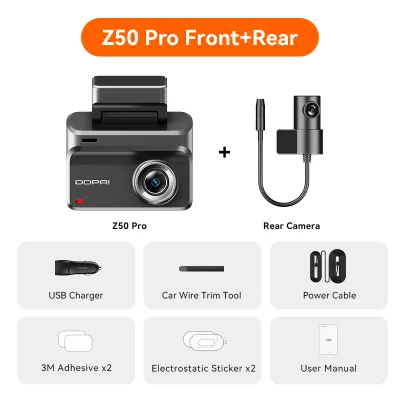
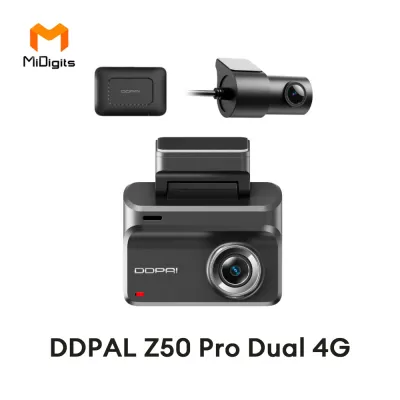
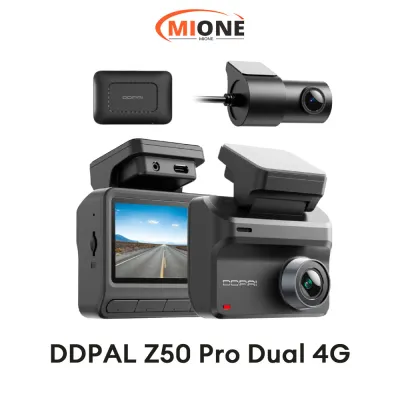
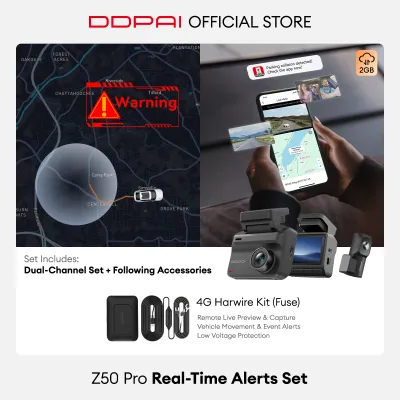
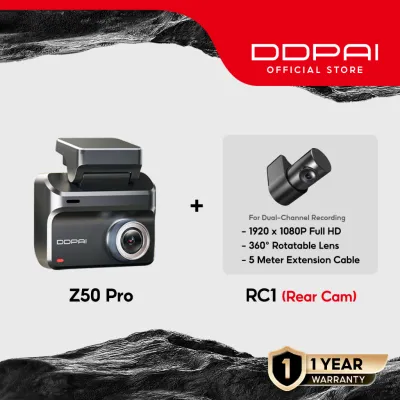
![[NEW] DDPAI Z50 Pro 4K UHD Dual Wi-Fi6 5GHZ ADAS Super NightVisin Dash Cam with 4G Connectivity GPS for classic audio (original)](https://img.lazcdn.com/g/p/0eaaa4952999a203af4838b9ecb9288d.jpg_400x400q80.jpg_.webp)
Prices are valid at publication and may change. Please refer to the product page for the latest price.
Finally, verify the image sensor and lens aperture specifications. A wide aperture, such as f/1.75, is essential for low-light and night driving, allowing more light to reach the sensor during heavy tropical downpours. Ensure the sensor has a high dynamic range to manage sudden changes in lighting, such as exiting a dark parking garage into bright sunlight.
Storage Capacity and Loop Recording: Never Miss a Critical Moment
High-resolution video files quickly consume storage space. Before purchasing, identify the maximum supported microSD card capacity and the required speed class. For high-bitrate recording, manufacturers typically require a Class 10, U3, or V30 card; slower cards can lead to write errors or corrupted files.

Loop recording is the core mechanism that keeps your dashcam running continuously. It automatically overwrites the oldest, unprotected video files when the memory card reaches its capacity. To prevent crucial evidence from being deleted, the built-in G-sensor detects sudden impacts or hard braking and automatically locks the active video segment into a secure folder.
Some advanced dashcams incorporate built-in eMMC storage alongside the removable microSD slot. This dual-storage configuration acts as a vital fail-safe; if the removable memory card fails due to continuous write cycles, the internal eMMC storage takes over, ensuring you never lose crucial evidence during an accident.
Power Source and Heat Tolerance: Reliability in Tropical Climates
Operating car electronics in the Philippines presents unique challenges due to intense heat. Dashcams mounted directly to the windshield are subjected to extreme greenhouse temperatures when parked outdoors. Traditional lithium-ion batteries are highly susceptible to swelling and degradation under these harsh conditions, posing a safety risk.
Supercapacitors are the preferred power source for tropical climates. Unlike batteries, they hold a charge electrostatically, providing just enough power to safely save the current recording and shut down when the vehicle is turned off. Review the manufacturer’s operating temperature range to ensure the device can withstand hot afternoons without triggering thermal shutdowns.
If you plan to utilize parking surveillance mode, you must install a dedicated hardwire kit. Hardwiring involves modifying your vehicle’s electrical system. To prevent electrical damage or voiding your vehicle’s warranty, always consult your vehicle’s original manual and have the kit installed by a qualified automotive professional. Ensure the hardwire kit features an adjustable low-voltage cutoff to monitor your car battery and shut off the dashcam before the battery drains below starting capacity.
Smart Assistants and App Connectivity: Practical Tools or Distractions?
Advanced Driver Assistance Systems (ADAS) offer features like forward collision warnings and lane departure alerts. While helpful on open highways, these alerts can become highly distracting in dense, stop-and-go city traffic. Check the companion app to see if these alerts can be customized or disabled to prevent unnecessary noise.
Built-in Wi-Fi connectivity directly improves daily usability. Dual-band Wi-Fi allows you to connect your smartphone directly to the dashcam via a dedicated app to quickly view, download, and share footage on the spot during a roadside dispute, eliminating the need to remove the microSD card.
Voice control commands provide a safer, hands-free way to operate the dashcam while driving. Simple voice prompts allow you to take photos or lock specific video clips without taking your eyes off the road or your hands off the steering wheel, minimizing driver distraction.
Form Factor and Mounting: Maintaining a Clear Windshield
A dashcam should protect your vehicle without obstructing your line of sight. Measure the physical dimensions of the device against your rearview mirror to ensure a discreet installation. A compact form factor allows the camera to sit neatly behind the mirror, keeping your windshield clear.
If the dashcam features an integrated display screen, verify if it has an automatic screen-saver function. A bright screen glowing on your windshield at night can cause severe glare and strain your eyes during long drives.
Mounting mechanisms typically use high-bond double-sided adhesive or suction cups. For tropical climates, adhesive mounts are generally superior. Suction cups tend to lose suction and fall off when the windshield heats up under the sun, whereas heat-resistant adhesive pads remain securely bonded to the glass.
Frequently Asked Questions (FAQ)
Does the DDPAI Z50 Pro drain the car battery in parking mode?
When properly installed with a compatible hardwire kit, the dashcam will not drain your car battery. The hardwire kit features a low-voltage cutoff mechanism that automatically cuts power to the camera when the vehicle’s battery voltage drops below a pre-set threshold (such as 11.8V or 12V). Always check your vehicle’s battery health and configure the cutoff voltage in the app or manual to ensure reliable starting power.
How often should I format the memory card to prevent recording errors?
It is highly recommended to format your microSD card once every two to four weeks directly through the dashcam’s companion app or physical menu. Continuous loop recording subjects the card to heavy write cycles, which can lead to file fragmentation over time. Before formatting, always connect to the camera and back up any important locked or emergency files to your smartphone, as formatting permanently erases all data on the card.
Community discussion
Share your experience or ask a question. Comments are reviewed before publication.