
Choosing a 4K dashcam in the Philippines requires balancing high-resolution video capture with the harsh realities of tropical heat, intense sunlight, and demanding road conditions. While the DDPAI Z50 presents a compelling option with its ultra-high-definition recording capabilities, deciding whether it is the right choice for your vehicle depends on how its specific hardware, power requirements, and storage demands compare to other 4K alternatives on the market. To make an informed purchase, you must look beyond marketing buzzwords and evaluate verifiable technical specifications, installation safety boundaries, and your daily driving habits.
Key Specifications to Verify Before Buying
Before investing in any high-resolution recording device, you must understand what true 4K resolution entails. A genuine 4K dashcam records at a native resolution of 3840 x 2160 pixels, which provides four times the detail of standard Full HD. However, some entry-level models use software interpolation to upscale lower-resolution footage, resulting in pixelated images that fail to capture critical details like license plates. To ensure you are getting authentic quality, check the manufacturer’s technical specifications for the image sensor model and verify that it natively supports 8-megapixel capture.
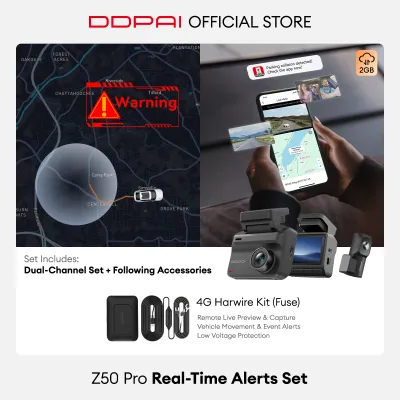
Power delivery is another critical factor that varies significantly between vehicle models and dashcam designs. Most dashcams connect directly to a standard 12V accessory socket, but 4K units require a stable, high-amperage power supply to handle the intense processing load of ultra-high-definition encoding. If you plan to use advanced features such as 24-hour parking monitoring, you must verify if the camera requires a dedicated hardwire kit. This kit connects directly to your vehicle’s fuse box, bypassing the ignition switch to provide continuous power while protecting your car battery from deep discharge.
Products mentioned in this guide
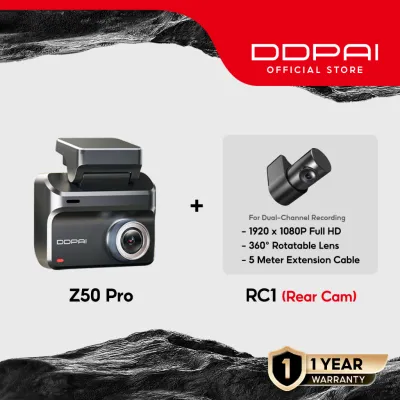
Prices are valid at publication and may change. Please refer to the product page for the latest price.
Windshield real estate and mounting compatibility must also be assessed before making a purchase. A bulky dashcam can obstruct your line of sight, which is both a safety hazard and a potential traffic violation. Measure the available space behind or adjacent to your rearview mirror, taking into account the angle of your windshield. Some vehicles with pre-installed sensor housings for rain sensors or active safety cameras may have limited flat glass space, requiring a more compact or wedge-shaped dashcam design.
Finally, the storage demands of 4K video are exceptionally high, making the choice of storage media a vital reliability factor. A standard microSD card will quickly fail under the constant write cycles and high temperatures generated by continuous 4K recording. You must verify the dashcam’s maximum supported storage capacity and ensure you purchase a high-endurance microSD card rated for speed class U3 or V30. Using an incompatible or low-tier card can lead to write errors, corrupted files, and system crashes at critical moments.
DDPAI Z50 Feature Breakdown and Usage Conditions
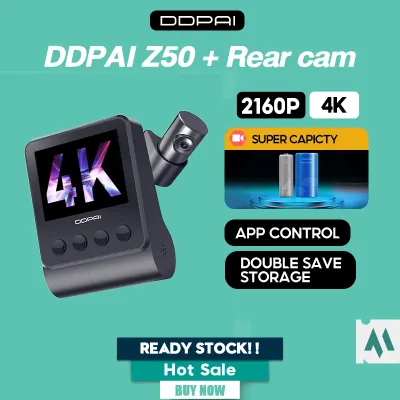
Evaluating the DDPAI Z50 requires a close examination of its official documentation to understand its operational limits and physical characteristics. The Z50 utilizes a high-performance image sensor capable of capturing native 4K footage, paired with a wide-angle lens. To determine if this field of view suits your vehicle, consult the user manual to verify the exact diagonal angle. A wider field of view captures more lane detail but can introduce fish-eye distortion at the edges, whereas a narrower angle focuses more detail directly ahead.

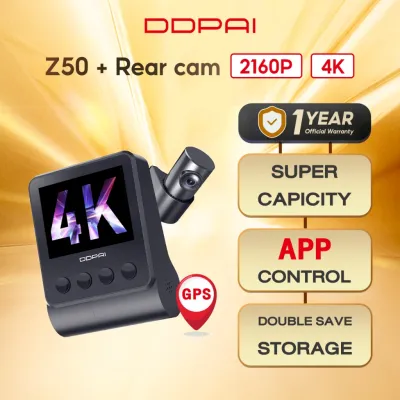
Operating temperatures are a primary concern for any electronic device installed on a vehicle’s windshield in the Philippines. During midday parking, cabin temperatures can easily exceed 60 degrees Celsius, which can cause standard lithium-ion batteries to swell, leak, or fail. The DDPAI Z50 addresses this by utilizing a supercapacitor instead of a traditional battery. Supercapacitors are significantly more resilient to extreme heat and provide just enough temporary power to safely save the current recording when the vehicle is turned off. You should verify the exact operating temperature range printed on the product label to ensure it matches your local environmental conditions.
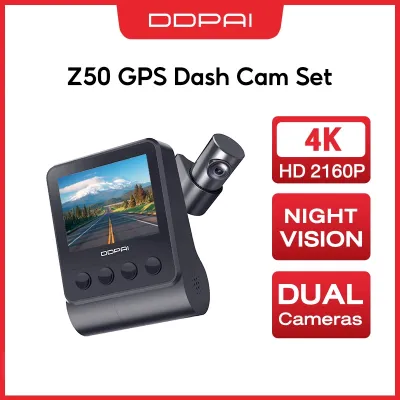
Physical installation and driver visibility are streamlined by the Z50’s compact, wedge-shaped form factor. Unlike cylindrical cameras that hang down from a mount, a wedge design sits relatively flush against the glass, making it easier to hide behind the rearview mirror. However, you must verify the adjustability of the lens joint. Because windshield angles vary from steep upright angles on delivery vans to aggressive slopes on sports sedans, ensuring the lens can tilt sufficiently to capture the road ahead is a necessary pre-purchase check.
App connectivity is another area where user requirements vary. The DDPAI Z50 relies on a built-in Wi-Fi module to connect to your smartphone for video playback, settings adjustment, and firmware updates. You should check the supported Wi-Fi frequency bands in the product specifications. Dual-band support (2.4 GHz and 5 GHz) is highly beneficial, as the 5 GHz band offers significantly faster transfer speeds, allowing you to download large 4K video files to your phone in a fraction of the time required by older 2.4 GHz connections.
Comparing 4K Dashcam Alternatives
When comparing the DDPAI Z50 to other 4K dashcams available on online marketplaces and local automotive shops, a structured comparison framework is essential. The primary distinction among models is whether they offer single-channel (front-only) or dual-channel (front and rear) recording. While a single-channel setup is easier to install, a dual-channel system provides comprehensive coverage. If you select a dual-channel alternative, verify whether the rear camera records in Full HD or 2K, as processing two high-resolution streams simultaneously puts a heavy load on the main unit.
The presence of a physical screen is another major design differentiator. The DDPAI Z50 features a compact built-in screen, which allows for quick alignment checks and basic menu navigation without needing your phone. In contrast, screenless alternatives are often smaller and less conspicuous from the outside, but they require you to open a mobile app for every adjustment. Consider your personal preference: if you prefer immediate visual confirmation that the camera is recording, a model with a screen is advantageous; if you prefer a completely stealthy installation, a screenless model may be superior.
Storage management and file protection mechanisms also vary across brands. Most 4K dashcams utilize loop recording, which automatically overwrites the oldest unprotected files when the microSD card is full. However, the way emergency files are handled differs. Look for models that feature a built-in G-sensor with adjustable sensitivity. When a sudden impact or hard braking event is detected, the camera automatically locks the current video segment into a separate, protected folder. Verify in the user manual whether these locked files are excluded from loop deletion, and how much storage space is allocated for emergency recordings.
Installation, Power, and Safety Considerations
Installing a 4K dashcam involves electrical and physical integration with your vehicle, which carries specific safety responsibilities. When routing the power cable from the windshield down to the 12V socket or fuse box, you must avoid blocking or interfering with the vehicle’s side curtain airbags. Running a cable directly across an airbag cover can prevent proper deployment during an accident or turn the cable into a dangerous projectile. Always route cables behind the interior trim panels and secure them away from any safety mechanisms.
If you decide to enable parking mode, using a dedicated hardwire kit is highly recommended. This kit connects to both a constant power source and an ignition-switched source in your fuse box. The critical safety feature to verify on any hardwire kit is the low-voltage cutoff threshold. This setting automatically cuts power to the dashcam if your car battery’s voltage drops below a safe level (typically 11.8V or 12V), ensuring you always have enough power to start your engine. Never bypass this safety feature, especially in tropical climates where high heat already accelerates car battery degradation.
For modern vehicles equipped with Advanced Driver Assistance Systems (ADAS)—such as lane-keep assist, automatic emergency braking, or radar sensors mounted near the rearview mirror—extra caution is required. Placing a dashcam too close to these sensor housings can cause electromagnetic interference or physically block the system’s cameras. If your vehicle features complex electrical architectures or sensitive safety systems, consult your vehicle’s owner manual or seek professional installation from a qualified automotive technician before mounting the device.
How to Decide: Matching Features to Your Driving Needs
To make your final decision, you must match the specific features of the DDPAI Z50 and its competitors to your daily driving habits and vehicle constraints.
Choose the DDPAI Z50 if you prioritize a compact, wedge-shaped design that sits flush against the windshield, prefer having a built-in screen for quick status checks, and want the thermal reliability of a supercapacitor-powered system. This model is highly suitable for drivers who park in open, unshaded areas in the Philippines and need a camera that can withstand high cabin temperatures without malfunctioning.
Choose an alternative 4K dashcam if you require a completely screenless, ultra-stealthy design that blends seamlessly into your car’s interior, or if you need a dual-channel system that records in native 2K or higher on the rear camera. Some alternative models also offer built-in GPS logging as a standard feature rather than an optional add-on, which is beneficial if you need to document your exact speed and coordinates for insurance purposes.
Verify first if your vehicle has specific limitations that could affect dashcam performance. For example, if your windshield has a heavy metallic tint, it can degrade GPS signal reception and reduce the clarity of night-vision sensors. Additionally, check the number of available 12V accessory ports in your cabin; if you already use the port for a phone charger or air purifier, you will need to factor in the cost of a hardwire kit or a multi-port adapter. Before finalizing your purchase on any online marketplace or retail store, confirm the warranty terms, return policies, and ensure you are buying from an authorized distributor to guarantee access to customer support and firmware updates.
Frequently Asked Questions (FAQ)
Does a 4K dashcam drain the car battery when parked?
A 4K dashcam can drain your car battery if it is wired for continuous parking mode without a proper power management system. Because 4K processing requires more power than standard high-definition recording, the camera draws a steady current even when the vehicle is off. To prevent a dead battery, you must use a compatible hardwire kit equipped with an adjustable low-voltage cutoff. This safety device automatically disconnects power to the dashcam when the vehicle’s battery voltage drops below a pre-set limit, preserving enough charge to start the engine.
How often should I format the microSD card in a 4K dashcam?
You should format your microSD card every two to four weeks to maintain optimal recording performance and prevent file corruption. The high data write speeds required for continuous 4K video streams put immense stress on flash memory, leading to gradual fragmentation over time. Always perform the formatting process directly through the dashcam’s built-in menu rather than a computer, as this ensures the card is configured with the specific file system structure required by the device. Additionally, remember to back up any important locked footage before formatting, as this process permanently erases all data on the card.
Community discussion
Share your experience or ask a question. Comments are reviewed before publication.