
Selecting the right Essager phone holder for your vehicle is not about finding a universally perfect mount, but rather matching the physical design of the holder to your car’s interior layout, dashboard materials, and your specific smartphone setup. There is no single mounting type that excels in every scenario. Instead, the ideal choice balances installation security, driving conditions, and device compatibility.
Before purchasing any car accessory, you must verify how a mount interacts with your vehicle’s cabin. A mount that works seamlessly on a flat, hard-plastic dashboard may fail entirely on a textured leather surface or a curved windshield. By understanding the physical requirements and limitations of air vent, suction cup, and magnetic mounts, you can make an informed decision that keeps your device secure and your drive safe.
Mounting Mechanism and Installation Requirements
Each mounting style relies on a distinct physical mechanism to secure your phone, requiring specific cabin conditions to function reliably. Air vent clips are designed to clamp directly onto the individual louvers of your vehicle’s climate control vents. For these to work, your car must have sturdy, standard vent blades—ideally horizontal or vertical. Circular, diagonal, or highly flexible vents often lack the structural integrity to support the combined weight of the clamp and a modern smartphone, which can lead to sagging or damaged vent blades.
Products mentioned in this guide
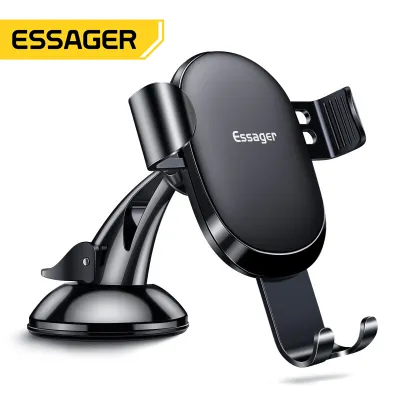
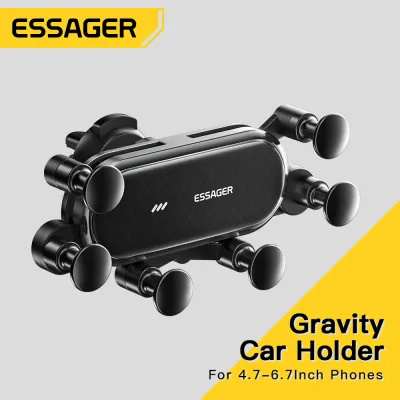
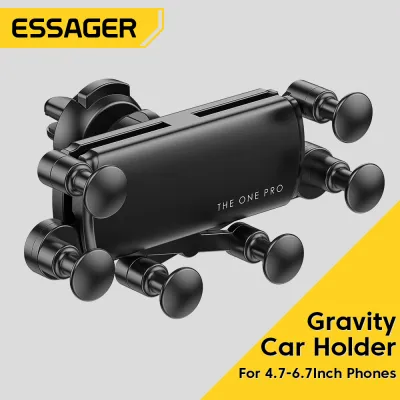
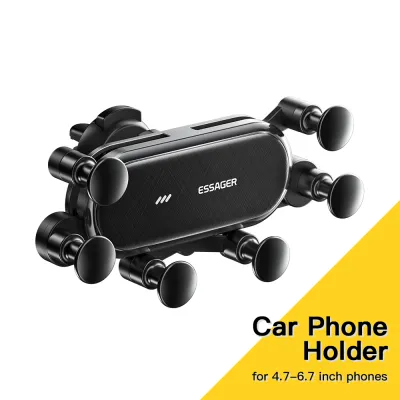
Prices are valid at publication and may change. Please refer to the product page for the latest price.
Suction cup mounts rely on an airtight vacuum seal, often assisted by a sticky polyurethane gel pad. This mechanism requires a completely smooth, non-porous, and flat surface to maintain its grip. While windshield glass and smooth, hard plastics are excellent mounting surfaces, textured plastics, leather, wood grain, or soft-touch dashboards are highly porous. These textures allow microscopic amounts of air to seep under the gel pad, gradually destroying the vacuum seal and causing the mount to fall.
Magnetic mounts generally offer two installation paths: they either attach to an air vent via a clip or adhere to the dashboard using a semi-permanent adhesive base. Adhesive-backed magnetic mounts require meticulous surface preparation. You must clean the target area thoroughly to remove dust, interior protectants, and oils, and then allow the adhesive to cure—typically for 24 hours—before attaching your phone. Additionally, you must verify that the adhesive is safe for your specific dashboard material by consulting your vehicle owner’s manual, as some strong adhesives can discolor or lift delicate synthetic leather coatings.
Stability, Vibration, and Driving Conditions
Your daily driving environment and local climate play a massive role in how stable your phone holder remains over time. Air vent mounts keep your phone within easy reach and out of your direct line of sight, but they come with environmental trade-offs. In tropical climates with high humidity, blocking a primary air conditioning vent can noticeably reduce cabin cooling efficiency. Furthermore, blowing cold air directly onto the back of a running smartphone can cause internal condensation, while running the vehicle’s heater in colder regions can cause the device to overheat.

Suction cup mounts are highly susceptible to temperature fluctuations and intense sunlight. When a vehicle is parked under direct sunlight, cabin temperatures can rise dramatically. This extreme heat can soften the adhesive gel pad of a suction cup, dry out the silicone, or cause the air trapped inside the suction chamber to expand, leading to sudden failure. If you choose a suction cup mount, you must regularly inspect the seal and avoid placing it in areas where it completely blocks your view of the road, keeping in mind local road safety regulations regarding windshield obstructions.
Magnetic mounts offer unmatched convenience for quick mounting, but their stability depends entirely on the physical relationship between the magnet’s holding power and the weight of your phone. On bumpy roads, gravel paths, or when driving over speed humps, the vertical vibrations and lateral forces can test the limits of a magnetic connection. If the magnetic pull is insufficient for the size and weight of your device, a sudden jolt can cause the phone to slide off the mounting face, potentially distracting you while driving.
Verifying Phone Size, Weight, and Case Compatibility
Before finalizing your choice, you must measure your smartphone and its protective case against the physical specifications of the mount. Clamp-based holders, which are common among air vent and suction cup models, use mechanical arms to grip the sides of your device. You must check the manufacturer’s specified minimum and maximum clamp widths. If you use a thick, rugged case, a wallet case, or an external battery pack, the added depth might prevent the clamp arms from wrapping securely around the edges of your phone.
Magnetic mounts require a steel plate or a compatible magnetic ring to be attached to the back of your phone or inside its case. While this setup allows for effortless, one-handed mounting, the metal plate can interfere with Qi wireless charging coils. If you rely on wireless charging pads at home or in your vehicle, you must position the metal plate carefully—usually near the bottom of the device—or use a specialized circular magnetic ring that leaves the center charging coil unobstructed. Additionally, placing the plate too low can make the phone top-heavy, causing it to spin or slip when mounted.
Weight capacity is another critical factor that is often overlooked. Large flagship smartphones, especially those with screen sizes over 6.5 inches or those equipped with heavy protective cases, can weigh well over 200 grams. You must check the weight limits specified on the product packaging or official documentation. Exceeding these limits puts unnecessary stress on vent clips, weakens suction seals, and increases the likelihood of a magnetic mount releasing your phone during sudden braking maneuvers.
Quick Comparison: What to Verify Before You Buy
To help you quickly assess which mounting style aligns with your vehicle and device, use the following verification checklist before making a purchase:
| Mount Type | Ideal Car Surface/Vent | Key Limitation to Check | Best For |
|---|---|---|---|
| Air Vent | Sturdy, horizontal or vertical plastic vent blades | May block AC airflow; fragile vents can sag or break | Drivers who prefer a low-profile, reachable mount without dashboard adhesives |
| Suction Cup | Windshield glass or completely smooth, flat plastic | Heat can degrade the suction gel; cannot stick to textured leather | Drivers wanting flexible placement options away from climate vents |
| Magnetic | Flat dashboard surfaces (adhesive) or sturdy vents | Requires attaching a metal plate; can block wireless charging | Drivers prioritizing quick, one-handed mounting for lighter devices |
Final Decision Guide: Which Type Should You Choose?
Your final decision should be guided by a realistic assessment of your vehicle’s interior design and your daily driving habits. If you want to keep your dashboard and windshield completely clear of obstructions, and your vehicle features robust, traditional horizontal vent slats, an air vent mount is a highly practical choice. It keeps your phone within arm’s reach and is incredibly easy to transfer between different vehicles, making it ideal for business travelers or multi-car households.
If your dashboard is made of smooth plastic or you prefer to mount your phone directly to the windshield, a suction cup mount provides the most secure physical attachment. This option is particularly useful if you want to position your phone higher up to use GPS navigation without taking your eyes off the road. However, you must be prepared to maintain the suction cup by cleaning it periodically, and you should avoid mounting it in direct path of passenger airbag deployment zones.
If you value speed and convenience above all else, a magnetic mount is incredibly satisfying to use. It allows you to mount and remove your phone in a single, one-handed motion without fiddling with mechanical clamps. This setup is highly suitable for urban commuters who make frequent stops. Just ensure your phone and case combination is light enough to remain secure over rough patches of road, and verify that the metal plate placement does not disrupt your wireless charging routine.
Regardless of the type you choose, always prioritize safety. Never install a phone holder in a position that blocks your view of the road, interferes with your steering, or obstructs any safety equipment. By matching the mount’s physical requirements to your car’s unique layout, you can enjoy a secure, hands-free driving experience.
Frequently Asked Questions (FAQ)
Will a suction cup mount damage my car's dashboard?
Yes, a suction cup mount can potentially leave lasting marks or cause damage to certain dashboard materials. On soft-touch plastics, synthetic leather, or real leather dashboards, the combination of the sticky polyurethane gel pad, the strong vacuum pull, and intense cabin heat can stretch, discolor, or indent the material. To prevent permanent damage, avoid using suction cups on delicate or wrapped surfaces. If you must mount on the dashboard, consider using an adhesive dashboard pad designed to distribute the pressure, or stick to mounting the suction cup directly onto the windshield glass. Always consult your vehicle’s owner’s manual for specific interior material care instructions.
Can I use a magnetic mount if my phone supports wireless charging?
Yes, but you must take specific precautions. Standard solid metal plates block the electromagnetic fields used in wireless charging, which can cause your phone to overheat or prevent charging altogether. If you use wireless charging daily, you should avoid placing a solid metal plate directly over the center of your phone’s back panel. Instead, look for ring-shaped metal adapters designed to sit around the wireless charging coil, or use a phone case with built-in magnetic compatibility that is specifically engineered to allow wireless power transfer to pass through safely.
How do I clean a suction cup that has lost its grip?
If your suction cup mount is slipping or has accumulated dust, lint, and oils from your dashboard, you can often restore its stickiness by cleaning it. Carefully remove the mount from your vehicle and rinse the suction cup under warm running water. Use a small drop of mild dish soap to gently wash away dirt and oils from the gel surface, taking care not to use abrasive sponges or harsh chemical cleaners that could strip the adhesive coating. Allow the suction cup to air dry completely; do not wipe it with a towel, as this will transfer lint back onto the sticky surface. Once dry, ensure your dashboard or windshield is thoroughly cleaned and free of dust before reattaching the mount.
Community discussion
Share your experience or ask a question. Comments are reviewed before publication.