
Navigating the dense, stop-and-go traffic of major thoroughfares like EDSA or traversing dimly lit provincial roads at night presents unique challenges for drivers in the Philippines. In these demanding environments, a standard dashboard camera often falls short, producing blurry, overexposed, or pixelated footage that fails to capture critical details when they matter most. To secure reliable, high-resolution evidence of road incidents, investing in a true 4K dashcam is increasingly essential. Choosing the right device requires a clear understanding of how specific hardware components perform under intense heat, heavy congestion, and low-light conditions.
To make an informed purchase, you must look beyond marketing buzzwords and evaluate the underlying technology of these devices. A high-quality dashcam must balance resolution, light sensitivity, thermal durability, and storage efficiency to remain reliable over years of daily use. This guide breaks down the essential technical specifications, installation safety boundaries, and purchasing strategies to help you select a dependable 4K dashcam tailored to local driving conditions.
Key Features for Heavy Traffic and Low-Light Recording
When evaluating a 4K dashcam, the image sensor is the most critical component determining video quality. True 4K resolution requires a sensor that can physically capture approximately 8.3 million pixels (3840 x 2160). Many budget-friendly models use smaller, low-cost sensors that struggle in low light because each individual pixel is too small to gather sufficient photons. For superior nighttime performance on unlit roads, look for a larger physical sensor size, such as a 1/1.8-inch or 1/2.8-inch format. Larger sensors have a greater surface area, allowing individual pixels to capture more light, which significantly reduces digital noise and graininess in dark environments.
Products mentioned in this guide

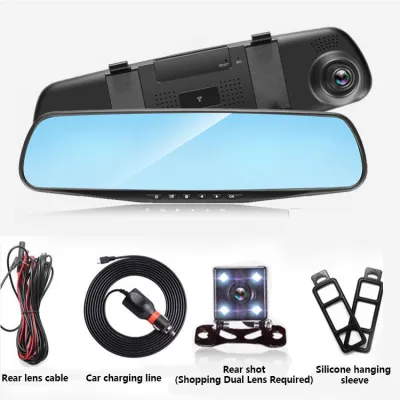

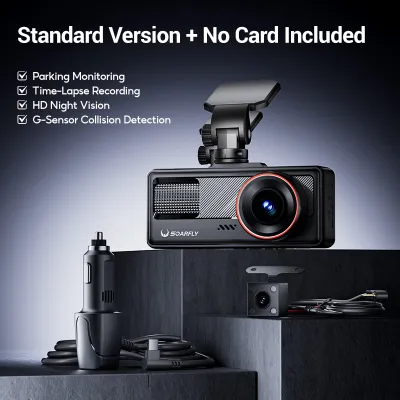
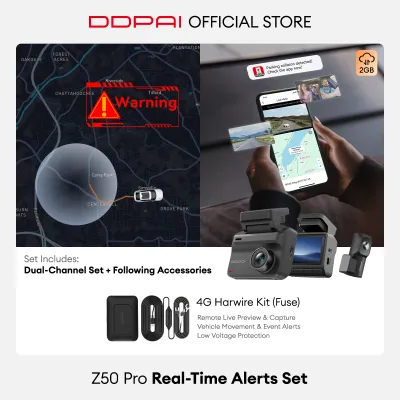
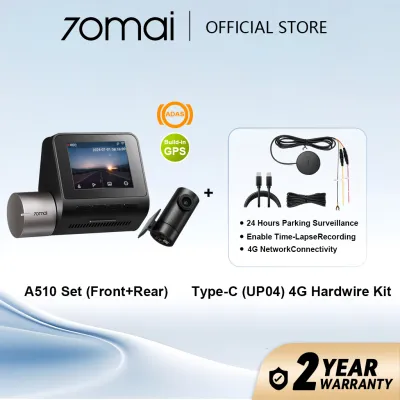
Prices are valid at publication and may change. Please refer to the product page for the latest price.
In addition to sensor size, specialized low-light sensor technologies are vital for nighttime driving. Back-illuminated CMOS sensors are highly recommended because they reposition the sensor’s internal wiring behind the photo-diode layer, maximizing the amount of light that reaches the pixels. This architecture allows the camera to resolve fine details, such as license plate characters and street signs, even when the only illumination comes from your vehicle’s headlights or distant, flickering streetlamps.
The lens aperture rating is another hardware specification that directly impacts light intake. The aperture is represented by an f-number, such as f/1.6 or f/1.8; a lower number indicates a wider lens opening that lets in more light. For driving in poorly lit areas, a lens with an aperture of f/1.6 or wider is highly advantageous. A wide aperture ensures that the sensor receives enough light to maintain a fast shutter speed, which is crucial for preventing motion blur when capturing vehicles moving at high speeds or during sudden maneuvers.
Finally, managing extreme contrast is a major hurdle in heavy traffic. Stop-and-go congestion exposes your camera to intense headlight glare from oncoming traffic and harsh reflections from the brake lights of the vehicle directly in front of you. To combat this, look for a dashcam with true High Dynamic Range (HDR) processing. Unlike basic Wide Dynamic Range (WDR), which digitally adjusts brightness levels, hardware-level HDR captures multiple exposures of the same frame simultaneously—one optimized for bright highlights and one for dark shadows—and merges them. This prevents headlight blowout and ensures that license plates remain legible even when illuminated by high-intensity discharge (HID) or LED headlights.
Heat Resistance and Power Management for Tropical Climates
The tropical climate of the Philippines subjects car accessories to extreme thermal stress. When parked under direct sunlight, cabin temperatures can easily exceed 60°C, creating a hostile environment for sensitive electronics. For this reason, you should strictly avoid dashcams powered by internal lithium-ion batteries. Under prolonged exposure to high heat, lithium-ion batteries are highly susceptible to swelling, leaking, permanent capacity loss, and in extreme cases, thermal runaway. Instead, opt for a dashcam powered by a supercapacitor. Supercapacitors are designed to withstand extreme temperatures, offering superior reliability, a significantly longer operational lifespan, and a safe shutdown sequence when the vehicle is turned off.

Before purchasing, always verify the manufacturer’s stated operating and storage temperature ranges in the product documentation. A robust, tropical-grade dashcam should specify an operating temperature range of at least -10°C to 60°C, with storage tolerances extending up to 70°C or higher. Operating a camera outside its rated temperature limits can lead to processor throttling, automatic shutdowns, or permanent sensor degradation, which often manifests as a purple tint or severe image distortion.
Thermal management becomes even more critical if you plan to utilize continuous parking mode. When recording while the vehicle is stationary, the dashcam’s processor continues to generate internal heat, which is compounded by the lack of airflow inside a parked car. To prevent overheating, high-quality dashcams feature advanced thermal management systems, including built-in heat sinks, ventilated housings, and automatic thermal shutdown protocols. These safety features temporarily power down the camera if internal temperatures reach unsafe thresholds, protecting the hardware from permanent heat damage.
Mounting, Field of View, and Multi-Channel Setup
Achieving comprehensive coverage requires selecting the right lens configuration and mounting strategy. While a wider field of view (FOV) captures more of the surrounding environment, an excessively wide angle—such as 170 degrees—creates a severe “fish-eye” distortion. This distortion compresses the center of the image, pushing objects like license plates further away and making them difficult to read. For optimal results, choose a front-facing lens with a diagonal FOV between 130 and 140 degrees. This range provides a sufficiently wide view to cover multiple lanes of traffic while preserving the optical clarity needed to resolve fine details at a practical distance.
Given the complexity of multi-lane traffic and the high frequency of rear-end collisions, a single front-facing camera may not provide adequate protection. A multi-channel setup is highly recommended for comprehensive evidence gathering. A dual-channel system (front and rear) captures incidents occurring behind your vehicle, while a triple-channel system adds an interior cabin camera. Cabin cameras are particularly valuable for ride-sharing drivers or for providing proof of driver attentiveness during an incident. Keep in mind that multi-channel systems share processing power, so ensure the system can maintain high resolutions across all active channels simultaneously.
Proper placement of the dashcam is essential for both optimal recording and legal compliance. Mount the front camera high on the windshield, ideally directly behind or adjacent to the rearview mirror. This position provides an elevated, centered perspective of the road and ensures the wiper blades can clear the glass in front of the lens during heavy rain. Always consult your vehicle’s owner manual to identify the locations of windshield-mounted sensors, driver-assist cameras, and passenger airbag deployment zones. Ensure the dashcam and its wiring do not obstruct these safety systems or violate local traffic visibility regulations regarding windshield obstructions.
When routing power cables, safety must be your primary concern. Never drape loose wires across the dashboard or steering column, as they can interfere with vehicle controls. Instead, tuck the cables neatly behind the headliner and down the A-pillar. If your vehicle is equipped with side-curtain airbags, you must route the cable behind the airbag module, never across it, to prevent the wire from interfering with airbag deployment during a collision. If you are uncomfortable with removing interior trim panels or working near airbag systems, seek professional installation from a qualified automotive technician.
How to Evaluate 4K Dashcams on E-commerce Platforms
Shopping for a dashcam on online marketplaces requires a critical eye, as product listings are often filled with misleading specifications. The most common deception is “interpolated” 4K. Some low-cost cameras use a cheap 1080p or 2K image sensor and use software algorithms to upscale the video file to a 4K resolution. While the output file properties will read 3840 x 2160, the actual video quality is blurry, pixelated, and lacks the detail of native 4K. To protect yourself, cross-reference the product listing with the manufacturer’s official specifications sheet. Verify the exact model of the image sensor and confirm that it natively supports an 8-megapixel resolution.
Another critical factor is storage compatibility. True 4K video recording generates a massive amount of data, requiring high-endurance memory cards capable of sustaining continuous, high-bitrate write cycles. Standard microSD cards designed for smartphones or consumer cameras will quickly fail under the constant write-and-erase cycles of a 4K dashcam. Look for microSD cards explicitly labeled as “High Endurance” or “Max Endurance” with a speed rating of Class 10, U3, and V30. These cards use robust NAND flash memory designed to withstand thousands of write hours and extreme temperatures without corrupting your footage.
Finally, carefully evaluate the warranty terms and after-sales support before making a purchase. Because dashcams operate in a harsh, high-vibration, and high-temperature environment, hardware failures can occur. Prioritize authorized online distributors or official brand stores that offer a clear local warranty of at least one year. Avoid parallel-import listings that require you to ship the unit overseas for warranty claims, as shipping costs and transit times can make the process impractical. Check customer reviews specifically for feedback regarding local technical support, firmware updates, and the responsiveness of the seller’s customer service.
Frequently Asked Questions (FAQ)
Does a 4K dashcam drain the car battery during parking mode?
A 4K dashcam can drain your vehicle’s battery during parking mode if it is not installed with the proper power management accessories. To run parking mode safely, you must use a dedicated hardwire kit that connects the camera directly to your vehicle’s fuse box. High-quality hardwire kits feature an adjustable low-voltage cutoff mechanism. This safety feature monitors your car battery’s voltage and automatically cuts power to the dashcam if the battery drops below a safe threshold (such as 11.8V or 12V), ensuring your car always has enough power to start.
The rate of battery drain also depends on the recording mode you select. Continuous, full-resolution 4K recording draws the most power and can deplete a standard car battery within a day. To minimize power consumption, configure your dashcam to use low-bitrate time-lapse recording or motion-detection mode, which only saves footage when movement or an impact is detected. For drivers who park their vehicles for multiple days at a time, investing in a dedicated external dashcam battery pack is the safest option, as it completely isolates the camera’s power draw from the vehicle’s starter battery.
Is a standard memory card sufficient for continuous 4K recording?
No, a standard memory card is not sufficient for continuous 4K recording and will likely lead to card failure, write errors, or corrupted footage. Native 4K video streams require a continuous write speed that standard cards cannot reliably maintain over long periods. Standard cards are built for intermittent use, whereas a dashcam writes data continuously while the vehicle is running. Always use a specialized High Endurance microSD card rated at least U3 (UHS Speed Class 3) and V30 (Video Speed Class 30), which guarantees a minimum sustained write speed of 30 megabytes per second.
To plan your storage capacity, keep in mind that one hour of single-channel 4K footage typically consumes between 15 GB and 20 GB of storage space, depending on the video bitrate and compression codec used. If you run a dual-channel setup, a 128GB card will generally provide about 4 to 6 hours of continuous recording before it begins overwriting the oldest files. To maintain card health and prevent file system errors, format the microSD card inside the dashcam at least once a month, and replace the card immediately if the camera alerts you to write speed errors or card degradation.

Community discussion
Share your experience or ask a question. Comments are reviewed before publication.