
Navigating busy metropolitan roads or winding provincial highways requires constant focus and clear directions. For many drivers, a smartphone serves as the primary GPS navigation device, making a secure and highly adjustable car mount an essential accessory. A magnetic 360 car phone holder offers the ideal combination of quick, one-handed mounting and infinite viewing angles, allowing you to transition between portrait and landscape modes instantly. However, not all magnetic mounts are built to withstand the rigors of daily driving, especially when subjected to rough road conditions and intense tropical heat.
Choosing the right magnetic holder involves looking beyond basic aesthetics to evaluate critical mechanical and magnetic specifications. A mount that fails to hold your phone securely can lead to distracted driving, physical damage to your device, or even safety hazards inside the cabin. By understanding what features contribute to stability, compatibility, and overall safety, you can select a mount that keeps your GPS navigation clearly visible and your phone completely secure throughout your journey.
Key Features to Evaluate for GPS Navigation
The heart of any magnetic phone holder is its magnetic array. High-quality mounts typically utilize high-grade neodymium magnets, often labeled as N50 or N52, which provide a strong pull force without adding excessive bulk. When evaluating a mount, look for a closed-loop magnetic field design, which concentrates the magnetic force directly toward the phone’s mounting plate. This configuration ensures a powerful grip that prevents the phone from sliding off when you drive over speed bumps, potholes, or uneven asphalt. It also prevents the magnetic field from radiating outward and interfering with your phone’s cellular reception or internal sensors.
Products mentioned in this guide
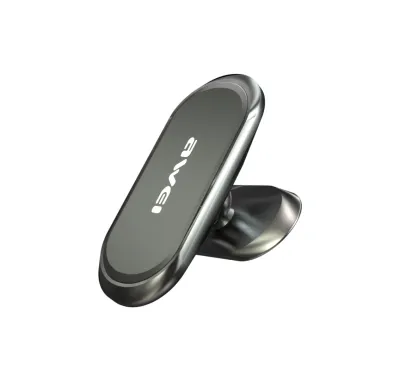
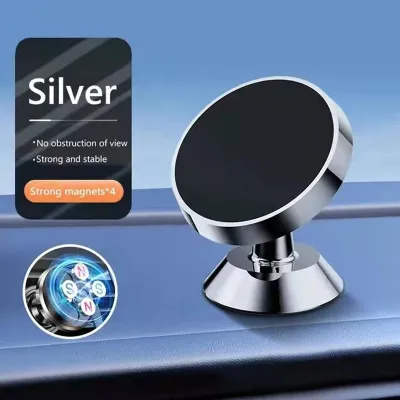
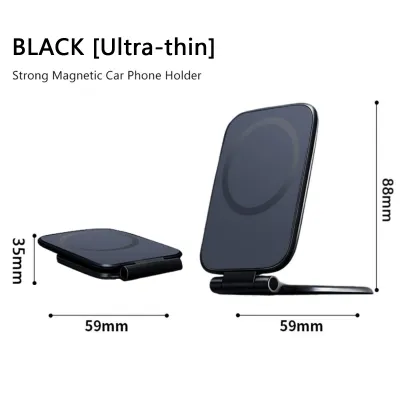
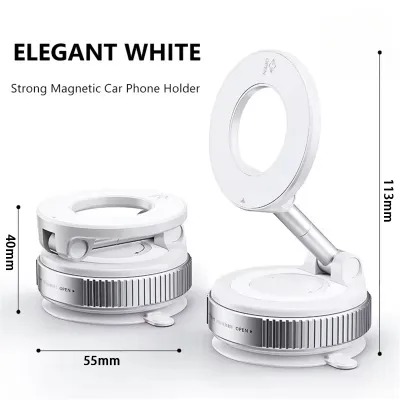
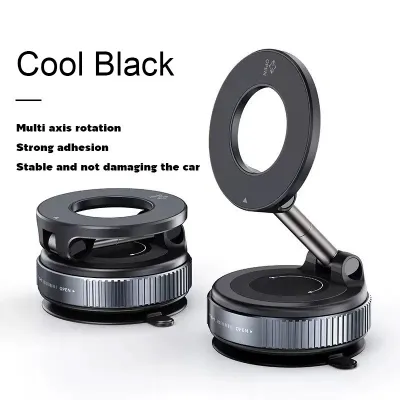

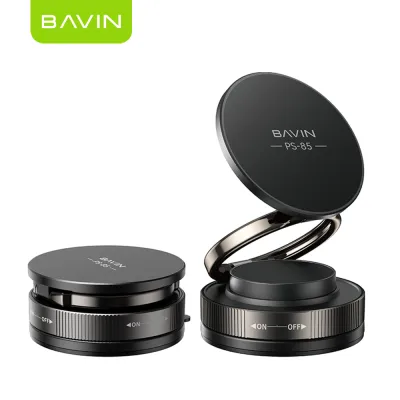
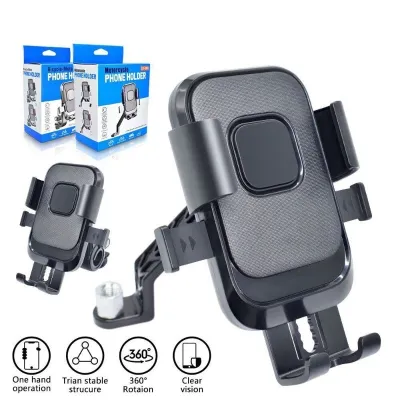
Prices are valid at publication and may change. Please refer to the product page for the latest price.
The “360” in a 360 car phone holder refers to the rotating ball joint that connects the magnetic head to the mounting base. This joint allows you to tilt, swivel, and rotate your phone to achieve the perfect viewing angle, minimizing glare from the sun. However, a ball joint that lacks sufficient tension will quickly sag under the weight of a modern smartphone, especially during highway driving where constant vibrations are present. Look for mounts that feature a robust locking collar or a threaded tightening ring. High-density polycarbonate or metal-reinforced collars allow you to manually tighten the joint, ensuring it locks firmly into place and maintains your preferred angle over long distances.
A strong magnet is useless if the base of the mount detaches from your vehicle. Car mounts generally use one of three base types: suction cups, adhesive pads, or vent clips. In tropical climates where cabin temperatures can rise dramatically when parked under the sun, material quality is paramount. Standard suction cups can dry out and lose their vacuum seal, while cheap adhesives can melt and leave a sticky residue on your dashboard. Look for suction bases made from heat-resistant polyurethane gel, which can conform to textured dashboards and maintain a tight seal. If opting for an adhesive mount, verify that it uses high-temperature double-sided tape, such as automotive-grade acrylic foam tape, which is formulated to withstand extreme cabin heat. For vent mounts, choose clips with rubberized, non-slip jaws and a mechanical tightening screw rather than simple spring-loaded clamps, as these provide a more secure grip on varying vent slat thicknesses.
Mounting Locations and Safety Considerations
Each mounting location offers distinct advantages and trade-offs that affect your driving experience. Windshield mounts place the phone closer to your natural line of sight, making it easy to glance at GPS directions without looking down. However, they can obstruct your view of the road and expose your phone to direct sunlight, which can cause the device to overheat and throttle its performance. Dashboard mounts keep the phone lower, preserving windshield visibility, but they require a flat, clean surface and can sometimes be difficult to reach. Air vent mounts keep your phone cool by utilizing the vehicle’s air conditioning system, but they block airflow and can put stress on fragile vent slats. You must evaluate your vehicle’s interior layout and your personal comfort to determine which location is most practical.

Before installing any phone holder, it is crucial to understand local traffic laws regarding distracted driving and windshield obstructions. In the Philippines, regulations such as the Anti-Distracted Driving Act strictly govern where devices can be placed. Generally, any mounted device must not block the driver’s direct line of sight through the windshield. The safest practice is to position the mount in a “safe zone”—either low on the dashboard or attached to an air vent—where it remains within your peripheral vision but does not interfere with your view of pedestrians, traffic lights, or surrounding vehicles.
Safety must always be your top priority when positioning a car mount. Never place a phone holder on or near any airbag deployment zones, which are typically marked with “SRS Airbag” on the steering wheel, passenger-side dashboard, and side pillars. If an airbag deploys during a collision, any object in its path will be launched into the cabin with immense force, turning your phone and mount into dangerous projectiles. Additionally, ensure the mount is securely anchored to prevent it from detaching during sudden, emergency braking. Always consult your vehicle’s owner’s manual to identify the exact locations of all airbags before choosing a mounting spot.
Phone Compatibility and Charging Access
Modern smartphones often feature built-in magnetic arrays designed for wireless charging and accessories. If your phone has this feature, look for a car mount that is explicitly compatible with these native magnetic systems, as this allows you to mount your phone directly without adding extra accessories. For phones without built-in magnets, you will need to attach a thin metal plate to the back of your phone or case. Ensure the mount package includes high-quality, non-damaging adhesive plates that can be easily removed if you decide to change cases or upgrade your phone.
Running a GPS navigation app with the screen continuously on and the location services active drains a phone’s battery rapidly. Consequently, you will likely need to keep your phone plugged into a car charger during long drives. When choosing a 360 mount, ensure the design allows easy access to your phone’s charging port in both portrait and landscape orientations. If you use wireless charging in your vehicle, be aware that placing a solid metal plate directly over the phone’s internal charging coil will block the wireless power transfer and can cause the plate to heat up dangerously. To avoid this, look for mounts that use ring-shaped metal plates or position the plate away from the wireless charging zone.
Large-format smartphones and heavy-duty protective cases add substantial weight to your setup. Before purchasing a magnetic mount, check the manufacturer’s specifications for the maximum supported weight capacity. Standard magnetic mounts may struggle to hold larger devices, causing them to slide off or tilt downward when driving over rough terrain. If you use a thick, rugged case, the distance between the phone’s metal plate and the mount’s magnetic face will increase, significantly reducing the magnetic pull. In such cases, look for heavy-duty mounts with larger magnetic surfaces and stronger magnet ratings to ensure a secure hold.
Building Your Shortlist: What to Check Before Buying
When shopping on online marketplaces or visiting local automotive accessory shops, avoid generic products that lack detailed specifications. Look for clear product labels that specify the magnet grade (such as N50 or N52), the weight capacity in grams, and the materials used in the ball joint and base. A reputable manufacturer will provide these technical details openly, giving you confidence in the product’s engineering and durability. Always verify your vehicle’s vent design, dashboard dimensions, and mounting surface compatibility against the product documentation before finalizing your purchase.
Mechanical components like ball joints, spring clips, and suction gels are subject to constant wear and environmental stress. It is wise to check the seller’s return policy and warranty terms before making a purchase. While budget-friendly mounts under ₱500 are widely available, investing in a premium option priced between ₱1,000 and ₱2,000 often yields better long-term durability, stronger magnets, and more reliable heat resistance. Look for products that offer at least a six-month warranty to protect against premature mechanical failure.
Customer reviews are an invaluable resource for identifying potential issues that may not be apparent from product descriptions. Look for feedback from users who drive similar vehicles or live in hot, humid climates. Pay close attention to comments regarding how well the mount handles highway vibrations, whether the adhesive holds up under direct sunlight, and if the ball joint remains tight over months of use. This real-world feedback will help you filter out low-quality options and build a reliable shortlist.
Frequently Asked Questions (FAQ)
Will a magnetic car mount damage my phone's internal components or GPS?
Modern smartphones utilize solid-state sensors, such as digital compasses, gyroscopes, and flash memory, which are not damaged by the relatively weak static magnetic fields produced by car mounts. The GPS receiver relies on satellite signals and is unaffected by these magnets. However, strong magnetic fields can temporarily interfere with the phone’s internal digital compass, which may cause minor calibration issues. If you notice your navigation map spinning or pointing in the wrong direction, simply removing the phone from the mount and moving it in a figure-eight pattern in the air will usually recalibrate the sensor. Additionally, you should keep magnetic stripe cards, transit passes, and sensitive medical devices away from the mount’s magnetic face to prevent accidental damage.
How do I clean and maintain the suction cup or adhesive base?
Over time, dust, lint, and cabin debris can accumulate on a gel-lined suction cup, causing it to lose its vacuum seal and slip off the dashboard or windshield. To restore its stickiness, carefully remove the mount and rinse the suction cup under warm running water. Gently wash away any dirt using your fingers and a drop of mild dish soap, avoiding abrasive sponges or harsh chemical cleaners. Allow the suction cup to air dry completely; do not wipe it with a cloth or paper towel, as this will transfer lint back onto the sticky gel surface. For adhesive-based mounts that have degraded due to extreme cabin heat, peel off the old adhesive pad carefully. Before applying a replacement pad, clean the dashboard surface thoroughly with isopropyl alcohol to remove any oily residue, ensuring the surface is completely dry and checking your vehicle’s manual to confirm that alcohol is safe for your specific dashboard material.

Community discussion
Share your experience or ask a question. Comments are reviewed before publication.