
Finding a reliable car camera dash cam under ₱3,000 in the Philippines requires balancing budget constraints with the harsh realities of local driving conditions. Between intense tropical heat, unpredictable monsoon rains, and chaotic urban traffic, a dashcam is no longer a luxury but an essential tool for self-protection. To secure a dependable unit in this price bracket, you must prioritize the core essentials: heat-resistant power supplies, clear 1080p resolution, and stable loop recording. While you will need to sacrifice premium features like true 4K video or built-in cellular cloud connectivity, a well-chosen budget dashcam will provide the indisputable video evidence you need when navigating local roads.
What to Expect from a Car Camera Dash Cam Under ₱3,000
When shopping with a budget of ₱3,000, managing expectations is key to avoiding disappointment. At this price point, the market is saturated with options, but the truly reliable ones focus on doing the basics exceptionally well. You should expect a native resolution of 1080p (Full HD) at 30 frames per second (fps). This resolution is the industry standard for budget devices, offering a clear enough picture to identify vehicle makes, models, lane markings, and traffic signals under normal lighting conditions.
However, it is vital to distinguish between native 1080p and “interpolated” resolutions. Some ultra-cheap models claim 1080p or even 2K but use cheap image sensors that upscale a lower-resolution image, resulting in a pixelated, blurry mess when you zoom in on a license plate. A genuine ₱3,000 dashcam from a reputable manufacturer will feature a true Full HD sensor and a multi-layer glass lens rather than a cheap plastic lens that warps over time under the sun.
Products mentioned in this guide
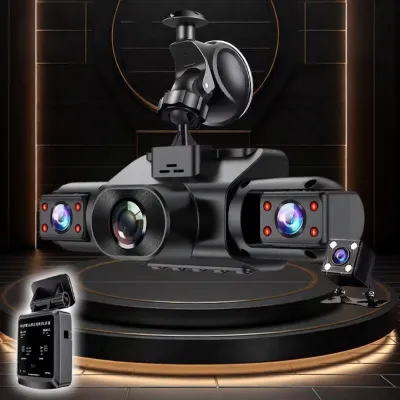
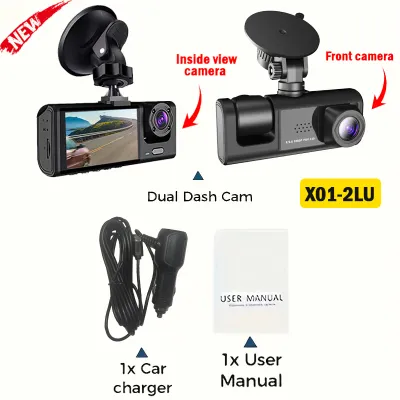
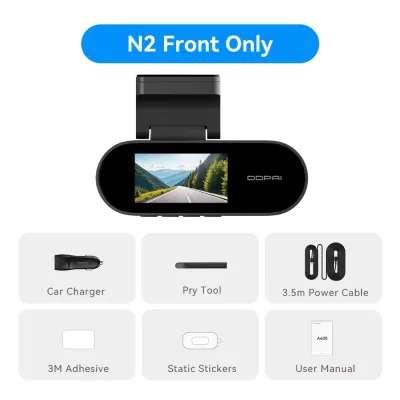
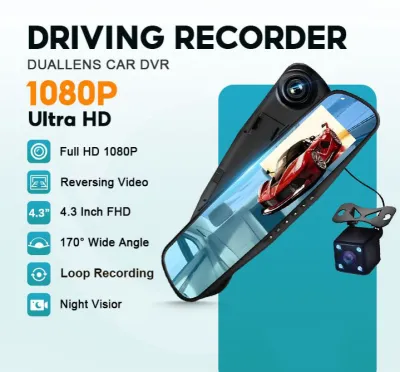
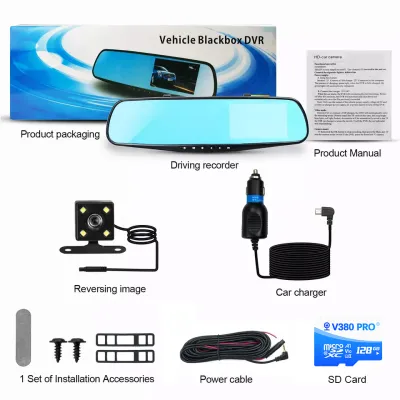
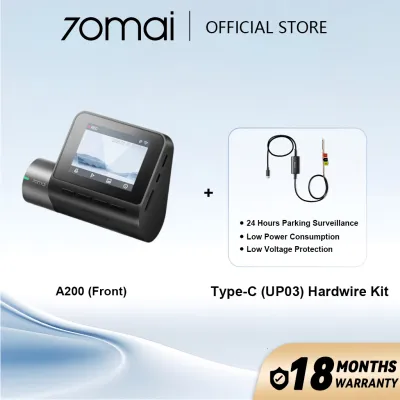
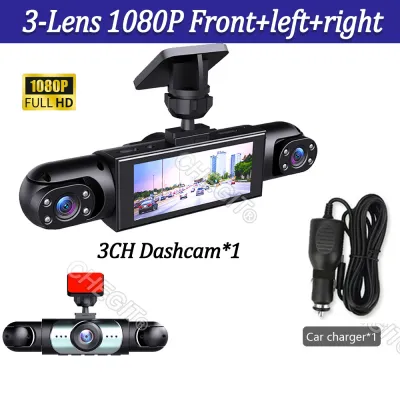
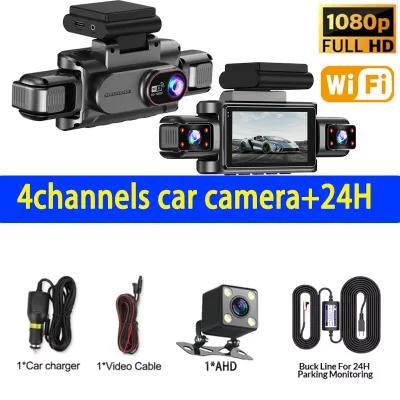
Prices are valid at publication and may change. Please refer to the product page for the latest price.
At this price ceiling, you must accept the absence of premium, high-end features. True 4K recording, which requires expensive image sensors and high-performance processors, is not feasible. You will also miss out on advanced driver assistance systems (ADAS) like lane departure warnings or forward collision alerts, which are often gimmicky and unreliable on budget models anyway. Built-in cellular connectivity for real-time remote cloud monitoring is also absent. Instead of chasing these advanced features, your goal should be finding a robust, stripped-down device designed for continuous, uninterrupted loop recording and reliable incident capture.
Must-Have Features for Daily Driving in the Philippines
The Philippine driving environment presents unique challenges, from the sweltering heat of a car parked under the midday sun to poorly lit provincial roads and sudden torrential downpours. To ensure your car camera dash cam survives and performs when needed, several features are non-negotiable.

Supercapacitor Power Supply This is the single most critical safety and durability feature for a dashcam in the Philippines. Traditional dashcams use lithium-ion batteries, which are highly sensitive to extreme heat. When left in a car parked under the tropical sun, where cabin temperatures can easily exceed 60°C, lithium-ion batteries can swell, leak, degrade rapidly, or even pose a fire hazard. Supercapacitors, on the other hand, are designed to withstand extreme temperatures. They do not store energy to run the camera unplugged; instead, they provide just enough power to safely save the current video file and shut down when the car’s engine is turned off. Always verify that the model you choose uses a supercapacitor.
Video Clarity and Wide Dynamic Range (WDR) Driving in urban areas at night or navigating unlit highways requires a sensor capable of handling extreme contrast. Wide Dynamic Range (WDR) technology allows the camera to automatically balance exposure, combining multiple exposure levels into a single frame. This prevents headlight glare from blowing out license plates and ensures shadow details are visible in low-light environments. Look for a camera with a decent aperture (such as f/1.8 or f/2.0) to let in more light during night drives.
Optimal Field of View (FOV) A wide-angle lens is necessary to capture what happens in adjacent lanes and on sidewalks. However, bigger is not always better. A lens with a 120° to 140° diagonal field of view is the sweet spot. It provides ample coverage of a three-lane highway without creating a severe “fisheye” effect, which distorts distances and makes license plates appear much farther away than they actually are.
Continuous Loop Recording and G-Sensor Dashcams record continuously by dividing footage into short segments (usually 1, 3, or 5 minutes). Once the memory card is full, the camera automatically overwrites the oldest unprotected file. To prevent critical footage from being overwritten during an accident, a built-in G-sensor (gravity sensor) detects sudden impacts or hard braking and automatically locks the active video file, moving it to a protected folder that cannot be overwritten.
Where to Compromise: Features You Can Skip on a Budget
To stay under the ₱3,000 threshold without sacrificing build quality, you must be willing to compromise on non-essential features. Manufacturers often inflate prices by adding bells and whistles that do not contribute to the core task of capturing road evidence.
Built-in Screens Many modern budget dashcams are “screenless.” They are incredibly compact, mounting discreetly behind your rearview mirror. By eliminating the LCD screen, manufacturers save on production costs and can redirect those savings toward better image sensors and lenses. You do not need a screen on the camera itself; you can easily view, download, and manage footage using a smartphone app or by inserting the microSD card into a computer.
Wi-Fi and App Connectivity While convenient, wireless file transfer is not strictly necessary. Budget models with built-in Wi-Fi often use slow 2.4GHz bands, making the transfer of large video files agonizingly slow. If you are on a tight budget, a model without Wi-Fi is perfectly acceptable. You can simply keep a cheap OTG (On-The-Go) card reader in your glove compartment, allowing you to plug your microSD card directly into your phone for instant, high-speed wired access to footage.
GPS Logging and Speed Tracking Built-in GPS modules track your vehicle’s exact coordinates and speed, overlaying this data onto the video. While this can be helpful for fleet operators, it is rarely a decisive factor in insurance claims or police reports, where visual proof of fault is what matters. Skipping GPS can save you several hundred pesos.
Dual-Channel (Front and Rear) Systems It is highly tempting to buy a front-and-rear camera bundle for under ₱3,000. However, at this price point, dual-channel systems almost always make severe compromises. To process two video feeds simultaneously on a cheap chipset, the manufacturer must lower the video quality of both cameras, often resulting in grainy front footage and practically useless rear footage. You are far safer buying a high-quality, reliable front-only camera than a subpar dual-camera system that fails to capture clear details on either end.
Hidden Costs and Essential Accessories to Factor In
The purchase price of the dashcam is rarely the final cost of getting the system up and running. To avoid unexpected expenses, you must budget for a few essential accessories and potential professional services.
High-Endurance MicroSD Cards A standard microSD card designed for smartphones or cameras will quickly fail when used in a dashcam. Dashcams subject memory cards to continuous, non-stop write-and-overwrite cycles in high-temperature environments. Standard cards will suffer from write errors, corrupted files, or complete failure within a few months. You must purchase a dedicated “High-Endurance” or “Max Endurance” microSD card. A 64GB or 128GB high-endurance card will add roughly ₱500 to ₱1,000 to your total cost, but it is non-negotiable for system reliability.
Power Supply and Hardwire Kits Most budget dashcams come with a standard 12V cigarette lighter adapter. While this is a simple plug-and-play solution, it occupies your 12V socket and leaves visible wires hanging down your dashboard. If you want a cleaner look or wish to enable “parking mode” (where the camera records while the car is turned off), you will need a dedicated hardwire kit. These kits tap directly into your vehicle’s fuse box.
Before buying any dashcam or mounting accessory, verify your specific vehicle model’s windshield angle, rearview mirror dimensions, and local road safety regulations regarding obstructed views. Furthermore, before installing a hardwire kit or modifying your vehicle’s electrical system, consult your vehicle owner’s manual and check the manufacturer’s warranty terms. Incorrect installation can drain your car battery, damage sensitive electronics, or void your warranty. If you are not experienced with automotive electrical systems, seek professional installation from a qualified auto-electrician. Professional installation fees in the Philippines typically range from ₱500 to ₱1,500, depending on the complexity of your vehicle’s wiring.
Mounting Stability Pay close attention to how the camera attaches to your windshield. Suction cups are easy to move but frequently lose suction and fall off when exposed to intense tropical heat and humidity. 3M adhesive mounts are far more secure and heat-resistant, making them the preferred choice for local driving conditions. If you have aftermarket window tint installed, check the tint manufacturer’s instructions before applying adhesive mounts or using strong glass cleaners, as some chemicals and high-bond adhesives can damage the tint film.
How to Verify Reliability and Avoid Quality Traps
The budget dashcam market is flooded with generic, unbranded clones that make bold claims they cannot fulfill. To protect your investment, you must take a systematic approach to buying, testing, and maintaining your device.
Pre-Installation Bench Testing Do not immediately mount the camera and tuck the wires into your car’s trim. First, perform a bench test at home. Plug the camera into a stable USB power source, insert your high-endurance memory card, and let it record for a few hours. Check if the device gets excessively hot, verify that loop recording is functioning by checking the file timestamps, and shake the camera gently to ensure the G-sensor triggers the file lock mechanism. If there are any manufacturing defects, it is far easier to return the unit before it is fully installed in your vehicle.
Spotting Fake Specifications Be highly skeptical of unbranded listings on online marketplaces advertising “4K Ultra HD,” “170-degree viewing angle,” or “night vision” for under ₱1,000. These are almost always false claims. Stick to well-known budget-friendly brands with active user communities and real-world video samples available online. Look for verified customer reviews that include actual video uploads, allowing you to judge the true image quality yourself.
Warranty and Return Policies When purchasing from online marketplaces, ensure you buy from official brand stores or preferred local sellers who offer a clear warranty period (ideally 6 to 12 months). Avoid grey-market imports that offer no local warranty, as returning a defective unit overseas can cost more than the camera itself.
Regular Maintenance Checks A dashcam is a “set-and-forget” device, which means you might not realize it has stopped working until after an accident. Develop a habit of performing a quick check once a month. Format the microSD card directly through the camera’s menu to clear out any accumulated locked files and maintain card health. Visually inspect the power cable for wear, ensure the adhesive mount remains firmly attached, and wipe the lens with a clean microfiber cloth to remove dust and windshield haze.
Frequently Asked Questions (FAQ)
Can a budget dashcam record clearly enough to read license plates at night?
While a true 1080p resolution combined with Wide Dynamic Range (WDR) significantly improves low-light visibility, reading license plates at night remains a challenge for budget sensors. Factors such as speed differences, headlight glare, and poor street lighting can cause motion blur or overexposure. To maximize your chances of capturing a plate, ensure your windshield is clean, adjust your camera’s exposure settings if available, and verbally read out the license plate number aloud so the dashcam’s microphone records your voice.
Do I need to remove the dashcam when parking under the sun?
If your budget dashcam is powered by a supercapacitor, you do not need to remove it when parking under the sun, as supercapacitors are designed to withstand high cabin temperatures. However, if your dashcam uses a traditional lithium-ion battery, you should remove it or park in the shade. Extreme tropical heat can cause lithium-ion batteries to swell, fail, or create safety hazards. Using a reflective front sunshade can also help protect both your dashcam and your car’s dashboard from direct solar radiation.
How long will a 64GB memory card last on continuous loop recording?
A 64GB high-endurance microSD card will typically hold approximately 4 to 6 hours of continuous 1080p Full HD video at 30fps before the camera begins overwriting the oldest files. If you are driving long distances or have experienced an incident on the road, it is crucial to retrieve the card and back up the footage as soon as possible to prevent the loop recording system from writing over the critical files.
Community discussion
Share your experience or ask a question. Comments are reviewed before publication.