
To keep your smartphone secure on a Honda PCX160 during daily commutes, you need a mounting system that balances structural rigidity, vibration isolation, and accessibility. The daily grind on busy metropolitan streets and provincial highways exposes your device to constant engine hum, sudden potholes, and unpredictable tropical weather. Choosing the right setup requires looking beyond basic universal clamps and understanding how the specific geometry of the PCX160 interacts with different mounting hardware.
A stable phone holder is not just about preventing your device from falling onto the asphalt; it is also about protecting the sensitive internal electronics from continuous road shock. For riders who rely on navigation apps like Waze or Grab Maps to navigate traffic, a clear, vibration-free screen is essential for safety. By evaluating your mounting options and selecting features tailored to the unique characteristics of the PCX160, you can create a reliable setup that withstands the rigors of daily riding.
Evaluating the Best Mounting Locations on Your PCX160
The Honda PCX160 features a distinct naked handlebar design with a chrome finish, which provides several distinct mounting opportunities compared to scooters with fully enclosed plastic handlebars. A highly stable and structurally rigid mounting point is the handlebar tube itself. Attaching a heavy-duty clamp directly to the exposed metal section of the handlebar ensures a direct, solid connection to the scooter’s steering column. This position minimizes independent movement, leverages the scooter’s natural dampening, and keeps the phone within an easy viewing angle without blocking your forward vision.
Products mentioned in this guide
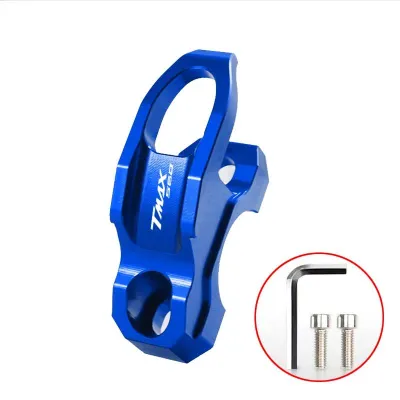
Prices are valid at publication and may change. Please refer to the product page for the latest price.
An alternative mounting point is the mirror stem, which is popular among riders who prefer their phone positioned higher and closer to their natural line of sight. While mirror stem mounts offer excellent visibility, they are inherently more susceptible to high-frequency vibrations. Because the mirror stem is a thin, extended metal rod, it acts as a lever that can amplify engine idle vibrations and road bumps. If you choose this location, you must use a robust, rigid bracket that clamps securely to the base of the mirror stem rather than higher up the rod, minimizing the leverage effect.
Some aftermarket accessories allow you to mount your phone on a bracket positioned behind the windshield, directly above the digital instrument cluster. While this dashboard-style placement is excellent for keeping your eyes on the road, you must avoid any mount that attaches directly to the plastic windshield or the surrounding plastic fairings. The PCX160’s windshield and body panels are designed to flex under wind load and road vibrations. Mounting a heavy smartphone directly to these plastic components will amplify vibrations, make the screen unreadable, and eventually cause stress cracks in the plastic panels.
Before finalizing any mounting location, you must perform a thorough clearance check. Ensure the phone and holder do not block your view of the digital instrument cluster, as monitoring your speed and fuel level is critical. The mount must also leave unobstructed access to the keyless ignition Smart Key knob and the left-side utility box, which houses the USB charging port. Finally, verify that the phone and mount do not contact the windshield, fairings, or your body when the handlebars are turned completely to the left or right lock.
Identifying Stability and Vibration Protection Features
When selecting a phone holder for your PCX160, the clamping mechanism is a critical factor in preventing your device from vibrating loose. Avoid simple spring-loaded holders or basic silicone strap grips for daily commuting. The constant, sharp impacts from uneven concrete roads, expansion joints, and speed bumps can easily overcome spring tension, causing the phone to slip out. Instead, opt for mechanical locking systems, such as metal claw designs tightened by a manual screw, or specialized dual-stage locking interfaces that require a physical button press to release.

Another vital feature to look for is a dedicated vibration dampener module. Modern smartphones are equipped with delicate Optical Image Stabilization (OIS) systems that use miniature gyroscopes and electromagnets to keep the camera lens steady. The PCX160’s single-cylinder, four-valve eSP+ engine produces high-frequency vibrations, particularly at idle and high cruising speeds. These specific frequencies can travel up the steering column and permanently damage your phone’s OIS, rendering the camera unable to focus. A vibration dampener uses rubber or silicone elastomer inserts to decouple the phone holder from the mount base, absorbing these destructive high-frequency waves.
To accommodate different phone sizes and protective cases, look for a holder with adjustable corner supports and deep side cradles. The corner brackets should wrap slightly around the front face of the phone to prevent it from sliding forward under heavy braking. Additionally, ensure the holder features thick, high-density silicone or rubber padding on all contact surfaces. This padding serves two purposes: it dampens low-frequency road shocks and provides a high-friction grip that prevents the phone from shifting within the cradle, all while protecting your phone case from scratches.
Adapting Your Mount Setup for Daily Commuting Conditions
Commuting in a tropical climate requires a phone mount setup that can handle extreme weather variations, from intense midday sun to sudden, heavy downpours. While fully enclosed waterproof cases seem like an ideal solution for rainy days, they often trap heat and lack ventilation. During hot days, a phone sealed inside a plastic case running a GPS app will quickly overheat and shut down. A more practical approach is to use an open-face, highly weather-resistant mount paired with a water-resistant smartphone, or to keep a quick-install silicone rain cover handy for sudden storms.
Continuous navigation app usage quickly drains your phone’s battery, making active charging a necessity for long commutes. The PCX160 features a convenient USB-C charging port inside the front-left utility compartment. To utilize this safely, route a high-quality, weather-resistant charging cable from the compartment, along the handlebar assembly, to your phone mount. Secure the cable using hook-and-loop straps, ensuring there is enough slack so the cable does not pull tight when the handlebars are turned. To protect your phone’s charging port from moisture during a light drizzle, use a cable with a right-angle connector and a rubber collar that seals the connection.
Daily commuting also involves parking your scooter in public areas, making security and convenience key considerations. A mount with a quick-release base allows you to detach your phone holder instantly when you leave your scooter, preventing theft of the holder itself. If you prefer to leave the mount on the scooter permanently, look for models that feature anti-theft locking knobs or specialized security screws that require a unique key to disassemble, deterring opportunistic thieves in busy urban parking lots.
Ensuring Installation Safety and Pre-Ride Clearance
Because installing a phone mount involves working near your scooter’s primary controls, steering, and electrical systems, you must prioritize safety. If you are uncomfortable removing mirror stems or torqueing fasteners on your handlebars, consult a qualified motorcycle technician. Always refer to your Honda PCX160 owner’s manual for specific torque limits and component locations.
When installing a handlebar clamp or a mirror stem bracket, verify the thread sizes and pitch before tightening. Honda scooters typically use standard thread directions, but aftermarket adapters or mirrors may vary. Apply a small drop of medium-strength thread-locking compound (such as blue threadlocker) to all mounting bolts. This prevents the fasteners from backing out over time due to the constant vibration of the single-cylinder engine. Use a torque wrench to tighten all bolts to the manufacturer’s specifications, avoiding over-tightening which can strip the aluminum threads on the handlebar clamps.
Once the mount is installed, place your PCX160 on its center stand to perform a comprehensive clearance and safety test. Slowly turn the handlebars from full left lock to full right lock. Carefully observe the path of the mount, the phone, and the charging cable. Ensure that no part of the assembly pinches, stretches, or interferes with the front brake lines, throttle cables, or electrical wiring harnesses. There must be adequate clearance between the phone holder and the windshield at all steering angles to prevent binding or damage during tight maneuvers.
Finally, establish a routine maintenance checklist to inspect your mounting setup weekly. Check all fasteners for tightness and look for any signs of metal fatigue or hairline cracks in plastic brackets. Inspect the rubber dampeners and silicone pads for signs of dry rot or degradation caused by UV exposure and rain. Replacing worn-out rubber components promptly ensures your vibration isolation remains effective and keeps your phone secure on every commute.
Frequently Asked Questions (FAQ)
Do I need a vibration dampener for my phone on a PCX160?
Yes, if your smartphone features Optical Image Stabilization (OIS) in its camera system. The PCX160’s single-cylinder engine produces high-frequency vibrations that travel directly up the steering column. Over time, these vibrations can degrade the delicate mechanical gyroscopes inside your phone’s camera, leading to blurry photos or complete camera failure. A compatible vibration dampener module absorbs these specific frequencies, protecting your hardware.
Can I mount a phone holder directly on the PCX160 windshield?
It is not recommended to mount a phone holder directly to the plastic windshield or its immediate plastic trim. The windshield is designed to flex under wind pressure, and adding the weight of a smartphone creates a lever effect that amplifies road vibrations. This not only makes the screen unreadable but can also lead to stress cracks in the windshield or fairing plastics. Stick to rigid metal mounting points on the handlebars or mirror stems.
How do I prevent my phone from overheating while navigating in the sun?
To prevent thermal throttling, choose an open-face mount that allows maximum airflow around the back and sides of the phone. Avoid fully enclosed plastic pouch mounts, which trap heat. If possible, position the mount so the phone is partially shaded by the windshield without blocking your view of the road. Removing thick, heavy protective cases during long, sunny rides can also significantly improve heat dissipation.

Community discussion
Share your experience or ask a question. Comments are reviewed before publication.