
How to choose a CarPlay AI box in the Philippines depends on verifying your vehicle’s factory wired CarPlay compatibility, matching the hardware specifications to withstand tropical heat, and selecting a feature set that aligns with your daily driving habits. Many car owners look for ways to upgrade their factory infotainment systems without undergoing expensive, warranty-voiding dashboard modifications. A CarPlay AI box offers a plug-and-play solution that transforms a standard wired connection into a fully functional Android system on your dashboard. However, navigating the sea of options on online marketplaces requires a clear understanding of what these devices can and cannot do.
To make an informed decision, you must evaluate compatibility, hardware performance, thermal management, and software features. In the tropical climate of the Philippines, where cabin temperatures can soar during midday parking, choosing a device with robust heat dissipation is just as critical as selecting the right RAM and processor configuration. This guide will walk you through the essential steps to select, verify, and safely operate a CarPlay AI box that fits your vehicle and your lifestyle.
Understand the Difference Between Wireless Adapters and AI Boxes
It is common to confuse basic wireless CarPlay adapters with full CarPlay AI boxes, but they serve entirely different purposes. A basic wireless adapter is a single-purpose bridge. Its sole function is to eliminate the physical cable between your iPhone or Android phone and the car’s USB port. When you use a wireless adapter, your car’s screen still displays the standard CarPlay or Android Auto interface projected directly from your phone. The adapter does not run its own applications, nor does it allow you to watch video streaming services or download independent navigation tools. It is simply a wireless transmitter.
Products mentioned in this guide
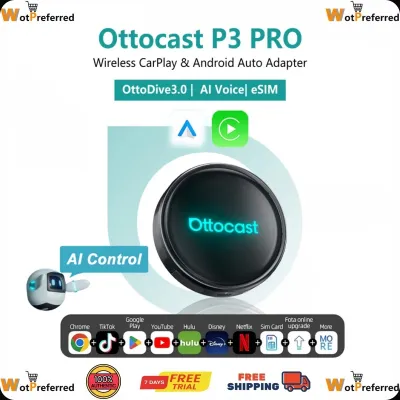

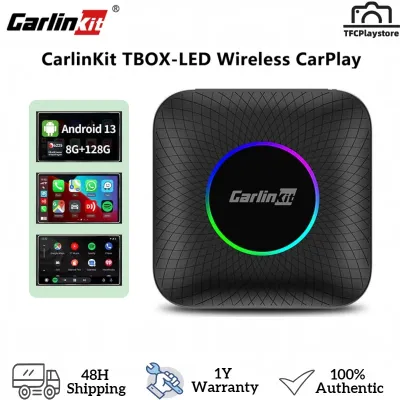
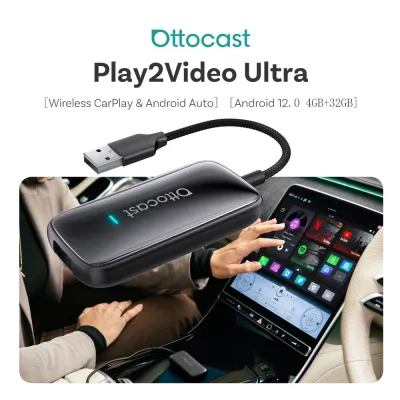

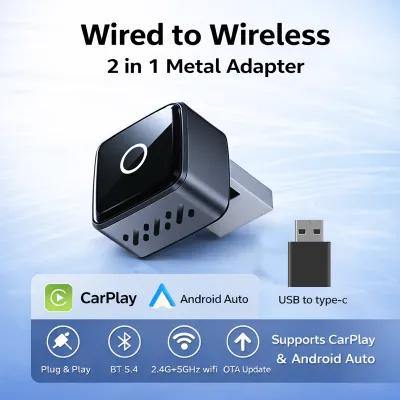
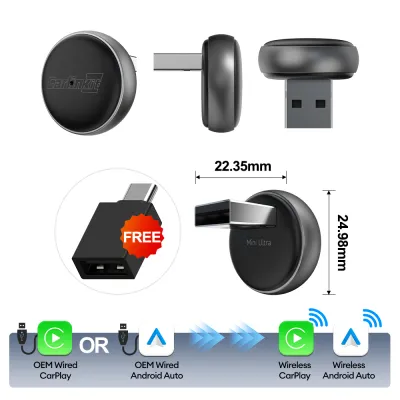
Prices are valid at publication and may change. Please refer to the product page for the latest price.
In contrast, a CarPlay AI box is an independent, miniature computer running a full Android operating system. When plugged into your car’s USB port, it tricks the factory head unit into thinking a wired iPhone is connected. Instead of projecting your phone’s screen, however, it launches its own standalone Android interface on your dashboard. This allows you to run applications directly on the head unit, such as video streaming platforms, custom navigation tools, and web browsers, without relying on your phone’s processing power. Most AI boxes also include built-in wireless bridging, meaning they can still act as a wireless adapter for Apple CarPlay or Android Auto when you prefer the standard phone interface.
The absolute baseline requirement for any CarPlay AI box to function is that your vehicle must already have factory-installed wired CarPlay. If your car’s head unit does not support wired CarPlay from the factory, an AI box will not work. It cannot add CarPlay functionality to a system that lacks the underlying software architecture. Understanding this distinction prevents costly purchasing mistakes and ensures you select a device that matches your expectations for in-car entertainment and navigation.
Verify Your Head Unit and Vehicle Compatibility First
Before browsing online marketplaces, you must verify whether your vehicle’s factory infotainment system is compatible with an external AI box. Start by checking your vehicle’s owner’s manual or exploring the head unit’s settings menu to confirm the presence of factory wired CarPlay. You can also test this by plugging your iPhone directly into the car’s primary USB data port using an official Apple cable; if the CarPlay interface launches automatically, your system meets the primary hardware requirement.

However, compatibility is not always universal. Many aftermarket stereos, older legacy systems, or head units from specific manufacturers use proprietary software locks that reject third-party AI boxes. For instance, some vehicles utilize specialized communication protocols that can cause the AI box to freeze, fail to boot, or experience severe display resolution mismatches. Additionally, vehicles with non-standard screen aspect ratios or unique touch interfaces may require specific firmware configurations to display the Android interface correctly.
You must also consider how the AI box integrates with your vehicle’s existing physical controls. A compatible unit should seamlessly map to your steering wheel buttons, physical volume knobs, backup cameras, and factory microphones. If a device disables your steering wheel controls or interferes with the automatic display of your backup camera when shifting into reverse, it poses a significant safety risk. Because vehicle electrical systems and infotainment firmware vary widely by model year and trim level, you should always consult your vehicle manufacturer’s documentation or seek advice from a qualified car audio professional before purchasing if compatibility remains uncertain.
Match the Feature Set to Your Daily Driving Needs
Selecting the right CarPlay AI box requires a realistic assessment of how you and your passengers use the vehicle’s screen. If your primary goal is to provide entertainment for passengers during long road trips or while waiting in heavy metropolitan traffic, you will want a device that supports smooth video streaming and split-screen multitasking. This allows the driver to view navigation maps on one side of the screen while a passenger monitors media playback on the other. However, drivers must always prioritize road safety and avoid watching video content while the vehicle is in motion.
For those who require independent connectivity, look for an AI box equipped with a physical SIM card slot. This allows the device to access cellular networks directly, turning the unit into a standalone navigation and streaming hub without draining your phone’s battery through constant Wi-Fi tethering. Some advanced units also feature built-in GPS modules and external antenna support, which provide highly accurate positioning even when driving through dense high-rise areas or remote provincial roads where mobile signals can be weak.
Be cautious of paying a premium for high-end features that your vehicle cannot actually utilize. For example, many premium AI boxes advertise 4K video output or ultra-high-definition rendering. If your car’s factory screen only supports a standard 720p or 1080p resolution, the extra processing power and cost of a 4K-capable box are entirely wasted. Match the output specifications of the device to the physical limitations of your dashboard display to get the best value for your money.
Check Hardware Specs for Smooth Performance
Because a CarPlay AI box runs a full operating system, its performance is heavily dependent on its internal hardware specifications. To avoid frustrating UI stuttering, slow map rendering, and app crashes, you should look for a device with a minimum of 4GB of RAM and 64GB of internal storage. Units with lower specifications, such as 2GB of RAM, often struggle to handle modern navigation apps alongside background music streaming, leading to noticeable input lag and system freezes.
The processor, or system-on-a-chip, is the brain of the device. Look for multi-core processors designed specifically for automotive or mobile applications, as they offer the necessary processing power to handle multitasking. Furthermore, verify that the device utilizes modern Wi-Fi and Bluetooth protocols, such as dual-band Wi-Fi (2.4GHz and 5GHz) and Bluetooth 5.0 or higher. These specifications ensure a stable, low-latency wireless connection between your phone and the head unit, reducing audio delay during hands-free calls and music playback.
In the tropical climate of the Philippines, thermal management is a critical hardware consideration. The interior of a parked car can quickly reach extreme temperatures, and operating an electronic device in a hot cabin generates significant internal heat. Look for AI boxes designed with physical cooling vents, aluminum alloy casings, or internal heat sinks. Without adequate heat dissipation, the device will experience thermal throttling, which drastically reduces performance to prevent permanent damage, resulting in severe lag or sudden system shutdowns while you are driving.
Set a Realistic Budget and Choose Safe Purchasing Channels
CarPlay AI boxes are available across a wide range of price points, and setting a realistic budget helps narrow down your options. Entry-level units typically range from ₱3,000 to ₱5,000. These devices generally offer basic Android functionality, modest processing power, and limited RAM, making them suitable for simple navigation and light media streaming. Mid-range options, priced between ₱5,000 and ₱9,000, usually provide 4GB of RAM, faster processors, better thermal management, and more stable wireless connections. Premium units exceeding ₱10,000 often feature high-performance multi-core processors, 8GB of RAM, built-in SIM slots, advanced GPS tracking, and robust manufacturer support.
When purchasing an AI box, avoid unbranded, suspiciously cheap units found on online marketplaces. These generic devices often lack basic safety certifications, use outdated Android versions that cannot run modern apps, and offer no firmware update path to fix compatibility bugs. Instead, purchase from reputable e-commerce platforms, official brand stores, or authorized local automotive accessory shops. Look for sellers with high ratings, positive customer reviews that specifically mention your car model, and clear return policies.
Always verify the warranty terms before finalizing your purchase. A reliable manufacturer should offer at least a one-year warranty against hardware defects. Keep your physical purchase receipts, digital invoices, and original packaging, as these are typically required to file a warranty claim or to gain access to official firmware updates and customer support channels if you encounter technical difficulties down the road.
Basic Setup and Troubleshooting for Stable Connections
Setting up a CarPlay AI box is generally a straightforward plug-and-play process, but following the correct sequence ensures a stable connection. Start by turning on your vehicle’s engine and allowing the factory infotainment system to boot completely. Plug the AI box into the primary USB data port of your car using the high-quality cable provided by the manufacturer. Once the head unit recognizes the device as a wired CarPlay connection, the Android interface should launch on your screen. From there, follow the on-screen prompts to pair your phone via Bluetooth and connect the device to a Wi-Fi hotspot or insert an active SIM card.
If you experience connection dropouts, audio delays, or screen resolution issues, the first step is to check for firmware updates. Manufacturers frequently release software patches to resolve compatibility issues with specific car models or phone operating systems. Download the update files according to the manufacturer’s official instructions, which usually involve copying the files to a microSD card or performing an over-the-air update through the device’s settings menu. Never turn off your vehicle or unplug the device during a firmware update, as this can permanently damage the unit’s operating system.
While minor software glitches can often be resolved with a system reset or a firmware update, you must recognize when a problem requires professional intervention. If the AI box causes your vehicle’s dashboard to display electrical error codes, interferes with critical safety systems like backup cameras, or becomes excessively hot to the touch, disconnect the device immediately. Do not attempt to disassemble the unit or modify your vehicle’s factory wiring yourself. Consult a qualified car audio professional or an authorized technician to diagnose the issue and ensure your vehicle’s electrical system remains safe and intact.
Frequently Asked Questions (FAQ)
Will a CarPlay AI Box drain my car battery when parked?
Most CarPlay AI boxes are designed to power down automatically when your vehicle’s head unit shuts off. However, some vehicles continue to supply power to their USB data ports for an extended period, or even indefinitely, after the engine is turned off and the doors are locked. If your car’s USB ports remain active, the AI box will continue to draw power, which can lead to a parasitic battery drain over time. To prevent this, observe whether the status light on the AI box remains illuminated after you have parked and locked the vehicle. If the light stays on, it is highly recommended to unplug the device when parking the car for extended periods.
Can I use my existing cellular data plan with the AI box?
Yes, you can share your existing cellular data with the CarPlay AI box, but the device does not automatically clone your phone’s plan. The most common method is to enable the personal hotspot feature on your smartphone and connect the AI box to it via Wi-Fi. Alternatively, if your AI box features a physical SIM card slot, you can purchase a separate local prepaid or postpaid SIM card specifically for the device. Some mobile network operators also offer multi-SIM plans that allow you to share a single data pool across multiple devices, which is an excellent option for keeping the AI box connected without constantly enabling your phone’s hotspot.
Do I need to pay a monthly subscription for the AI box features?
The CarPlay AI box itself is a one-time hardware purchase, and the core operating system features do not require a monthly subscription. However, any third-party applications you choose to run on the device, such as premium video streaming platforms, music streaming services, or specialized navigation tools, will still require their respective active subscriptions. Additionally, if you choose to use a dedicated SIM card for independent cellular connectivity, you will need to pay for the associated mobile data plan. Some advanced cloud-based GPS tracking services integrated into specific premium AI boxes may also charge a separate subscription fee after an initial trial period.
Community discussion
Share your experience or ask a question. Comments are reviewed before publication.