
Choosing the right dashcam for your vehicle is a practical decision that directly impacts your safety, legal protection, and peace of mind on the road. With various models available under the Lenovo brand, finding the ideal match requires looking beyond basic marketing terms and evaluating how specific features align with your daily driving habits. Whether you navigate the congested streets of Metro Manila daily, operate a rideshare vehicle, or park your car on an unsecured street overnight, your specific environment dictates the camera configuration, power supply, and storage capacity you need.
To make an informed choice, you must systematically evaluate several key factors: the number of recording channels, parking surveillance capabilities, video resolution, lens specifications, and installation requirements. Additionally, operating a vehicle in a tropical climate like the Philippines introduces unique challenges, such as extreme cabin heat and high humidity, which demand careful attention to hardware specifications and mounting practices. By understanding these technical aspects and verifying them against official product documentation, you can select a reliable device that performs when you need it most.
Identify Your Core Recording Needs: Single vs. Dual-Channel Lenovo Dashcams
The first major decision when selecting a Lenovo dashcam is choosing between a single-channel (front-only) and a dual-channel (front and rear) system. A single-channel dashcam features a single lens mounted on the front windshield, capturing the road ahead. This setup is generally more affordable, easier to install, and highly effective at documenting head-on collisions, traffic light violations, and incidents occurring directly in front of your vehicle. For budget-conscious drivers or those who primarily drive on predictable, low-traffic routes, a front-only camera provides essential liability protection without added complexity.
Products mentioned in this guide




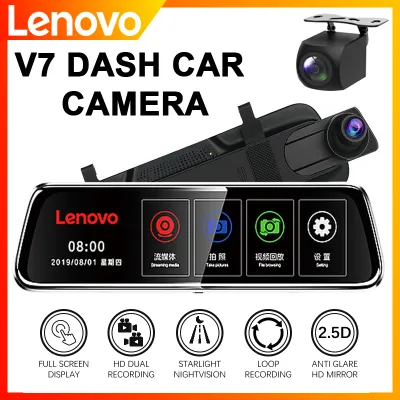
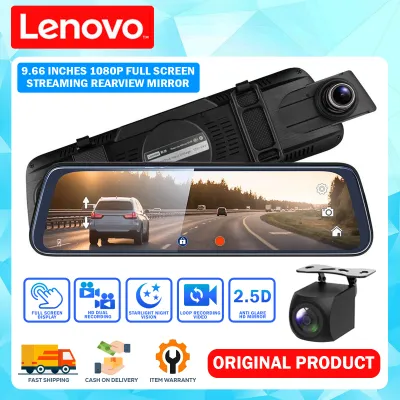
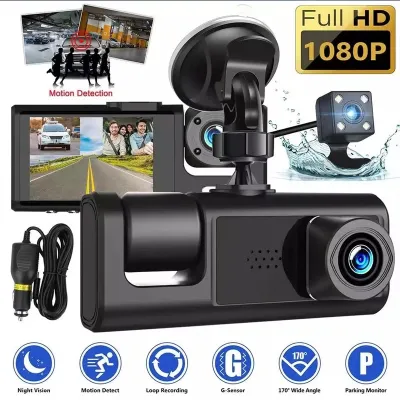
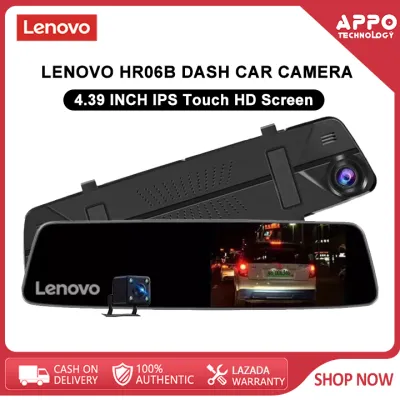
Prices are valid at publication and may change. Please refer to the product page for the latest price.
In contrast, a dual-channel system includes a secondary camera dedicated to monitoring the rear of the vehicle. This dual-lens configuration is highly recommended for motorists who frequently navigate heavy traffic, where rear-end collisions and tailgating incidents are common. Having a rear-facing camera provides comprehensive evidence if another vehicle strikes yours from behind, helping to resolve insurance disputes quickly and clearly. For rideshare drivers, some dual-channel models feature an interior-facing cabin camera instead of a rear-window camera, which is invaluable for documenting passenger interactions and ensuring driver safety.
While a dual-channel setup offers superior coverage, it also introduces additional installation considerations. Routing the cable from the front windshield to the rear window requires careful placement along the vehicle’s headliner or floor panels. It is critical to route these wires away from side curtain airbag deployment paths to ensure your vehicle’s safety systems remain fully functional. Furthermore, if your rear windshield has dark aftermarket window tinting, it can significantly reduce the low-light performance of an internally mounted rear camera, a factor you must consider before finalizing your purchase.
Additionally, dual-channel systems consume more storage space because they record two separate video streams simultaneously. This dual recording requires a higher-capacity memory card with faster write speeds to prevent frame drops or write errors. You must also consider that rear cameras are exposed to different environmental factors; for instance, rain, road grime, and condensation on the rear windshield can obscure the lens’s view, requiring regular cleaning of both the glass and the camera lens to maintain clear footage.
When adjusting a dual-channel setup, the positioning of the rear camera is just as critical as the front. The rear camera typically has a slightly narrower field of view to focus on the vehicles directly behind you, minimizing distortion. When mounting it, you must ensure the lens is positioned to capture the road and the license plates of trailing vehicles, rather than pointing too high at the sky or too low at your vehicle’s parcel shelf. Taking the time to test the camera’s live feed on your smartphone or the dashcam’s built-in screen during installation will save you from discovering later that your rear footage is unusable.
Evaluate Parking Mode and Overnight Security Requirements
A dashcam’s utility does not have to end when you turn off the ignition. If you frequently park your vehicle on public streets, in busy commercial parking lots, or in unsecured residential garages, a model equipped with parking mode features can provide critical overnight security. Parking mode allows the camera to remain in a standby state while the vehicle is parked, automatically recording footage if it detects physical impacts or motion near the car. This feature is essential for capturing hit-and-run incidents or vandalism that occur while you are away from your vehicle.

To utilize parking mode safely, you must understand how the dashcam receives power when the engine is off. Standard cigarette lighter sockets typically lose power when the ignition is turned off, meaning the dashcam cannot record in parking mode using this connection. Instead, the camera must be hardwired directly to the vehicle’s fuse box using a dedicated hardwire kit. This kit connects the camera to a constant power source, allowing it to remain active while the vehicle is stationary.
Crucially, any hardwire kit used for parking mode must feature built-in low-voltage protection. This safety mechanism monitors your car battery’s voltage and automatically cuts power to the dashcam if the battery charge drops below a specific threshold, preventing the camera from draining your battery to the point where the engine cannot start. Because electrical modifications carry inherent risks, you should always consult your vehicle’s original manual and seek professional installation from a qualified automotive technician to ensure the hardwire kit is integrated safely without compromising your car’s electrical system. Before purchasing, verify the specific Lenovo model’s product label and manual to confirm which parking modes are supported and whether the required hardwire kit is included or sold separately.
Different models offer various types of parking surveillance, such as time-lapse recording or impact-only detection. Time-lapse mode records continuous video at a very low frame rate, which conserves storage space while capturing everything that happens around your vehicle. Impact-only detection keeps the camera in a deep sleep state, waking it up to record only when the internal G-sensor detects a physical shock. Evaluating these options helps you choose a model that balances security coverage with battery conservation.
Once your dashcam is installed with parking mode active, adjusting the G-sensor sensitivity is a crucial fine-tuning step. The G-sensor detects sudden physical movements, but on uneven road surfaces—such as those with potholes, speed bumps, or rough asphalt common in many local areas—a sensor set to high sensitivity may mistake normal driving vibrations for a collision. This triggers “emergency recording” mode, which locks the current video file to prevent it from being overwritten. Over time, these locked files can fill up your memory card, leaving no room for new recordings. Setting the G-sensor to a medium or low sensitivity level ensures it only triggers during actual impacts while preventing premature storage exhaustion.
Determine the Right Video Resolution and Lens Specifications
Video resolution is a primary factor in determining how useful your recorded footage will be during an insurance claim or legal dispute. Dashcams are available in various resolution tiers, commonly ranging from High Definition (1080p) to Quad HD (1440p) and Ultra HD (4K). While higher resolutions deliver sharper images, they also require significantly more storage space and processing power. For most daily drivers, a reliable 1080p or 1440p resolution strikes an excellent balance, providing sufficient clarity to read license plates and road signs without filling up your memory card too quickly.
Beyond resolution, the physical lens specifications and image sensor quality play a critical role in low-light performance. Driving at night, during heavy rainstorms, or through poorly lit provincial roads requires a camera with a wide aperture (such as f/1.8 or lower) and a high-quality image sensor capable of managing high dynamic range (HDR). HDR technology helps the camera balance extreme light differences, such as bright oncoming headlights against a dark road, preventing the image from becoming washed out or completely blacked out in critical areas.
When evaluating these specifications, it is vital to look past marketing buzzwords and e-commerce listing titles, which may use exaggerated terms like “super night vision” or “ultra-clear” without technical backing. Instead, inspect the physical product packaging or the official manufacturer’s specification sheet to verify the actual image sensor brand, model, and lens aperture. Additionally, pay attention to the lens’s viewing angle; a wide-angle lens between 130 and 170 degrees is ideal for capturing multiple lanes of traffic and pedestrian activity, though extremely wide angles can sometimes introduce a “fisheye” distortion at the edges of the frame.
Furthermore, the material of the lens itself affects long-term durability and image clarity. High-quality dashcams utilize multi-layer glass lenses rather than plastic ones. Glass lenses are far more resistant to the intense ultraviolet (UV) radiation and extreme heat experienced in tropical climates, ensuring that the lens does not warp, yellow, or become cloudy over years of exposure to direct sunlight.
Another critical technical distinction to look for is the difference between native optical resolution and interpolated resolution. Some lower-quality or counterfeit devices advertise “4K” or “2K” capabilities on their listings, but they achieve this through software interpolation—essentially stretching a lower-resolution 1080p image to fit a larger pixel grid. This results in pixelated, blurry footage when you attempt to zoom in on a license plate or a distant street sign. To ensure you are getting true high-definition clarity, verify the native resolution of the image sensor itself in the technical specifications, rather than relying solely on the marketing labels on the box.
Assess Power Supply, Mounting, and Vehicle Compatibility
Installing a dashcam correctly is essential for both driver safety and device longevity. The most common installation method is using the included cigarette lighter adapter, which offers plug-and-play convenience. This method is ideal for drivers who want a simple setup that does not alter the vehicle’s wiring. However, the downside is that the power cable remains visible, dangling down the dashboard, and it occupies a power outlet that you might otherwise use to charge your mobile phone.
For a cleaner, more permanent installation, hardwiring the dashcam to the vehicle’s fuse box is the preferred option. This method hides all wiring behind the vehicle’s interior trim panels and frees up your cigarette lighter socket. As noted previously, hardwiring is also mandatory if you plan to use parking surveillance features. Regardless of the power supply method you choose, you must ensure that the wiring does not interfere with any vehicle controls, steering columns, or safety systems.
Mounting placement on the windshield is another critical factor governed by local traffic regulations and safety guidelines. In the Philippines, the Republic Act No. 10913 (Anti-Distracted Driving Act) regulates the placement of devices on the windshield to ensure the driver’s line of sight is never obstructed. The dashcam should ideally be mounted directly behind or adjacent to the rearview mirror, keeping it out of your direct field of view while still allowing it to capture a clear, centered view of the road. Furthermore, you must check the operating and storage temperature limits printed on the product box. In tropical climates, cabin temperatures of cars parked in direct sunlight can rise dramatically; ensuring your dashcam is rated to withstand these high temperatures is crucial to prevent component failure, battery swelling, or housing warping.
Additionally, consider the mounting mechanism itself. Dashcams typically use either a suction cup mount or an adhesive pad mount. Suction cups offer the flexibility to move the camera between vehicles easily, but they are highly prone to falling off when exposed to intense windshield heat. Double-sided adhesive pads provide a much more secure and permanent attachment that resists heat-induced failure, though they require precise placement during the initial installation.
High humidity, which is characteristic of the tropical climate in the Philippines, also plays a significant role in how well your dashcam mount adheres to the windshield. Moisture in the air can weaken the bond of suction cups and low-quality adhesive tapes over time, causing the camera to fall unexpectedly while driving or parked. To prevent this, thoroughly clean the mounting area on the windshield with isopropyl alcohol to remove any grease, dust, or glass cleaner residue before applying the mount. Pressing and holding an adhesive mount firmly against the dry glass for at least thirty seconds, and allowing it to cure for 24 hours before attaching the heavy camera body, will ensure a secure, heat-resistant bond.
Build Your Shortlist: A Pre-Purchase Verification Checklist
To help you navigate the selection process and avoid common purchasing pitfalls, it is helpful to match your specific driving profile to a concrete set of requirements. Below is a structured framework designed to guide your final decision based on your primary use case:
- Daily Commuter: If your primary concern is documenting your daily drive to work through urban traffic, focus on a reliable single-channel or dual-channel model with at least 1080p resolution, a wide-angle lens, and a simple cigarette lighter power adapter.
- Rideshare Driver: If you carry passengers for a living, prioritize a dual-channel model featuring an interior-facing cabin camera equipped with infrared night vision to document passenger behavior clearly, alongside a high-capacity memory card to handle long hours of continuous recording.
- Overnight Street Parker: If you must park your vehicle in unsecured areas overnight, look for a model that supports advanced parking mode features, and ensure you purchase a compatible hardwire kit with low-voltage protection for professional installation.
Once you have identified your ideal configuration, perform a thorough pre-purchase verification before completing your transaction. Always check the product packaging or official documentation to confirm the maximum supported microSD card capacity and the required speed class (typically Class 10, UHS-I U3, or V30 is recommended for continuous video writing). Be cautious when browsing online marketplaces; unverified third-party listings may offer lower prices but often sell refurbished units, older models with degraded internal batteries, or international versions that lack local warranty support. Purchasing from authorized retailers ensures you receive a genuine product backed by a valid local warranty, protecting your investment if you encounter any hardware issues.
Frequently Asked Questions (FAQ)
Do Lenovo dashcams come with a memory card included? (FAQ)
Memory card inclusion depends entirely on the specific model, regional packaging, and the retailer bundle you select. While some promotional packages or premium bundles may include a compatible microSD card, standard retail packages often require you to purchase the storage card separately. When buying a memory card, always refer to the dashcam’s user manual to verify the maximum supported storage capacity (such as 64GB, 128GB, or 256GB) and the required speed rating. For continuous high-definition recording, manufacturers generally recommend high-endurance microSD cards rated Class 10, UHS-I U3, or V30, which are specifically designed to withstand the constant write cycles of dashcam use without failing.
Can I use my Lenovo dashcam in extreme heat inside the car? (FAQ)
Operating a dashcam in a tropical climate like the Philippines requires careful attention to thermal limits, as cabin temperatures in vehicles parked under direct sunlight can easily exceed 60°C. Before installation, check the manufacturer’s specified operating and storage temperature ranges printed on the product packaging or in the user manual to ensure the device is rated for high-temperature environments. To protect your dashcam from heat-related damage, try to park in shaded areas or use a reflective windshield sunshade when your vehicle is stationary. If you frequently park in extreme heat, you may also want to consider models that utilize a supercapacitor instead of a traditional lithium-ion battery, as supercapacitors are significantly more stable and resistant to thermal degradation.
Community discussion
Share your experience or ask a question. Comments are reviewed before publication.