
Finding the right way to secure your smartphone for GPS navigation is essential for safe, distraction-free driving. UGREEN offers a diverse lineup of magnetic car mounts designed to keep your device stable, visible, and within reach. However, choosing the best model is not a one-size-fits-all decision. The ideal choice depends on your vehicle’s interior layout, your smartphone’s physical dimensions, and the specific driving conditions you encounter daily. By evaluating these factors systematically, you can select a mount that ensures reliable GPS tracking without compromising your safety or damaging your vehicle’s cabin.
Quick Guide: Matching UGREEN Mount Styles to Your Vehicle
To find the right UGREEN magnetic holder, you must first understand the primary categories available and how they interact with your vehicle’s design. UGREEN categorizes its magnetic mounts into four main styles: dashboard adhesive mounts, windshield suction mounts, air vent clips, and CD slot inserts. Each style serves a distinct purpose and excels under different cabin configurations.
The primary decision factors when selecting among these styles are your dashboard’s surface material, the shape and rigidity of your air vent blades, and the total weight of your smartphone. For instance, a heavy device might cause a vent mount to sag, whereas a textured, curved dashboard might prevent an adhesive mount from bonding securely.
Products mentioned in this guide
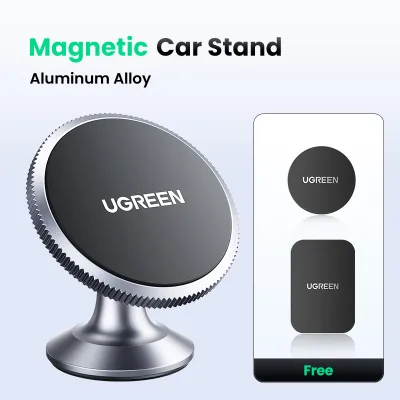
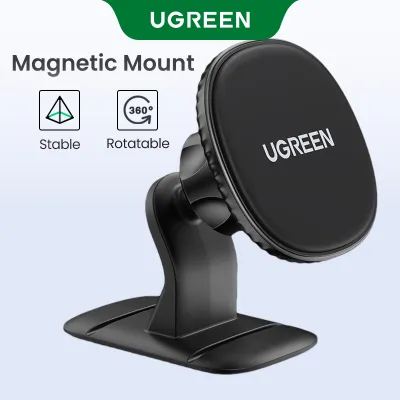
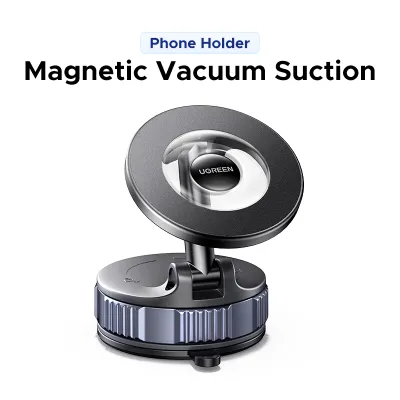
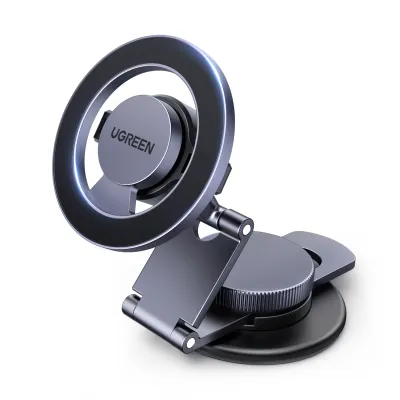
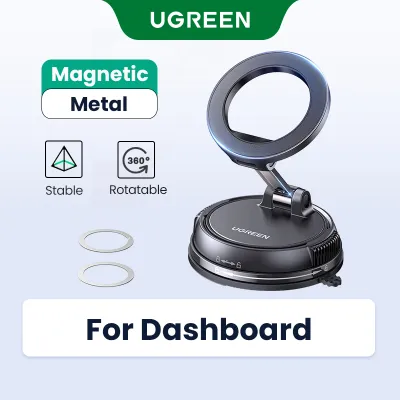
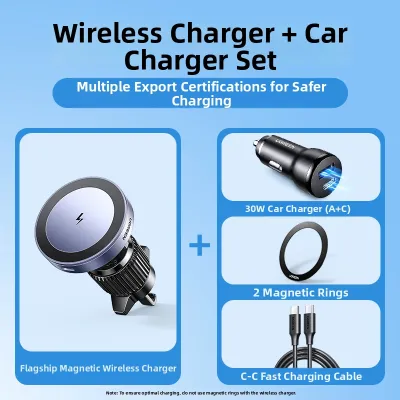
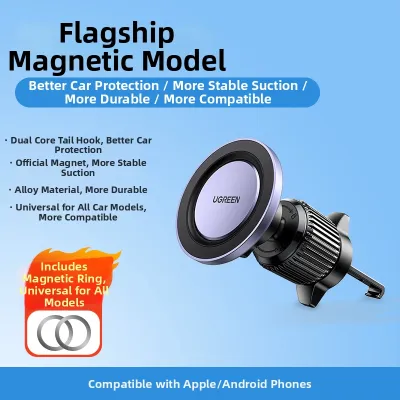
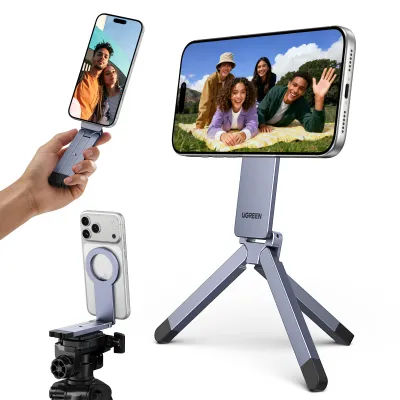
Prices are valid at publication and may change. Please refer to the product page for the latest price.
Ultimately, the optimal mounting solution is highly individualized. A mount that works perfectly in a compact sedan with flat, hard-plastic surfaces might fail in a modern SUV with leather-wrapped, highly contoured dashboards. Understanding these physical dynamics is the first step toward a secure and legally compliant setup.
Choosing the Right Mounting Location for Your Car Interior
Selecting where to position your UGREEN magnetic holder requires a careful assessment of your vehicle’s cabin geometry and material composition. Dashboard and windshield mounts are popular because they keep the phone close to your natural line of sight. However, before choosing an adhesive or suction-based model, you must examine the texture of your dashboard. Smooth, non-porous plastics provide the ideal surface for suction cups and adhesive pads. If your dashboard features textured vinyl, leather, or soft-touch materials, adhesives may fail to bond properly or, worse, cause permanent discoloration or peeling when removed.

Furthermore, you must identify your vehicle’s airbag deployment zones. Consult your vehicle’s owner manual to locate exactly where the passenger and side-curtain airbags expand. Placing a mount or routing a charging cable across these zones poses a severe safety hazard, as a deploying airbag can turn your phone into a dangerous projectile.
Air vent clips offer a drill-free, adhesive-free alternative, but they require compatible vent blades. Standard horizontal blades are generally the most stable, allowing the clip to grip firmly and distribute the weight downward. Vertical or circular vents, often found in sporty or retro cabin designs, can be highly unstable, causing the mount to twist or slide during sharp turns. Additionally, mounting your phone directly in front of an air vent blocks airflow. In cold climates, directing heater exhaust onto your phone can cause it to overheat, while in tropical climates, cold air conditioning can cause condensation to form on the device when you exit the car.
CD slot mounts utilize the unused CD player slot found in older vehicle models. This location is exceptionally stable because the mount expands inside a rigid, metal-reinforced slot. However, you must verify that the slot is not obstructed by other console controls and that the slot’s width matches the expansion range of the UGREEN mount. If your vehicle features a modern infotainment screen directly above or below the CD slot, the mounted phone may block your view of the backup camera or media controls.
Verifying Magnet Strength and Phone Compatibility for Navigation
The reliability of any magnetic car mount hinges on the physical connection between the mount’s magnetic array and your smartphone. UGREEN designs two primary types of magnetic interfaces: specialized magnetic alignment mounts (compatible with built-in magnetic rings found in modern smartphones) and universal magnetic mounts that rely on an adhesive metal plate attached to the phone or its case.
If your smartphone features a built-in magnetic alignment ring, a compatible UGREEN mount allows you to snap the device directly onto the holder without adding external plates. This preserves the clean aesthetic of your phone and maintains compatibility with wireless desktop chargers. However, if you use a thick protective case, the distance between the phone’s internal magnet and the mount’s surface increases, which exponentially reduces the magnetic holding force. For cases thicker than a few millimeters, you must use a case with an integrated magnetic ring or apply an external metal plate to the outside of the case.
For standard smartphones without built-in magnetic rings, using the manufacturer-provided adhesive metal plate is mandatory. The placement of this plate is critical. It must be centered on the back of the device to prevent the phone from rotating or slipping due to gravity. If you use wireless charging, placing a metal plate directly over the charging coil will block the energy transfer and cause extreme heat buildup; in such cases, the plate must be positioned lower on the device or removed before charging.
To ensure your phone remains secure on bumpy roads, sudden stops, or sharp turns, always verify the maximum load capacity specified by UGREEN for the particular mount model. Heavy-duty smartphones, especially those with rugged cases, require mounts with reinforced magnetic arrays. Relying on general material claims is insufficient; instead, cross-reference your phone’s total weight (including the case) with the weight limits listed on the product packaging or official documentation.
Condition-Based Selection: Matching UGREEN Styles to Your Setup
To simplify your decision, you can match your specific vehicle and device profile to one of three common driving scenarios.
Scenario A: Heavy Devices and Flat Surfaces
If you drive a vehicle with a flat, smooth dashboard or a spacious windshield and carry a large, heavy smartphone with a rugged case, a heavy-duty suction cup or a reinforced adhesive dashboard mount is the most reliable choice. These mounts provide a wide base of support that distributes the weight of the device across a larger surface area, minimizing vibrations on uneven roads.
Scenario B: Curved Dashboards and Delicate Materials
If your vehicle features a highly curved, leather-wrapped, or textured dashboard where adhesives cannot stick, you should avoid dashboard mounts entirely. Instead, opt for a premium air vent clip or a CD slot mount. These mechanical fastening systems do not rely on chemical adhesives, preserving your interior’s premium materials while keeping your device securely positioned.
Scenario C: Rapid Docking and Modern Devices
For drivers who prioritize seamless, one-handed docking and use smartphones with built-in magnetic alignment technology, a specialized UGREEN magnetic alignment mount is highly recommended. These models align automatically with your phone’s internal coils, eliminating the need to align a metal plate manually every time you enter the vehicle.
Before finalizing your purchase on any online marketplace or ecommerce platform, always check the detailed product specifications. Verify the exact dimensions of the mounting clamp, the adjustment range of the joint, and the specific contents of the package to ensure you receive the necessary adhesive plates or vent stabilizers required for your specific installation.
Safe Installation and Legal Checks for Driving in the Philippines
Operating a vehicle in the Philippines requires strict adherence to road safety regulations, particularly regarding driver visibility and distracted driving. Under Republic Act No. 10913, also known as the Anti-Distracted Driving Act, drivers are prohibited from using mobile devices while the vehicle is in motion unless they are using a hands-free medium. If you use your phone for GPS navigation, the device must be mounted in a position that does not interfere with your direct line of sight to the road.
The law permits mounting a phone on the dashboard or windshield, provided it is placed within the “safe zone.” This zone is generally defined as an area that does not obstruct the driver’s view of the road ahead or the side mirrors. Avoid placing your UGREEN mount directly in the center of the windshield or high up on the dashboard where it blocks your view of pedestrians or oncoming traffic. A lower dashboard position or an air vent mount is often the easiest way to remain compliant while keeping the GPS map within your peripheral vision.
In the tropical climate of the Philippines, high temperatures and intense humidity can severely degrade the adhesives used in car mounts. To ensure a long-lasting bond for adhesive or suction-based UGREEN mounts, thorough surface preparation is vital. Begin by cleaning the mounting area with isopropyl alcohol to remove all dust, dashboard protectants, and oils. Allow the surface to dry completely. Apply the adhesive mount firmly, pressing down for the duration recommended by the manufacturer, and let the adhesive cure fully according to the product instructions before attaching your phone. Avoid installing the mount during the hottest part of the day; instead, perform the installation in a shaded area or during cooler morning hours.
Finally, always conduct a stationary safety check. Once the mount is installed, attach your phone and adjust the viewing angle while the car is parked. Shake the mount gently to simulate road vibrations and ensure the phone remains firmly in place. Never attempt to adjust the mount’s angle, tighten clamps, or reposition the device while driving on active roadways.
Frequently Asked Questions (FAQ)
Will a UGREEN magnetic holder damage my car's air vent or dashboard?
A UGREEN magnetic holder will not damage your vehicle if installed and used according to the manufacturer’s instructions. However, risks exist if you choose an incompatible mount style. Air vent clips exert physical pressure on the vent blades; if you mount an exceptionally heavy phone on thin, fragile plastic blades, the constant vibration from driving can crack or warp the vent assembly. To prevent this, avoid vent mounts for oversized devices or choose models with integrated support legs that distribute weight to the surrounding console. For adhesive dashboard mounts, using high-quality, heat-resistant adhesives minimizes residue, but removing them from soft-touch vinyl or leather surfaces must be done with extreme care. Use a plastic pry tool and a mild adhesive remover to lift the pad slowly, avoiding rapid pulling that could tear the dashboard material.
Do I need to use the included metal plate if my phone has built-in magnets?
Whether you need to use the included metal plate depends entirely on the specific UGREEN mount model you purchase. Standard UGREEN magnetic mounts utilize traditional neodymium magnets that require a ferrous metal plate to create a secure hold; they do not align properly with the specialized magnetic arrays built into modern smartphones. If you purchase a standard mount, you must apply the included metal plate to your phone or case. Conversely, if you purchase a UGREEN mount explicitly labeled as compatible with native magnetic alignment systems, you can use your compatible phone without any additional plates, provided your phone case is thin enough or also features an integrated magnetic ring. Always verify the compatibility details on the product packaging before attempting to use the mount without a plate.
Community discussion
Share your experience or ask a question. Comments are reviewed before publication.