
Securing your vehicle against theft or keeping track of a fleet can feel overwhelming when faced with complex wiring diagrams and hidden automotive components, but installing a car GPS tracker is a highly manageable task that you can complete yourself using simple plug-and-play ports, magnetic mounts, or basic hardwiring techniques. By selecting the right installation method for your specific device—whether it is an onboard diagnostics (OBD) plug-in, a wireless magnetic tracker, or a hardwired unit connected directly to your car’s electrical system—and following a systematic setup process, you can establish a reliable tracking connection without damaging your vehicle’s sensitive electronics. Taking the time to understand the unique requirements of each installation type ensures that your tracker remains hidden, secure, and continuously powered.
What tools and safety preparations are needed before car GPS tracker installation?
Preparing the correct tools and establishing a safe working environment are essential steps to protect both yourself and your vehicle’s electrical system before beginning any installation. Working on automotive electronics requires precision, as improper handling of live wires can lead to short circuits, blown fuses, or damage to sensitive onboard computers. Gathering the necessary equipment beforehand prevents interruptions and ensures a clean, professional finish.
For a standard installation, you should assemble a set of plastic trim removal tools, which allow you to pry open dashboard panels without scratching or cracking the plastic. A digital multimeter is indispensable for hardwired installations, as it allows you to safely test voltage and locate appropriate power sources. You will also need high-quality electrical tape, zip ties to secure loose wiring, wire strippers, and crimp connectors or fuse taps to make reliable electrical connections.
Products mentioned in this guide
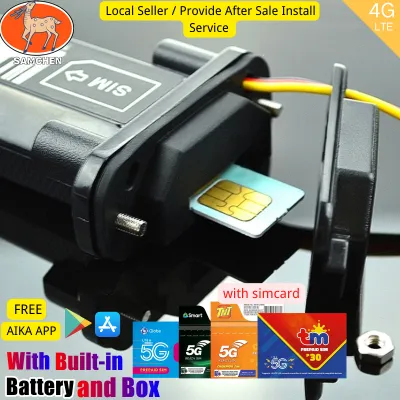
727 Lazada user ratings
This is my 2nd time to purchase from this Store, haven't tested it yet but the last one was and still working till now. Will update after us…Read full reviewShow less
This is my 2nd time to purchase from this Store, haven't tested it yet but the last one was and still working till now. Will update after use. The best is the After Sale Service, the Seller is very accommodating and help me until I have make it work, at first I have problems but the Seller assist me and now it works till now, Buy here at this store, will recommend and will buy again. Thanks Seller and Lazada.
Late review po, Ok po yuong GPS you just need to download AIKA app. At first nahirapan ako, just watch YouTube videos as your guide, but ove…Read full reviewShow less
Late review po, Ok po yuong GPS you just need to download AIKA app. At first nahirapan ako, just watch YouTube videos as your guide, but over all, its a good GPS, I use it in my Honda click 150i, thanks Seller and Lazada... 😊
sana mapalitan gps q ung dati q na bili sainyo ok naman po ung ngaun dito aq sa pinas nasa china naka park car q pero 5 star patin kc gumaga…Read full reviewShow less
sana mapalitan gps q ung dati q na bili sainyo ok naman po ung ngaun dito aq sa pinas nasa china naka park car q pero 5 star patin kc gumagana siya kaya lang umuwi siya sa china hahaha
Just received. Compact and easy to install, Versatile compatibility with different SIM cards,
excellent.. it works talaga real time. mura pa with simcard na. thumbs up
![[In stock]Smart GPS Tracker 100% Precise magnetic No installation required Real time remote online For Motorcycle Vehicle Device Intelligent positioning alarm Track playback Intelligent positioning Anti-theft Tracking](https://img.lazcdn.com/g/p/641cbffd82f0806d2f8bffe9fbef658b.jpg_400x400q80.jpg_.webp)
32 Lazada user ratings
GPS is well packaged. You can download the free APP to display the location in real time on your phone. It is very easy to use.
GPS network connection is very stable, unlike the ones I bought before, which often lost their position. Good value for money
Don't be afraid of the machine being found, the appearance is black, no lights, will not make noise, very perfect to hide.
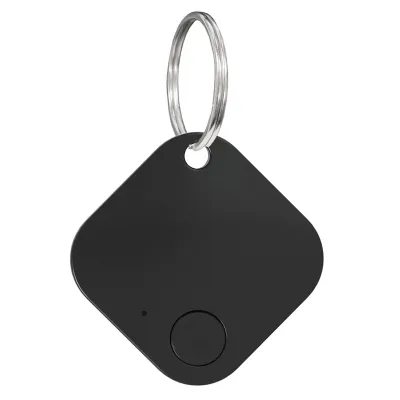
45 Lazada user ratings
i just open it today. coz im busy when it rrived.. why it didnt work on my android phone, ive try many times. can you please send another de…Read full reviewShow less
i just open it today. coz im busy when it rrived.. why it didnt work on my android phone, ive try many times. can you please send another device.. i want to return this one. i am really disapointed. i really need this device. but its not working
panget.. pang malapitan lng sya. Easy to attach to keys, Long-lasting battery life, Secure tracking device, Perfect for pets and kids, Bluet…Read full reviewShow less
panget.. pang malapitan lng sya. Easy to attach to keys, Long-lasting battery life, Secure tracking device, Perfect for pets and kids, Bluetooth 5.2 connectivity, Sleek and compact design, Great for elderly safety,
Easy to attach to keys, Fast shipping from Manila. Havent tested it yet. Hope i wouldn't have to use it to trace my car 🤭
👌Ease of Use:madaling ioperate 🛠️Durability:kahit mga 100 kg kaya salamat sa seller maayos at walang damage ang product
fake non gps , only bluethoot .
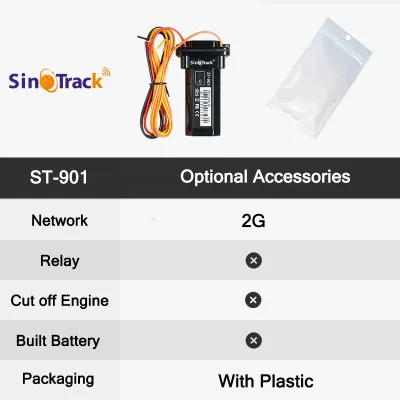
3,304 Lazada user ratings
The items arrived on time, very well-packed, and in perfect condition—absolutely no damage. A reliable, honest, and trustworthy seller! 100%…Read full reviewShow less
The items arrived on time, very well-packed, and in perfect condition—absolutely no damage. A reliable, honest, and trustworthy seller! 100% legitimate and highly recommended. The transaction was smooth from start to finish, with excellent communication and fast shipping. Thank you for the hassle-free experience! Will definitely buy again.
Already received but not yet tested, i will edit my review after installation, thank you seller and more power to all of you, if this will g…Read full reviewShow less
Already received but not yet tested, i will edit my review after installation, thank you seller and more power to all of you, if this will good and we will order again.Secure your vehicle with geo-fence alarm, Waterproof design, suitable for all weather conditions, Here’s your stars ⭐️⭐️⭐️⭐️⭐️⭐️⭐️⭐️⭐️⭐️⭐️⭐️⭐️⭐️⭐️⭐️
second time ordering.Highly sensitive GPS and GSM technology, Compact size, perfect for motorcycles, very helpful din un customer service ni…Read full reviewShow less
second time ordering.Highly sensitive GPS and GSM technology, Compact size, perfect for motorcycles, very helpful din un customer service nila as i have problem adding it to an existing account pero nagawan ng paraan at tinulungan ako. will reoder pag may new unit na.
Quality:ok Appearance:ok Performance:works as intended nainstall na sa motor ko, gumana naman ang mobile app. as for buying the sim, get the…Read full reviewShow less
Quality:ok Appearance:ok Performance:works as intended nainstall na sa motor ko, gumana naman ang mobile app. as for buying the sim, get the smart sim. di gumagana yung globe. di ko alam ibang features neto kaya need pa mag explore.
good quality ...... Accurate GPS tracking in real-time, thank you po seller...... ...........................
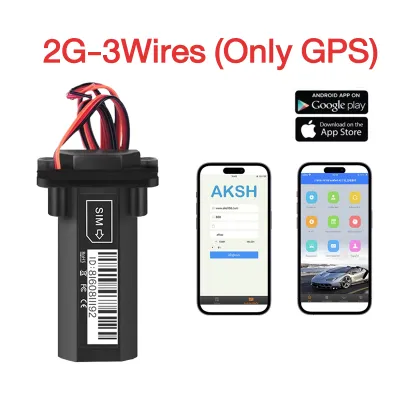
144 Lazada user ratings
Reliable vehicle location tracking, Built-in battery for easy use, Compact and discreet device,
di pa nagagamit thank u sana okie cia minsan kc di okay ung gps. but hopefully
👌Ease of Use:hhhhbbbbbbb 🔋Battery Life:vg 📏Accuracy:bh
👌Ease of Use:Easy to install on vehicles,
📏Accuracy:very accurate
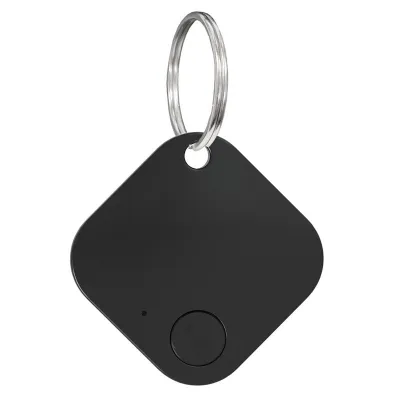
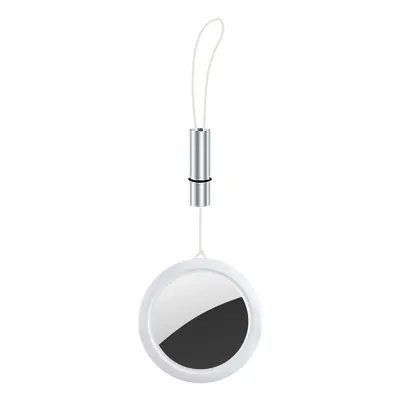
Prices are valid at publication and may change. Please refer to the product page for the latest price.
Safety must be your top priority when working near any vehicle’s electrical components. Always park the vehicle on a flat, level surface, engage the parking brake, and turn off the engine completely. If you are planning a hardwired installation, disconnect the negative terminal of the vehicle’s battery to eliminate the risk of accidental short circuits or electrical shocks.
Before mounting any hardware, carefully read both the GPS tracker’s user manual and your vehicle’s owner manual. The tracker’s manual provides specific details regarding power requirements, LED indicator meanings, and SIM card installation. Meanwhile, your vehicle’s owner manual will help you locate the fuse box, identify safe grounding points, and warn you about sensitive areas to avoid, such as airbag deployment zones and complex computer modules.
How do you install a plug-and-play OBD-II GPS tracker?
Installing a plug-and-play OBD-II GPS tracker is the simplest method available, requiring you to locate your vehicle’s onboard diagnostic port and insert the device directly into the socket. This installation takes only a few minutes and does not require any tools, wiring, or battery modifications. Because the OBD-II port provides constant power directly from the vehicle’s battery, these trackers are always active and require very little maintenance.

To begin, you must locate the OBD-II port in your vehicle. In almost all passenger cars manufactured after 1996, this port is situated under the dashboard on the driver’s side, typically within three feet of the steering wheel. Look near the hood release latch, just above the pedals, or behind a small removable plastic cover on the lower dashboard console. The port is trapezoidal and features 16 distinct pin slots.
Once you have located the port, align the connector of the GPS tracker with the port and press it firmly into place. The device should fit snugly without forcing it. Because some OBD-II ports are positioned in areas where a protruding tracker might interfere with your feet while driving, you must verify that the device does not obstruct the brake, clutch, or accelerator pedals. If the tracker blocks your legroom or pedal movement, purchase an OBD-II extension cable, which allows you to plug into the port and route the tracker to a secure, hidden location behind the dashboard trim.
After securing the tracker, turn on your vehicle’s ignition to supply power to the port. Observe the LED indicator lights on the device, which are designed to show the operational status. Typically, these lights will flash or change color to indicate that the unit has successfully powered on, established a cellular network connection, and acquired a GPS satellite lock. Refer to your device’s manual to confirm what the specific light patterns mean before reassembling any panels.
How do you install a battery-powered magnetic GPS tracker?
To install a battery-powered magnetic GPS tracker, you must fully charge the device’s internal battery, insert a compatible SIM card if required, and mount the unit securely to a flat metal surface on your vehicle. This wireless method offers maximum flexibility and requires no connection to the car’s electrical system. It is an ideal choice for temporary tracking, fleet management, or situations where you want to avoid modifying the vehicle’s wiring.
Before mounting the tracker, connect it to a charger and allow the internal battery to reach 100% capacity. If your specific model relies on a cellular network for real-time data transmission, open the protective rubber seal and insert an active SIM card. Ensure the SIM card is properly activated with a data plan and that any PIN lock on the card is disabled before inserting it into the tracker.
Choosing the right mounting location is critical for maintaining a strong GPS signal while keeping the device hidden from plain sight. GPS signals travel through plastic, glass, and fiberglass, but they are severely degraded or blocked by thick metal sheets. Excellent mounting locations include the underside of the rear bumper, inside a plastic bumper cover, or tucked within the trunk near the rear parcel shelf. Avoid placing the tracker deep inside the engine bay or directly under the center of the car’s metal chassis, as these areas can block satellite communication.
When you are ready to mount the tracker, clean the target metal surface thoroughly with a dry microfiber cloth to remove road grime, grease, and moisture. Press the heavy-duty magnetic base of the tracker firmly against the clean, flat metal surface. Ensure the mount is secure and does not wobble. Keep the tracker away from extreme heat sources like the exhaust pipe, moving suspension components, and areas where high-velocity road debris or water spray could strike and dislodge the unit.
How do you hardwire a GPS tracker to your vehicle's electrical system?
Hardwiring a GPS tracker involves connecting its power, ignition, and ground wires directly to your vehicle’s electrical system to ensure a permanent, uninterrupted power supply. This method keeps the device completely hidden from view but requires careful testing with a digital multimeter and secure connections to prevent electrical faults. Hardwired installations are highly secure because they cannot be easily unplugged by unauthorized users.
Before making any physical connections, use a digital multimeter to identify the correct wires in your vehicle’s electrical system. Never rely on wire colors alone, as manufacturers change wiring schemes across different models and years. You must locate three key connections: a constant 12V power source that remains active even when the ignition key is removed, an ignition-switched power source that only carries voltage when the key is turned to the “on” or “run” position, and a solid chassis ground. Testing these points with your multimeter ensures you do not accidentally tap into sensitive data lines.
Once you have identified the correct power sources, plan a safe routing path for the tracker’s wiring harness behind the dashboard. Keep all wires completely clear of moving parts such as the steering shaft, brake pedal assembly, and accelerator linkages. Additionally, ensure the wires do not cross or interfere with any airbag deployment zones, particularly near the steering column or side pillars. Use zip ties to secure the tracker’s harness tightly against existing factory wire looms to prevent rattling and wear over time.
To make the electrical connections, use proper fuse taps (also known as add-a-circuit adapters) in the cabin fuse box. This is a highly reliable and clean method, as it allows you to tap into an existing circuit while adding a dedicated fuse for the GPS tracker without cutting or splicing original wires. Connect the ground wire to a clean, unpainted metal bolt on the vehicle’s chassis. Avoid twisting bare wires together and wrapping them in electrical tape; instead, use insulated crimp connectors or heat-shrink tubing to seal all connections against moisture, dust, and vibration.
If your vehicle features a complex electrical system, utilizes a hybrid or electric powertrain, or is covered by an active manufacturer warranty, you should recognize the limits of DIY installation. Splicing into modern multiplexed wiring networks can trigger error codes, disable safety features, or void your vehicle’s warranty. If you feel unsure at any point during the process, stop immediately and consult a qualified automotive electrician in the Philippines to complete the installation safely.
How do you activate and test your GPS tracker after installation?
Activating and testing your GPS tracker involves registering the device on the manufacturer’s platform, verifying its live status indicators, and performing a short test drive to confirm accurate tracking. This final step ensures that the hardware, cellular network, and software interface are all communicating seamlessly. Without proper testing, you risk assuming the device is working only to find out later that it failed to log critical location data.
Begin by powering on the tracker or turning on your vehicle’s ignition to activate the device. Open the manufacturer’s mobile application or access their web portal on a computer. Follow the on-screen instructions to create an account and register your device, which usually requires entering the tracker’s unique serial number or IMEI code found on the product label or packaging.
Once registered, check the software dashboard to verify that the device is online and reporting status updates. Look for indicators that display the current battery level, cellular signal strength, and GPS satellite lock status. If the app shows a weak signal or fails to display a location, ensure the vehicle is parked outdoors with a clear, unobstructed view of the sky, as tall buildings and metal carports can temporarily block satellite signals.
Finally, take the vehicle for a short, 10-to-15-minute test drive through an area with open sky. During or immediately after the drive, log into the tracking platform to verify that the real-time location updates smoothly and that the route history is logged accurately. If your tracker supports advanced features like geofence alerts or speed notifications, test these functions by driving across a pre-configured boundary to ensure you receive the corresponding push notifications or SMS alerts on your phone.
Community discussion
Share your experience or ask a question. Comments are reviewed before publication.