
Installing a dash cam in a truck requires a different approach than installing one in a standard passenger car. The larger cabin, steeper windshield angle, and longer distance to the power source mean you must plan your routing path and mounting position carefully. By taking the time to secure the wiring and position the lens correctly, you can ensure continuous road coverage and maintain a clear, unobstructed view of the road ahead. This guide walks you through the entire process, from selecting the right tools to routing cables safely around safety systems and making secure electrical connections.
Tools and Preparation for Truck Dash Cam Installation
Before beginning the installation, gather all necessary tools to avoid mid-project interruptions. You will need a plastic trim removal tool to safely pry open interior panels without scratching them, a clean microfiber cloth, isopropyl alcohol for surface preparation, and adhesive cable clips or zip ties to secure loose wiring. Avoid using metal screwdrivers or knives to pry panels, as these can easily scratch the plastic trim or tear the headliner fabric.
Because truck cabins are significantly taller and longer than standard cars, the standard power cable included in many consumer dash cam kits may not be long enough to reach from the top of the windshield, down the A-pillar, and into the fuse box or 12V socket. Measure the distance along your planned routing path before starting. If the distance exceeds the length of the provided cable, you will need to purchase a compatible extension cable or a longer hardwire kit designed specifically for larger vehicles.
Products mentioned in this guide
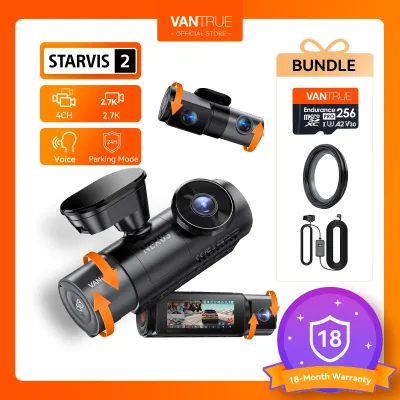
1 Lazada user ratings
Repeat Purchaser This is my second Vantrue unit, first being an F1 unit for my daughter’s NMAX. On that unit the parking feature helped in s…Read full reviewShow less
Repeat Purchaser This is my second Vantrue unit, first being an F1 unit for my daughter’s NMAX. On that unit the parking feature helped in several instances of theft and vandalism, the Night Shot high resolution giving extremely clear video and still images of Theives and Vandals doing their malfeasances-and led DIRECTLY to apprehension and recovery/restitution. In instances of traffic accidents the constant video logging and instant cloud upload returned similar astounding results regarding restitution and insurance recovery Torts. I ordered this unit when putting a deposit on my new 2026 Suzuki Jimny and it will be used there being installs before 500km have even been elapsed. Highly recommended. My recoveries have MORE than paid for the cost of the first unit, which otherwise would have been out-of-pocket. Hope I never need it on my Jimny, but I will park and sleep well knowing it’s on guard should evil come lurking.
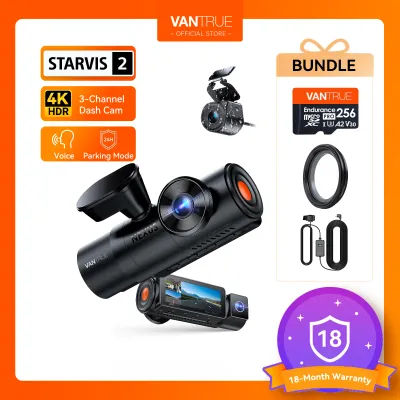
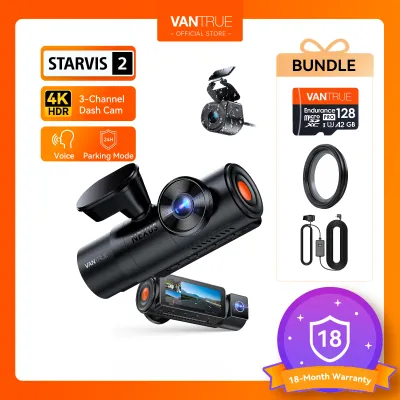

25 Lazada user ratings
The screen is really clear, it's very comfortable to look at and the quality is good.
The screen is really clear, it's very comfortable to look at.
Pretty good dash cam, it's quite a good value.
It works great.
Good dash cam

5 Lazada user ratings
📺Video Quality: perfect, specially the fish eye 🌙Night Vision: night vision is okay Easy to install and connect via wifi..
24H parking mode, Touchscreen display, GPS tracking,

42 Lazada user ratings
Excellent value: 4K + STARVIS 2 + PlatePix in a compact form. Night performance is impressive for the price, thanks to sensor and software s…Read full reviewShow less
Excellent value: 4K + STARVIS 2 + PlatePix in a compact form. Night performance is impressive for the price, thanks to sensor and software synergy. CPL filter support helps with glare, which is often a weak point in dash cams. Rich feature set: GPS, WiFi (5 GHz), voice control, buffered motion detection, optional LTE. Good daylight and night capture, vibrant and sharp detail.
Vantrue E1 Pro Received and item is working. I can't have any comparisons with the N4 Pro or N5 since I don't have them. I can't verify the …Read full reviewShow less
Vantrue E1 Pro Received and item is working. I can't have any comparisons with the N4 Pro or N5 since I don't have them. I can't verify the improvement claims with the new sensors. Unboxing: youtu.be/U1um2XO6B_k Testing: youtu.be/HSmcFfJQofs
🔧Ease of Installation: it was very straight forward to install the dashcam DIY 📺Video Quality: video quality is very good, including low lig…Read full reviewShow less
🔧Ease of Installation: it was very straight forward to install the dashcam DIY 📺Video Quality: video quality is very good, including low light/night recording
🔧Ease of Installation:good 📺Video Quality:good 🌙Night Vision:good
great quality i hope they launch a rear cam add-on
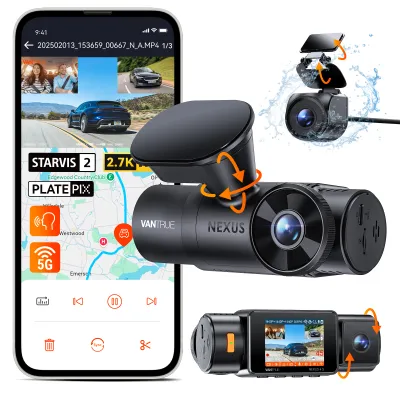
8 Lazada user ratings
Easy to install, lots of DIY installation guides to follow on Youtube. Definitely an upgrade from the midtier dashcam that I was previously …Read full reviewShow less
Easy to install, lots of DIY installation guides to follow on Youtube. Definitely an upgrade from the midtier dashcam that I was previously using. Cabin and rear cameras are clearer than what I expected. Arrived earlier than the estimated delivery date.
Supports up to 1TB SD card, 2.5K rear camera resolution, Voice control in multiple languages,
ok siya pero di ko pa nakakabit
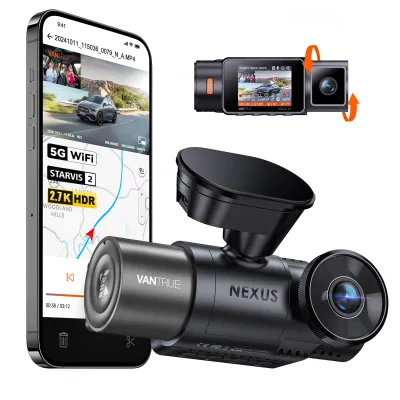
Prices are valid at publication and may change. Please refer to the product page for the latest price.
Additionally, check your dash cam kit for truck-specific mounting accessories. Some heavy-duty trucks or commercial vehicles benefit from specialized mounts that accommodate vertical glass, as standard car mounts often lack the tilt range required for upright windshields. Verify your specific vehicle model, cabin dimensions, and mounting positions from your truck’s documentation before purchasing any aftermarket accessories.
Selecting the Mounting Position on a Truck Windshield
Finding the correct mounting position on a truck windshield is critical for both legal compliance and optimal video capture. In the Philippines, traffic regulations strictly prohibit placing devices in areas that obstruct the driver’s direct line of sight. To stay compliant and maintain safety, mount the camera high up on the windshield, ideally behind or just next to the rearview mirror. This position keeps the device out of your direct field of view while still allowing it to capture a clear, centered image of the road.

Another key factor is the windshield wiper sweep area. If you mount the camera outside the path of the wipers, rain, mud, and road grime will quickly obscure the lens during bad weather, rendering the recorded footage useless. Before sticking the mount down, turn on your wipers to identify where they clear the glass, and position the camera lens within this clean zone. Also, ensure the camera does not interfere with the operation of the sun visors when they are flipped down or swiveled to the side.
Trucks also feature much steeper, more upright windshields than passenger cars. This steep angle can cause the camera to capture too much of the sky, leading to overexposure and dark, shadowed road footage due to automatic exposure adjustments. To prevent this sky glare, angle the lens slightly downward so that the truck’s hood occupies the bottom portion of the frame, balancing the light metering.
Step-by-Step Truck Dash Cam Installation
Successfully installing your dash cam involves three distinct phases: physically mounting the camera to the glass, routing the power cable through the cabin panels, and connecting the device to a reliable power source. Executing each phase methodically ensures a clean, professional look and reliable operation.
Mounting the Camera (Adhesive vs. Suction)
Begin by thoroughly cleaning the selected area of the windshield. Use a clean microfiber cloth and isopropyl alcohol to remove any dust, grease, or glass cleaner residue. Ensure you only apply the alcohol to the glass surface, as it can damage or discolor plastics, sensors, or nearby seals. Any leftover film on the glass will compromise the mount’s adhesion, causing it to fall off when exposed to direct sunlight or cabin heat.
When choosing between mounting styles, consider your vehicle’s environment. Suction cup mounts are highly adjustable and easy to reposition, making them convenient if you frequently move the camera between trucks. However, they are more susceptible to temperature fluctuations and can lose suction in extreme heat. Double-sided adhesive mounts (such as 3M adhesive pads) offer a highly secure, permanent bond that resists vibration and high temperatures, though they are difficult to reposition once applied. For heavy-duty trucks with significant engine vibration, adhesive mounts generally provide a more stable image.
Once the mount is secured, attach the camera and adjust its pitch. Because of the truck’s elevated ride height, the camera needs to point lower than it would in a sedan. Ensure the camera’s vertical angle is adjusted so that the horizon sits roughly in the middle of the frame, allowing you to capture both the immediate area directly in front of your hood and the traffic signals ahead.
Routing Cables Through a Large Cabin
Routing the power cable cleanly requires patience. Start from the camera and tuck the wire into the gap between the headliner and the windshield. Use a plastic trim removal tool to gently guide the wire without tearing the fabric or damaging the headliner material. If your truck does not have a gap along the headliner, use small adhesive cable clips to secure the wire neatly along the edge of the glass.
As you move toward the side of the cabin, you must route the cable down the A-pillar. This step carries a critical safety boundary: if your truck is equipped with side-curtain airbags housed inside the A-pillar, you must never route the cable directly across or in front of the airbag module. Doing so could prevent the airbag from deploying correctly or turn the cable into a dangerous projectile during a collision. Always refer to your truck’s official service manual to locate the airbag modules, and route the cable behind the airbag assembly, securing it to the existing factory wiring harness with zip ties.
Continue routing the cable down the side of the dashboard toward your chosen power source. Because truck cabins are wide, you may have excess cable once you reach the destination. Never leave loose wires dangling near the pedals or steering column, as this poses a severe safety hazard. Gather the excess cable, bundle it neatly, and secure it high up under the dashboard using adhesive cable clips or zip ties, keeping it completely clear of all moving parts and footwells.
Connecting the Power Source
You have two primary options for powering your truck’s dash cam: using the auxiliary 12V power outlet (cigarette lighter socket) or hardwiring the camera directly to the vehicle’s fuse box.
The 12V socket method is the simplest plug-and-play option. It requires no electrical modification and is ideal for basic recording while driving. However, because most 12V sockets only supply power when the ignition is turned on, this method generally will not support parking mode features unless the socket remains constantly powered (which risks draining your truck’s battery).
For continuous parking monitoring, you must hardwire the dash cam to the truck’s fuse box using a hardwire kit. This process requires a fuse tap, a multimeter, and a solid understanding of your vehicle’s electrical system. Use the multimeter to identify a constant power fuse (which provides power even when the engine is off) and an ignition-switched fuse (which only provides power when the key is turned).
Safety is paramount when working with your vehicle’s electrical system. Always consult your truck’s official owner’s manual to verify the exact fuse ratings and layout. Strictly avoid tapping into safety-critical fuses, such as those for the anti-lock braking system (ABS), airbags, engine control module (ECM), or steering systems. If the wiring diagram is unclear, or if you are uncomfortable working with the electrical panel, stop immediately and consult a qualified automotive electrician to perform the installation.
Testing and Final Adjustments
With the camera mounted and wired, it is time to test the system. Turn on your truck’s ignition to verify that the dash cam powers on automatically and begins recording. Most modern dash cams emit a startup chime or display a recording indicator light to signal that they are functioning.
Next, check the live view on the dash cam’s screen or through its companion smartphone application. Verify the camera’s alignment: the horizon should be positioned near the center of the screen, and the front edge of your truck’s hood should be visible at the very bottom. This framing ensures you capture both the immediate road conditions and traffic signals or signs overhead.
Finally, access the camera’s settings menu to format the memory card. Formatting the card directly inside the device ensures compatibility and prevents write errors. While in the settings menu, verify that loop recording is enabled (typically set to 3-minute or 5-minute intervals) and adjust the G-sensor sensitivity. Setting the G-sensor to a moderate level prevents normal truck vibrations and rough roads from falsely triggering emergency file locks, which can quickly fill up your memory card with un-writable files.
Frequently Asked Questions (FAQ)
Do I need a special dash cam for a truck?
While standard passenger car dash cams can physically work in many trucks, you must verify your vehicle’s electrical specifications. Many heavy-duty commercial trucks and older utility vehicles operate on a 24-volt (24V) electrical system, whereas standard passenger cars use a 12-volt (12V) system. Connecting a standard 12V dash cam directly to a 24V system will cause immediate and irreversible electrical damage to the device. If your truck uses a 24V system, you must use a verified 24V-to-12V step-down converter, or purchase a commercial-grade dash cam explicitly rated for 24V operation. Always check your truck’s battery configuration and the dash cam’s input voltage specifications before connecting.
How do I prevent the suction mount from falling off a truck windshield?
To prevent a suction mount from losing its grip, start with a perfectly clean glass surface. Use isopropyl alcohol to strip away any invisible grease, dust, or cleaning chemical residues. When applying the suction cup, ensure both the glass and the rubber pad are at room temperature; mounting a cold suction cup onto hot glass, or vice versa, often leads to rapid failure due to air expansion. Press the suction cup firmly against the glass to expel all air before engaging the locking lever. If your truck is frequently parked in direct sunlight, consider switching to an adhesive-based mount, which uses high-bond tape designed to withstand extreme cabin temperatures without losing adhesion.

Community discussion
Share your experience or ask a question. Comments are reviewed before publication.