
Choosing a dash camera for car protection involves cutting through aggressive marketing jargon to find features that actually serve as reliable eyewitnesses on the road. While manufacturers frequently highlight massive pixel counts and ultra-wide viewing angles, the real-world utility of a camera depends on its ability to capture legible details under challenging conditions, such as sudden tropical downpours or unlit provincial roads. By focusing on how resolution, field of view, and low-light performance interact, you can select a reliable device that provides clear, usable evidence when you need it most.
To make an informed decision, you must understand how these technical specifications translate to actual road footage. A camera that looks excellent on paper may fail to capture a license plate in low light or may distort the sides of the frame so severely that peripheral details become useless. Evaluating these specifications systematically ensures you invest in a device that delivers genuine security rather than empty promises.
Understanding Resolution: 1080p vs 2K vs 4K
Resolution determines the overall detail of your recorded footage, but higher numbers do not always guarantee better clarity. A standard 1080p (Full HD) resolution is the baseline for modern dash cameras, offering a balance of decent detail and manageable file sizes. Upgrading to 2K (QHD) or 4K (UHD) increases the pixel count, which theoretically allows you to zoom in on distant license plates or street signs without the image pixelating. However, this extra detail comes with significant trade-offs in storage consumption and system heat.
Products mentioned in this guide


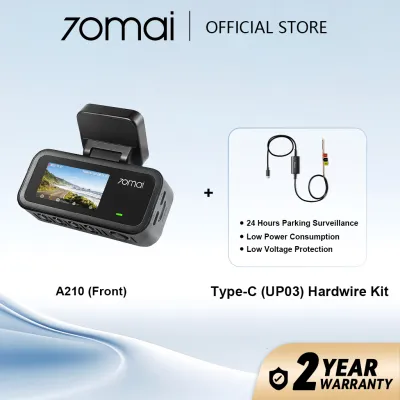
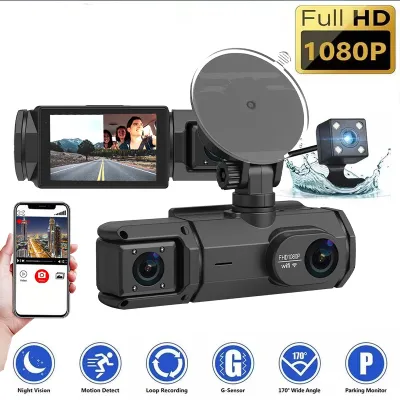
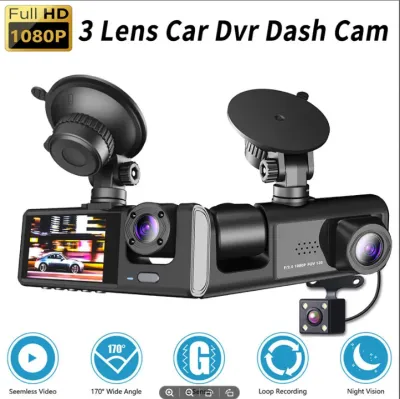
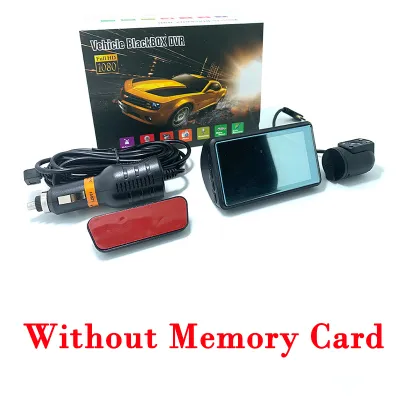
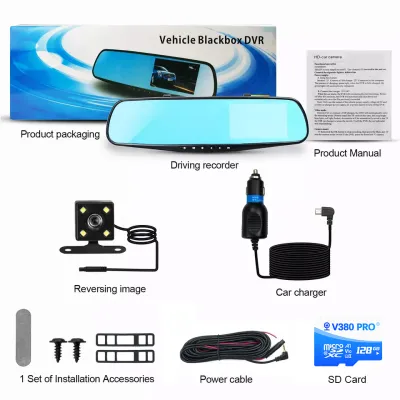
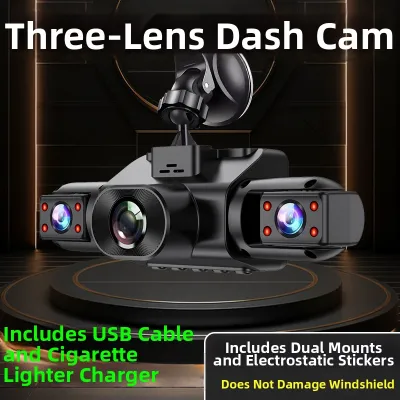
Prices are valid at publication and may change. Please refer to the product page for the latest price.
High-resolution video files require substantial storage space and rapid write speeds. A 4K dash camera will fill a memory card much faster than a 1080p model, forcing the camera to overwrite older footage sooner unless you invest in a larger, more expensive high-endurance microSD card. Furthermore, processing 4K video generates considerable heat, which can be a critical vulnerability in hot, tropical climates where parked cars regularly reach high internal temperatures.
Actual video quality is heavily influenced by the camera’s image sensor size and video bitrate, not just the advertised resolution. A small, cheap sensor packed with 4K pixels often produces noisy, blurry images because each individual pixel receives very little light. Conversely, a high-quality 1080p or 2K sensor with a high bitrate—the amount of data processed per second—can deliver sharper, more reliable footage of moving vehicles than a poorly optimized 4K camera. For daily driving in typical traffic, a well-engineered 2K camera often represents the sweet spot between clarity, storage efficiency, and thermal reliability.
Evaluating Field of View (FOV) Angles
The field of view (FOV) dictates how much of the road ahead your camera can see from left to right. Dash camera lenses generally range from a narrow 120 degrees to an ultra-wide 170 degrees. While a wider angle seems superior because it captures adjacent lanes, merging traffic, and sidewalks, it introduces a physical compromise known as fisheye distortion. This optical effect bends the edges of the image, making objects in the center appear much farther away and significantly reducing the legibility of license plates directly in front of you.

A standard viewing angle between 130 and 140 degrees is generally optimal for passenger vehicles. This range is wide enough to cover three lanes of traffic and the corners of your front bumper without causing severe edge distortion. If you choose an ultra-wide lens, you must accept that reading license plates on vehicles positioned slightly ahead in adjacent lanes will be more difficult due to the stretched perspective.
When comparing products on online marketplaces or at local automotive accessory shops, verify how the manufacturer measures the field of view. Many brands advertise the diagonal FOV because it yields a higher, more impressive number. However, the horizontal FOV is the measurement that actually determines how much of the side-to-side road environment is captured. Always look for horizontal specifications or user-uploaded sample footage to confirm the actual coverage before purchasing.
Assessing Night Vision and Low-Light Performance
Nighttime driving presents the ultimate test for any dash camera for car security. Poor low-light performance can turn crucial footage into a dark, grainy mess where headlights create massive glare and license plates are completely washed out. To evaluate a camera’s night capabilities, look past vague marketing terms like “super night vision” and examine the physical specifications of the lens and sensor.
The lens aperture, denoted by an f-number such as f/1.6 or f/1.8, indicates how much light the lens allows to reach the sensor. A lower f-number represents a wider aperture, which lets in more light and improves performance in dark environments. Additionally, look for cameras equipped with High Dynamic Range (HDR) or Wide Dynamic Range (WDR) technology. These processing features combine multiple exposures in real time to balance extremely bright areas, like oncoming headlights, with dark shadows, preserving detail in both.
Genuine low-light performance relies on specialized image sensors designed to maximize light sensitivity. Be cautious of cameras that claim night vision using built-in infrared (IR) LEDs on the front of the unit. While IR light is useful for cabin-facing cameras monitoring passengers, it cannot illuminate the road ahead through a windshield and will only cause distracting reflections off the glass.
Physical limitations also exist regardless of the technology used. On completely unlit rural roads, even the most advanced sensors require some ambient light, such as your vehicle’s headlights, to capture usable images. When facing direct, high-beam headlights from oncoming traffic, temporary glare is inevitable, though a camera with robust HDR processing will recover its exposure balance much faster than a basic model.
Secondary Specs That Simplify Your Decision
Once you have settled on the core optical specifications, secondary features can help narrow down your choices by improving daily convenience and vehicle security. Parking mode is a highly sought-after feature that monitors your vehicle while it is parked, recording footage if it detects motion or a physical impact. However, utilizing parking mode typically requires hardwiring the camera to your vehicle’s fuse box to ensure a continuous power supply when the engine is off.
Safety Boundary: Hardwiring a dash camera to your vehicle’s electrical system requires careful routing and precise knowledge of your car’s fuse layout. Always consult your vehicle’s original manual to identify safe, non-critical fuse taps, and consider seeking qualified professional installation. Incorrect installation can drain your car battery, interfere with safety systems, or void your vehicle’s manufacturer warranty.
Other convenient features include built-in GPS logging and Wi-Fi connectivity. GPS tracking embeds speed and location data directly into the video file, which can serve as valuable evidence to prove your speed during an incident. Wi-Fi connectivity allows you to pair the dash camera with your smartphone via an app, enabling you to download and share footage quickly on the roadside without needing to find a computer to read the microSD card.
Avoid paying extra for gimmicky features that do not contribute to core recording reliability. Features like lane departure warning systems or forward collision warnings built into dash cameras are often inaccurate and prone to false alarms, especially in dense, chaotic traffic. Focus your budget on robust build quality, heat resistance, and reliable video capture rather than software extras that you will likely disable after a few days of driving.
Frequently Asked Questions (FAQ)
Does a higher frame rate improve dash camera footage?
A higher frame rate, such as 60 frames per second (fps) compared to the standard 30 fps, makes fast-moving video look smoother and reduces motion blur when pausing footage to read license plates. However, recording at 60 fps cuts the exposure time for each individual frame in half. In low-light or nighttime conditions, this reduction in light exposure can result in darker, grainier footage. For most drivers, a stable 30 fps recording with active HDR processing delivers a better balance of daytime clarity and nighttime sensitivity.
How do I check if my car's windshield affects the camera's view?
Before mounting your dash camera, inspect your windshield for potential obstructions such as dark ceramic tint bands at the top, built-in rain sensors, or advanced driver assistance system (ADAS) camera housings behind the rearview mirror. To ensure clear footage, mount the camera slightly offset from the center, ensuring the lens sits within the physical sweep path of your windshield wipers. This placement guarantees that the camera’s view remains clear of water droplets, mud, and road grime during heavy rain.
Community discussion
Share your experience or ask a question. Comments are reviewed before publication.