
Quick Answer: Matching the Right Rear Camera to Your Vehicle
Choosing the right car rear camera depends on your vehicle’s size, your willingness to route electrical wiring through your cabin, and your preference for dashboard aesthetics. There is no single best option for every motorist, as each system addresses distinct installation and operational priorities.
- Wired rear cameras are ideal for drivers who prioritize absolute signal reliability, zero video latency, and long-term durability. They are highly recommended for larger vehicles like pickup trucks, sports utility vehicles (SUVs), and vans where wireless signals often struggle to penetrate metal structures.
- Wireless rear cameras suit compact to mid-size cars and are perfect for do-it-yourself (DIY) enthusiasts who want to avoid the tedious process of dismantling interior trim panels to run a video cable from the rear bumper to the dashboard.
- Mirror-mounted cameras are best for motorists seeking a clean, integrated cabin appearance. They replace or clip onto the existing rearview mirror, eliminating dashboard clutter while frequently offering dual-channel recording to capture both front and rear footage.
How Wired, Wireless, and Mirror-Mounted Cameras Work
To make an informed decision, it is essential to understand how each of these systems transmits video feeds and draws electrical power within your vehicle.

Wired Rear Cameras
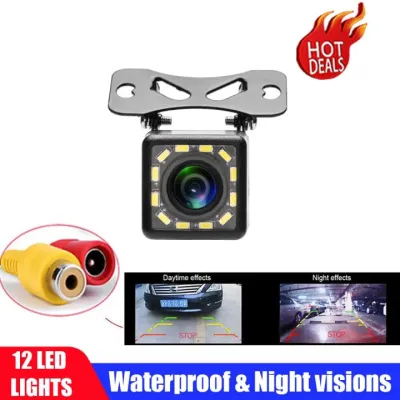
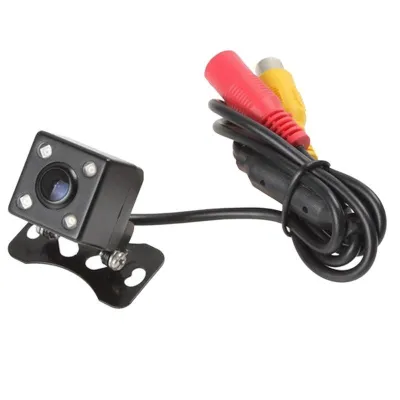
Wired systems rely on a continuous physical cable to transmit the video feed from the camera sensor to the display unit. The camera is typically mounted near the rear license plate or bumper. From there, a composite video cable (usually an RCA cable or a specialized multi-pin connector) must be physically routed through the vehicle’s interior.
Products mentioned in this guide

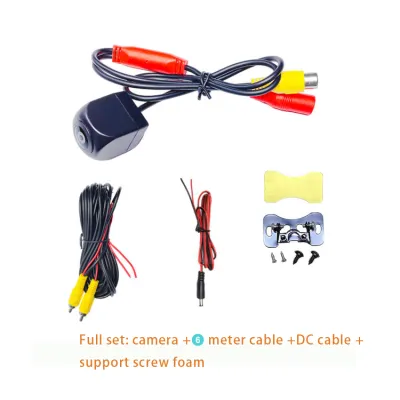
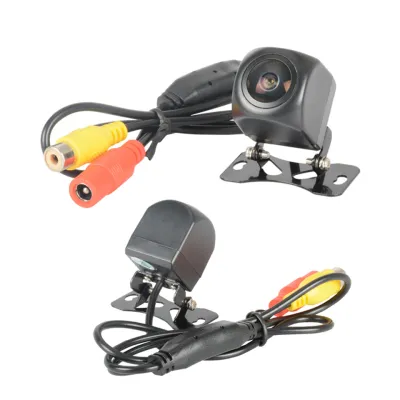
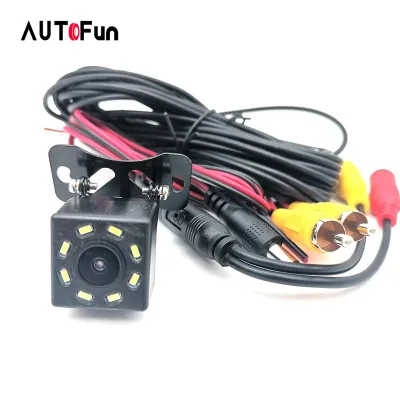

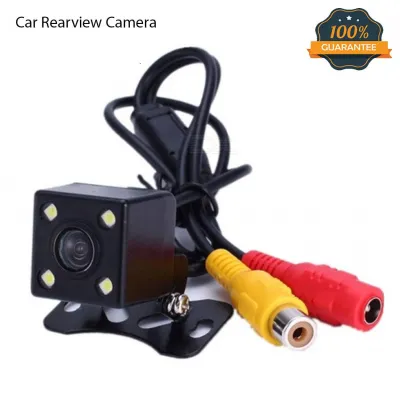
Prices are valid at publication and may change. Please refer to the product page for the latest price.
This routing path generally runs behind the trunk liner, down the door sill plates under the carpeting, and up behind the dashboard to connect to a standalone monitor or an aftermarket double-DIN head unit. Because the connection is entirely copper-based, the video signal remains shielded from external electromagnetic interference, delivering a constant, high-definition feed whenever the system is active.
Wireless Rear Cameras
Wireless rear cameras eliminate the long video cable running through the cabin by utilizing radio frequency transmitters and receivers. The camera assembly at the rear is wired to a small transmitter module, which is often tucked behind the trunk trim. This transmitter broadcasts the video signal over a wireless frequency—typically 2.4 GHz digital or analog signal bands—to a receiver integrated into or connected to the front display screen.
It is a common misconception that wireless cameras are completely wire-free. The rear camera and its transmitter still require a physical 12V direct current (DC) power source. This power is almost always tapped directly into the vehicle’s reverse light wiring harness, meaning the camera only powers on and broadcasts a signal when the reverse gear is engaged.
Mirror-Mounted Cameras
Mirror-mounted systems, often referred to as smart mirrors or mirror dash cams, utilize a specialized display that fits over or completely replaces your factory rearview mirror. The housing contains a high-resolution liquid crystal display (LCD) or organic light-emitting diode (OLED) screen behind a reflective, semi-mirrored glass surface. When the screen is turned off, the unit functions as a standard reflective mirror.
When you shift into reverse, the display activates, showing a real-time video feed from the rear camera. These systems are highly integrated; the mirror housing usually contains a front-facing camera lens to act as a dashcam, while a separate wire runs to the rear bumper camera. This setup requires routing power from the front fuse box or cigarette lighter socket up to the mirror, alongside a video cable running to the rear camera, combining elements of both wired and traditional dashcam installations.
Comparing Installation, Reliability, and Dashboard Layout
Evaluating these systems across key performance and practical metrics reveals distinct trade-offs in labor, signal performance, aesthetic impact, and overall cost.
Installation Complexity and DIY Feasibility
The physical effort required to install these systems varies dramatically, directly affecting whether you can complete the job in your garage or if you should budget for professional installation at a local automotive accessory shop.
- Wired Systems: These demand the highest level of labor. You must carefully remove plastic interior trim panels, weather stripping, and sometimes headliners to route the video cable safely without pinching it. Passing the cable from the exterior bumper into the cabin also requires finding an existing rubber grommet or drilling a hole through the metal bodywork, which must be properly sealed against moisture.
- Wireless Systems: These significantly reduce installation time. Because there is no cabin-length video cable to route, your primary task is mounting the camera and tapping into the positive and negative wires of one of your reverse light bulbs. This makes wireless systems highly accessible for DIYers with basic electrical tools.
- Mirror-Mounted Systems: These present a moderate-to-high installation challenge. While clip-on models strap easily over your existing mirror, routing the power cable down the A-pillar to the fuse box requires care to avoid interfering with side-curtain airbags. Additionally, running the rear camera cable to the back of the car presents the same trim-removal challenges as a standard wired system.
Signal Reliability and Video Latency
Signal stability is a critical safety consideration when backing up, as even a one-second delay or screen freeze can result in colliding with an unseen obstacle.
- Wired Systems: These offer unmatched signal reliability. Because the video signal travels through a physical, shielded wire, it is completely immune to external radio frequency interference. There is virtually zero latency (lag) between the vehicle's movement and the image displayed on the screen.
- Wireless Systems: These are susceptible to signal drops, static, or latency, especially in older analog models. Modern digital wireless systems are much more stable, but they can still experience brief interference from high-voltage power lines, dense cellular towers, or metallic window films (such as ceramic or reflective window tints common in tropical regions). The physical distance between the transmitter and receiver also plays a role; long vehicles may experience weaker signals.
- Mirror-Mounted Systems: Because the rear camera connection to the mirror display is physically wired, these systems share the same high signal reliability and low latency as standard wired setups.
Dashboard Clutter and Aesthetics
Maintaining a clean, unobstructed view through your windshield is vital for safety and cabin comfort, especially during daily commutes in congested urban areas.
- Wired and Wireless Standalone Monitors: These systems often require mounting an auxiliary 4.3-inch to 7-inch screen on top of your dashboard or suction-cupped to the windshield. This can create visual clutter, block a portion of your forward road view, and expose the monitor to direct, intense sunlight, which can cause the mounting adhesive to fail over time.
- Mirror-Mounted Systems: These offer the cleanest aesthetic profile. By utilizing the space already occupied by your factory rearview mirror, they add no new screens to your dashboard. All wiring is tucked neatly into the headliner and run down the plastic trim of the A-pillar, preserving your vehicle's original interior design.
Cost and Value Considerations
When budgeting for a rear camera system, consider both the initial purchase price and potential professional installation fees.
- Basic Wired Kits: These are generally the most economical hardware option, though professional installation costs can easily exceed the price of the camera itself due to the labor involved in routing cables.
- Wireless Kits: These carry a slightly higher hardware cost due to the built-in transmitter and receiver modules, but they often save you money overall by eliminating the need for professional installation.
- Mirror-Mounted Systems: These sit at the premium end of the price spectrum. While more expensive, they offer high value by combining a rear parking camera, a front-facing dashcam, and a digital rearview mirror into a single device. Look for options at local automotive retailers or online marketplaces to compare current regional pricing.
Comparison Summary
| Feature | Wired Rear Cameras | Wireless Rear Cameras | Mirror-Mounted Systems |
|---|---|---|---|
| Installation Effort | High (Requires full cabin cable routing) | Low to Moderate (Rear power tapping only) | Moderate to High (A-pillar and rear routing) |
| Signal Stability | Excellent (No interference, zero lag) | Variable (Subject to wireless interference) | Excellent (Physical wire connection) |
| Dashboard Footprint | High (Requires standalone monitor) | High (Requires standalone monitor) | Zero (Integrated into rearview mirror) |
| Primary Power Source | Head unit / Front 12V accessory | Reverse light circuit (12V DC) | Fuse box / Cigarette lighter socket |
| Ideal Vehicle Size | All sizes (Particularly large SUVs/pickups) | Compact to mid-size passenger cars | All sizes (Best for integrated dashcam use) |
| Typical Features | Static parking guidelines | Static parking guidelines | Dual-channel recording, touchscreens |
Decision Guide: Which System Should You Install?
To identify the system that best matches your vehicle and driving habits, evaluate your specific vehicle type, technical comfort level, and cabin requirements.
Choose Wired if:
- You drive a long-wheelbase vehicle, such as a dual-cab pickup truck, a large SUV, a delivery van, or a utility vehicle with a canopy.
- You demand a consistent, high-definition video feed with zero frame drops or screen lag under all driving conditions.
- You already have an aftermarket double-DIN touchscreen head unit installed in your dashboard that features a dedicated RCA backup camera input.
- You are comfortable performing extensive DIY work involving trim removal, or you plan to pay for professional installation at a reputable car accessories shop.
Choose Wireless if:
- You drive a compact hatchback, sedan, or small crossover where the distance between the rear bumper and the dashboard is minimal.
- You want to perform the installation yourself to save on labor costs and prefer not to pull up your car's carpeting or interior plastic trim panels.
- You do not mind mounting a small standalone monitor on your dashboard or windshield to view the camera feed.
Choose Mirror-Mounted if:
- You want to maintain a completely clean dashboard free of auxiliary screens and suction cups.
- You want an all-in-one safety upgrade that provides both a rear parking camera and a continuous front-and-rear dashcam recording system.
- You frequently carry tall cargo, rear passengers, or have a dark rear window tint that severely limits your physical rearward visibility through a standard glass mirror.
Verify Before Purchasing:
- Advanced Safety Systems: Check if your vehicle's factory rearview mirror housing contains integrated safety sensors, such as auto-dimming circuitry, rain sensors, or forward-facing cameras for Lane Departure Warning or Autonomous Emergency Braking. If it does, a full-replacement mirror-mounted camera may conflict with these systems. In such cases, a strap-on mirror overlay or a standalone wired/wireless system is safer.
- Infotainment Compatibility: If you plan to display the camera feed on your factory dashboard screen, consult your vehicle's owner's manual or a professional installer. Many factory infotainment screens use proprietary video input connectors rather than standard RCA jacks, requiring a specialized interface adapter to function with aftermarket cameras.
Electrical Safety and Installation Boundaries
Working on your vehicle’s electrical system carries inherent risks of short circuits, blown fuses, damage to sensitive electronic control modules, or even vehicle fires if safety precautions are ignored.
Electrical Tapping and Reverse Lights
Most rear camera systems utilize the positive wire of the reverse light bulb as a trigger mechanism. When you shift into reverse, power flows to the bulb, simultaneously activating the camera and sending a signal to the front monitor to display the rear feed.
- Connection Methods: Avoid stripping wires and twisting them together with standard electrical tape, as cabin vibration and tropical humidity will eventually loosen the connection, causing intermittent failure or short circuits. Instead, use high-quality, insulated automotive connectors such as T-taps, or perform a proper solder joint protected by adhesive-lined heat shrink tubing.
- Circuit Verification: Always use a digital multimeter to verify the correct positive (+) 12V wire and ground (-) wire on your reverse light harness before making any cuts. Never guess the wiring polarity based solely on wire insulation colors, as manufacturers vary color schemes across models and model years.
Warranty and Professional Help Boundaries
Modern vehicles feature complex electrical architectures, often controlled by a Controller Area Network (CAN bus) system. Splicing into the wrong wire can trigger dashboard warning lights, disable safety features, or void your manufacturer’s warranty.
- Airbag Safety: If you are routing cables along the A-pillars, B-pillars, or roofline, you must ensure the wire runs behind the side-curtain airbag modules. Never route a camera cable directly across or in front of an airbag deployment path, as the cable could prevent the airbag from deploying correctly in an accident or turn into a dangerous projectile inside the cabin.
- Professional Intervention: If your vehicle features advanced driver-assistance systems (ADAS) integrated into the windshield or rearview mirror area, or if you are uncomfortable identifying wiring harnesses, seek assistance from a certified automotive electrician. Professional installation ensures that your vehicle's safety systems remain uncompromised and fully operational.
Environmental Durability
The rear camera sensor is continuously exposed to harsh environmental elements, making durability a key selection factor.
- Ingress Protection (IP) Ratings: Verify the camera's IP rating on the product packaging or specification sheet before purchasing. Look for a rating of at least IP67, though IP68 is highly recommended. This ensures the camera housing is completely sealed against fine dust, mud, high-pressure car washes, and intense tropical monsoons.
- Heat Resistance: Cabin temperatures in vehicles parked under direct sunlight can exceed 60°C. Ensure the front monitor or mirror-mounted display is rated for high-temperature operation to prevent screen discoloration, adhesive failure, or internal component damage.
Frequently Asked Questions (FAQ)
Can I connect an aftermarket rear camera to my factory infotainment screen?
Yes, but compatibility depends heavily on your vehicle’s make, model, and year. Most aftermarket rear cameras utilize a standard yellow RCA composite video connector to transmit video. Factory infotainment screens, however, often use proprietary multi-pin connector ports and require a specific video input voltage.
To bridge this gap, you will typically need to purchase a vehicle-specific camera integration harness or interface module. This adapter converts the standard RCA signal into a format your factory screen can read. Before purchasing a camera, consult a professional car audio installer or check compatibility databases using your vehicle’s exact trim level to ensure you get the correct wiring adapters.
Do wireless rear cameras need a power source at the back?
Yes. A wireless rear camera is only wireless in terms of how it transmits the video signal to the front dashboard monitor. The camera sensor and its accompanying wireless transmitter box still require physical electrical power to operate.
This power is typically obtained by tapping the camera’s power wires into the positive and ground wires of your vehicle’s reverse light assembly. When you shift into reverse, the reverse light turns on, delivering 12V DC power to the camera and transmitter, which then boots up and sends the wireless video feed to your dashboard screen. If you want continuous rear viewing while driving forward, the camera must instead be wired to an accessory power source that remains on whenever the ignition is active.
Community discussion
Share your experience or ask a question. Comments are reviewed before publication.