
When looking to upgrade your vehicle’s infotainment system, understanding the difference between a dedicated carplay wireless setup and simple audio-only streaming is essential. Many drivers search for ways to connect their smartphones to older car stereos, often confusing Bluetooth receivers, FM transmitters, and wireless CarPlay adapters. While all three devices eliminate physical cables between your phone and your dashboard, they serve entirely different purposes, operate on different technologies, and offer vastly different user experiences.
To make an informed purchase, you must first define your goal. If you want your phone’s navigation maps, messaging apps, and music library projected onto a dashboard touchscreen interface, you are looking for a true CarPlay connection. If you simply want to stream music, podcasts, or phone calls through your car speakers without any visual interface, an audio-only solution like a Bluetooth receiver or an FM transmitter will suffice. Understanding these fundamental differences will prevent you from buying incompatible hardware for your vehicle.
Clarifying the Tech: Wireless CarPlay vs Audio-Only Connections
True wireless CarPlay is a high-bandwidth, dual-medium technology that requires both a Bluetooth connection and a Wi-Fi connection to function. When you start your car, your phone uses Bluetooth to establish an initial handshake with the CarPlay system. Once authorized, the system immediately establishes a closed, high-speed 5 GHz Wi-Fi connection between the phone and the head unit. This Wi-Fi channel is necessary because Bluetooth alone does not possess the bandwidth required to transmit real-time H.264 video streams alongside high-fidelity audio and touch-control data. This dual-band system allows you to view interactive navigation maps, receive real-time traffic updates, and control apps directly from your car’s dashboard screen.
Products mentioned in this guide
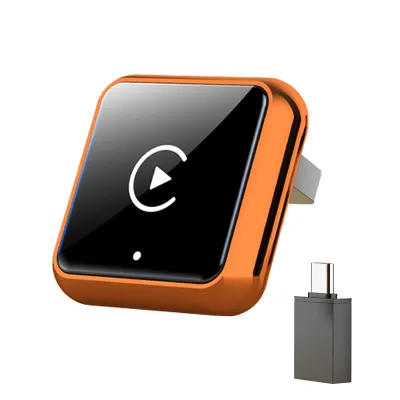
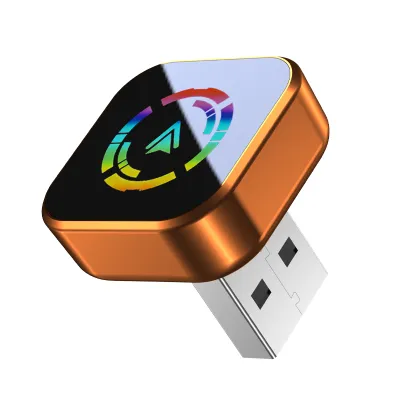
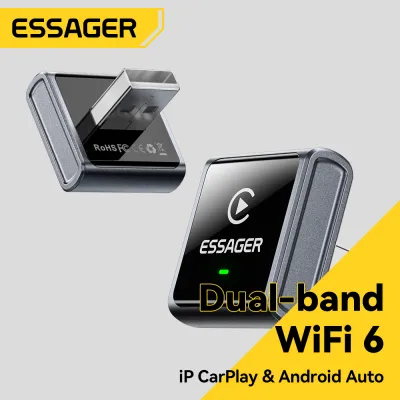
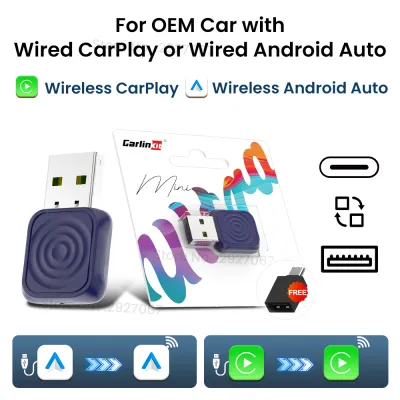
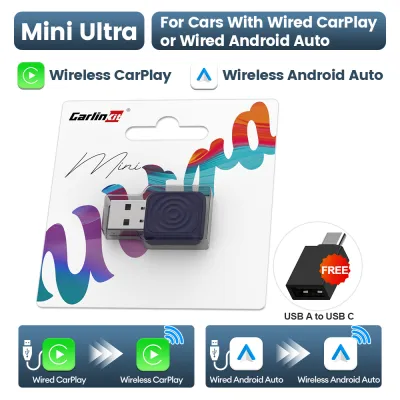
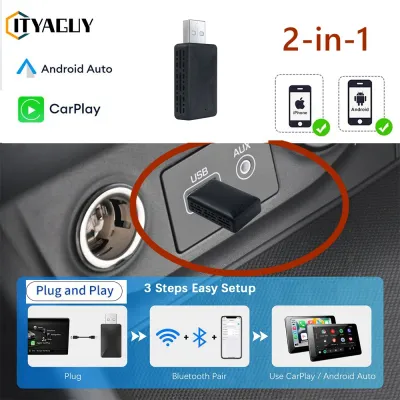
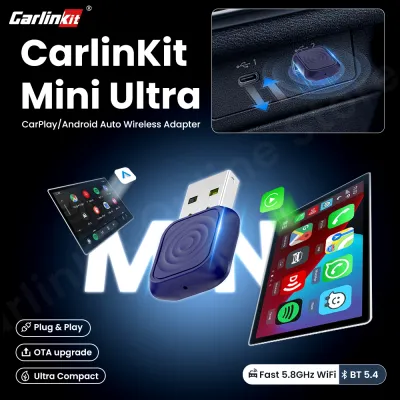
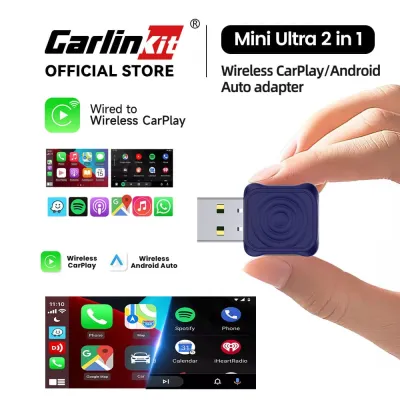
Prices are valid at publication and may change. Please refer to the product page for the latest price.
In contrast, standard Bluetooth receivers and FM transmitters are strictly audio-only devices. They do not have Wi-Fi capabilities, nor do they possess the processing power to handle video data. A Bluetooth receiver acts as a wireless bridge, capturing the digital audio signal from your phone and passing it directly to your car’s stereo via an auxiliary cable. An FM transmitter takes that same wireless audio signal and modulates it into an analog radio wave, broadcasting it over the air to your car’s existing FM radio antenna. Neither of these devices can project a visual user interface, display maps, or allow you to interact with your phone’s apps using your car’s built-in physical buttons or touchscreen.
If your primary goal is to obtain the full visual CarPlay interface on your dashboard, purchasing a standard Bluetooth receiver or an FM transmitter will not work. To achieve this, you must either have a factory-installed wired CarPlay system that you convert using a dedicated wireless CarPlay adapter, or you must replace your car’s existing radio with an aftermarket smart screen head unit. However, if your vehicle lacks a screen entirely and you simply want a convenient way to stream audio from your phone to your car speakers, choosing between a Bluetooth receiver and an FM transmitter is the most practical and cost-effective path forward.
Bluetooth Receivers vs FM Transmitters: Core Differences
When comparing audio-only solutions, Bluetooth receivers and FM transmitters differ significantly in how they handle audio signals, obtain power, and fit into your vehicle’s physical layout. Because neither device provides a visual interface or native voice assistant integration on the car’s screen, your decision will rely heavily on your car’s existing ports and your tolerance for signal interference.

To help you visualize how these two technologies stack up against each other, the table below outlines their primary operational differences across key decision dimensions:
| Feature | Bluetooth Audio Receiver | FM Radio Transmitter |
|---|---|---|
| Audio Signal Path | Digital (Phone) → Bluetooth → Analog (AUX Port) | Digital (Phone) → Bluetooth → Analog RF → Car Antenna |
| Audio Quality | High fidelity; clear, direct stereo sound | Moderate to low fidelity; prone to static and hiss |
| Interference Risk | Extremely low; shielded by physical AUX cable | High; susceptible to radio station overlap and urban noise |
| Required Car Ports | 3.5mm AUX input and a USB or 12V power source | 12V accessory socket (cigarette lighter) only |
| Setup Complexity | Plug into AUX and power, pair phone once | Plug into 12V, pair phone, find empty FM frequency |
| Broad Price Band | ₱300 to ₱1,200 | ₱400 to ₱1,500 |
Audio Quality and Signal Interference
Bluetooth receivers deliver superior audio quality because they maintain a direct, physical connection to your car’s audio system. Once the receiver decodes the wireless digital signal from your phone, it sends the analog audio directly into the car’s amplifier via a shielded 3.5mm auxiliary (AUX) cable. This direct path minimizes signal degradation, resulting in a clean, full-range stereo sound with minimal background noise or distortion.
FM transmitters, on the other hand, are highly susceptible to signal degradation. After receiving the audio via Bluetooth, the transmitter must convert it into an analog radio signal and broadcast it over the air to your car’s external antenna. This process introduces background hiss, compression, and static. In densely populated urban areas, such as Metro Manila, finding an entirely empty FM frequency is incredibly difficult. Commercial radio stations will frequently overlap with your transmitter’s frequency, causing loud static, audio bleed-through, and frustrating interruptions during your drive.
Power and Installation Requirements
Installing a Bluetooth receiver requires your vehicle to have a functional 3.5mm auxiliary input port. The receiver itself must also be powered, which means you will need an available USB port or a 12V accessory outlet nearby to plug in its power cable. While this setup is highly reliable, it can result in visible wires running across your dashboard or center console if your ports are spaced far apart.
FM transmitters offer a more self-contained installation because they plug directly into your car’s 12V accessory socket (cigarette lighter). They do not require an auxiliary port, making them highly compatible with older vehicles. However, the installation process requires an extra configuration step: you must manually scan your car’s radio dial to find an unused, static-filled FM frequency, and then program the transmitter to broadcast on that exact same frequency. If you travel long distances, you may need to repeat this process as you enter new regions where local radio stations occupy different frequencies.
When to Choose a Bluetooth Audio Receiver
A Bluetooth audio receiver is the ideal choice if your vehicle has a functional 3.5mm AUX input but lacks built-in Bluetooth connectivity. This scenario is common in vehicles manufactured between 2005 and 2015. These cars often feature high-quality factory sound systems that perform exceptionally well but lack modern wireless integration. By adding a compact Bluetooth receiver, you can bring your vehicle’s audio capabilities up to date without altering the original dashboard aesthetic or replacing the factory radio.
These receivers generally come in two distinct form factors. The first is a highly compact, battery-powered or USB-powered dongle that plugs directly into the AUX port with a rigid metal adapter or a short flexible cable. The second is a wired module that can be tucked away inside your center console, keeping the installation clean and out of sight. Because these devices rely on a wired connection to your car’s amplifier, they support higher-quality audio codecs and provide a much more consistent listening experience for music, audiobooks, and turn-by-turn navigation prompts.
However, you must consider the limitations of a Bluetooth receiver before making a purchase. Most budget-friendly receivers do not feature high-quality built-in microphones. If you attempt to make hands-free phone calls, the receiver may struggle to pick up your voice clearly if it is tucked away inside a console or glovebox. Furthermore, because these devices are strictly audio-only, they cannot display navigation maps on your dashboard screen. You will still need to mount your phone on a dashboard bracket to view your GPS route safely.
When to Choose an FM Transmitter
You should choose an FM transmitter if your vehicle completely lacks a 3.5mm auxiliary input port and does not have built-in Bluetooth. This situation is typical for older commuter vehicles, classic cars, or utility vehicles equipped with basic AM/FM radios and CD players. Because an FM transmitter broadcasts its own low-power radio signal, it bypasses the need for any physical input ports on your dashboard, allowing you to modernize your audio system without undergoing expensive rewiring or head unit replacement.
To set up an FM transmitter, you simply plug the device into your car’s 12V accessory socket, pair your smartphone to the transmitter via Bluetooth, and tune your car’s radio to a vacant FM frequency. Many modern FM transmitters also include additional convenience features, such as built-in USB charging ports, digital voltage displays to monitor your car battery’s health, and physical buttons to skip tracks or answer calls. This makes them a highly versatile all-in-one gadget for older vehicle cabins.
Despite their convenience, FM transmitters come with several notable drawbacks. Beyond the inherent audio degradation and susceptibility to radio interference, these devices are physically bulky and must sit directly in your 12V socket. Depending on the layout of your center console, a large transmitter can block access to your gear shifter, climate controls, or cup holders. Additionally, in tropical climates like the Philippines, dashboard temperatures can rise dramatically when parked under direct sunlight. Devices plugged permanently into 12V sockets exposed to this intense heat are at risk of overheating, which can warp cheap plastic casings, degrade internal capacitors, and shorten the lifespan of the transmitter.
What If You Actually Need a CarPlay Wireless Connection?
If you realize that streaming audio is not enough and you truly want the full visual interface of Apple CarPlay on your dashboard without the hassle of plugging in a cable every time you get in the car, you need a dedicated CarPlay wireless adapter. These adapters are specialized hardware devices designed specifically to bridge the gap between your phone and your car’s existing infotainment system. They plug directly into the USB port that you normally use for wired CarPlay, acting as an intermediary wireless receiver that handles the complex Wi-Fi and Bluetooth handshakes automatically.
Before purchasing a wireless CarPlay adapter, you must verify your vehicle’s compatibility. These adapters are not universal upgrades for older cars. They will only function if your vehicle already has a factory-installed, fully functional wired CarPlay system. If your car does not support wired CarPlay out of the box, plugging a wireless adapter into your USB port will do absolutely nothing. The adapter relies entirely on the car’s existing CarPlay software architecture to project the interface onto your screen.
If your car does not have factory CarPlay support at all, your only option for getting the full interface is to upgrade to an aftermarket smart screen head unit. This upgrade involves replacing your factory radio with a modern double-DIN or single-DIN touchscreen display from reputable electronics manufacturers. Because aftermarket head unit installation involves modifying your vehicle’s electrical wiring, steering wheel control interfaces, and backup camera connections, it is highly recommended to seek professional installation. Improper wiring can damage your vehicle’s sensitive electrical systems, void your manufacturer’s warranty, or interfere with safety systems like dashboard airbags.
Decision Framework: Which Setup Should You Buy?
To determine the exact device you need to purchase for your vehicle, follow this structured decision framework based on your car’s existing hardware and your specific driving needs:
- Choose a Wireless CarPlay Adapter if: Your vehicle is already equipped with a factory-installed wired CarPlay system, and your goal is to eliminate the physical cable. This adapter will allow your phone to connect automatically to your dashboard screen via Wi-Fi and Bluetooth within seconds of starting the engine.
- Choose a Bluetooth Audio Receiver if: Your vehicle lacks Bluetooth and CarPlay, but features a functional 3.5mm auxiliary input port. This option provides the highest possible audio quality for streaming music and podcasts without the risk of radio static, while keeping your budget under ₱1,200.
- Choose an FM Transmitter if: Your vehicle lacks both an auxiliary port and Bluetooth connectivity, and you do not want to invest in a costly head unit upgrade. This is the most non-invasive, budget-friendly way to stream audio through your existing car speakers using standard FM radio frequencies.
Before finalizing your purchase of any plug-in automotive accessory, you must perform two critical compatibility checks on your vehicle:
- Check the 12V Socket Power State: Verify whether your car's 12V accessory socket (cigarette lighter) remains powered when the engine is turned off and the key is removed. In many vehicles, these sockets stay active permanently. If you leave an FM transmitter or a USB-powered Bluetooth receiver plugged into a constantly active socket, it will continue to draw power, which can completely drain your car's battery over a few days of inactivity.
- Assess Physical Clearance: Inspect the physical space surrounding your vehicle's 12V socket, USB ports, and AUX input. Ensure that the dimensions of the device you choose will not obstruct your gear shifter, handbrake, cup holders, or physical dashboard controls. Bulky FM transmitters can easily interfere with manual gear shifts or block access to storage compartments if the socket is recessed.
Safe Installation and Daily Use Guidelines
Once you have selected the appropriate device, proper installation is key to ensuring both optimal performance and personal safety on the road. When routing power cables or auxiliary cords from your device to your dashboard ports, always secure them neatly using adhesive cable clips or zip ties. Never allow loose cables to hang near your steering column, gear shifter, or foot pedals. A loose cable that slips behind your brake pedal can prevent you from stopping the vehicle, posing an immediate and severe safety hazard. Additionally, ensure that no wires cross over passenger-side dashboard panels where they could interfere with the proper deployment of your vehicle’s airbags.
Managing heat exposure is another critical factor for maintaining electronic devices in tropical climates. If you are using an FM transmitter or a 12V-powered Bluetooth receiver, avoid leaving it plugged into a socket that is exposed to direct, intense sunlight through the windshield when parked. The greenhouse effect inside a sealed car can easily push cabin temperatures past 50°C. If you must park your vehicle in an uncovered area for extended periods, unplug the device and store it in your glovebox or center console to protect the internal circuitry from thermal degradation and prevent premature device failure.
Finally, always prioritize driving safety over device configuration. Setting up your FM transmitter’s radio frequency, pairing your phone via Bluetooth, or adjusting your audio equalizer settings should never be done while the vehicle is in motion. These actions cause cognitive and visual distraction, significantly increasing the risk of an accident. Make it a strict habit to pair your devices, set your navigation destination, and start your music playlist before you shift your vehicle out of Park. If you need to make adjustments to your connection or change the radio frequency during a road trip, pull over safely to the side of the road or ask a passenger to handle the controls.
Frequently Asked Questions (FAQ)
Can an FM transmitter run Apple CarPlay or Android Auto?
No, an FM transmitter cannot run Apple CarPlay or Android Auto. FM transmitters are strictly audio broadcasting devices that modulate sound signals onto analog radio frequencies. They do not possess the high-speed Wi-Fi hardware, video processing capabilities, or data transfer protocols required to transmit and display the visual user interfaces of CarPlay or Android Auto on a vehicle screen.
Why does my Bluetooth receiver keep disconnecting when I start the car?
This disconnection occurs because most modern vehicles temporarily cut power to their USB ports and 12V accessory sockets during engine cranking. The vehicle’s electrical system diverts all available battery power to the starter motor to turn over the engine. This brief interruption causes your Bluetooth receiver to shut down and reboot, resulting in a temporary disconnection from your phone. Once the engine is running and power is restored to the accessory ports, the receiver will turn back on and should automatically re-establish the connection within a few seconds.
Do wireless CarPlay adapters drain the car battery?
Wireless CarPlay adapters draw a very small amount of electrical current while operating. However, if your car’s USB port or 12V accessory socket remains powered permanently even when the ignition is turned off and the vehicle is locked, the adapter will continue to run. Over an extended period of inactivity—such as leaving the car parked for several days or a week—this constant parasitic draw can gradually drain your car battery, potentially leaving you unable to start the engine. If your vehicle features active accessory ports, always unplug the adapter when parking the car overnight.
Community discussion
Share your experience or ask a question. Comments are reviewed before publication.