
Choosing a reliable dash cam requires looking past marketing buzzwords and understanding how technical specifications perform under real-world driving conditions. The 70mai dash cam a510 is designed to capture critical road events, but its actual performance depends heavily on how its resolution, sensor capabilities, and power configurations interact with your vehicle’s environment. In tropical climates like the Philippines, where intense sunlight, heavy downpains, and highly tinted windshields are standard, verifying these specifications against your specific driving habits is essential. By decoding the technical details of this device, you can determine if its recording capabilities, parking surveillance modes, and storage requirements align with your daily safety needs on the road.
Video Resolution and Sensor Quality: Translating Specs to Clarity
To understand the baseline capabilities of the 70mai dash cam a510, start by verifying the exact video resolution and sensor model printed on the product packaging or detailed in the official user manual. While high-resolution specifications promise crisp footage, they introduce a direct trade-off with storage capacity and thermal management. Higher resolutions generate larger video files, which quickly consume space on your memory card and force the camera’s processor to work harder, generating more internal heat. In warm climates, this heat accumulation is a critical factor to monitor. Furthermore, real-world clarity is rarely determined by megapixel count alone. Environmental factors such as intense windshield glare from the midday sun, water spots during sudden tropical rainstorms, and dust on the outer glass can significantly degrade image quality. To ensure the sensor performs as intended, drivers must manage these external variables rather than relying solely on the camera’s internal processing power.
Field of View (FOV): Balancing Lane Coverage and Distance Clarity
The field of view (FOV) specification dictates how much of the road ahead the camera can capture in a single frame. A wider FOV allows the camera to record activities across multiple lanes, including the vehicle’s hood and adjacent sidewalks, which is highly beneficial for documenting side-impact incidents. However, a wider viewing angle naturally introduces optical distortion, often referred to as the fisheye effect. This distortion bends the edges of the frame and makes distant objects, such as license plates on vehicles further ahead, appear smaller and more difficult to read. When installing the 70mai dash cam a510, finding the correct mounting position on your windshield is crucial. Placing the unit high up, typically behind or near the rearview mirror, helps balance the perspective. This positioning ensures you capture a balanced view of both the left and right lanes while keeping the center of the frame focused on the road ahead, all without obstructing your physical line of sight while driving.
Products mentioned in this guide


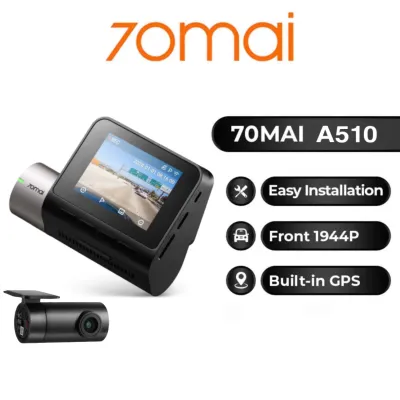
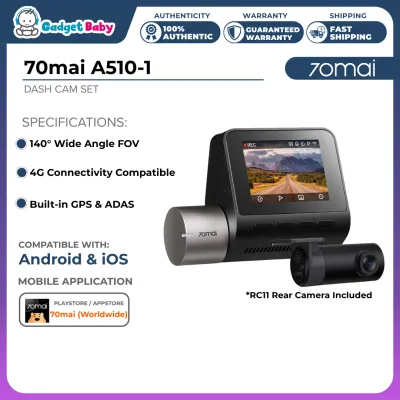
Prices are valid at publication and may change. Please refer to the product page for the latest price.

Night Vision Capabilities: Hardware Features and Environmental Limits
Nighttime recording quality depends heavily on the camera’s sensor technology and its ability to balance contrasting light levels. When reviewing the specifications of the 70mai dash cam a510, look for hardware features like High Dynamic Range (HDR) or Wide Dynamic Range (WDR), which are designed to prevent dark areas from appearing pitch black and bright areas from being completely blown out. In practice, however, even advanced low-light sensors face strict environmental limitations. Oncoming headlight glare, poorly lit roads, and heavily tinted windshields—which are common in tropical regions to block solar heat—can severely restrict the amount of light reaching the sensor. No software algorithm can fully compensate for a dark window tint that blocks a high percentage of visible light. To maximize night vision performance, regularly clean both the camera lens and the windshield area directly in front of it. Dirt, smudges, and oily residue scatter light, creating distracting halos around streetlights and headlights that can obscure critical details like license plates.
Parking Mode Prerequisites: Power, Hardware, and Battery Protection
Activating the parking surveillance features on the 70mai dash cam a510 requires more than just mounting the camera to your windshield. Because a standard cigarette adapter only provides power when the vehicle’s ignition is turned on, you must verify the manual’s requirements for a dedicated hardwire kit. This accessory connects the dash cam directly to your vehicle’s fuse box, providing a continuous power supply even when the engine is switched off. Once properly wired, you can utilize different parking modes, such as motion detection, impact detection, or time-lapse recording, depending on your security preferences. However, drawing continuous power from your car’s battery introduces the risk of draining it completely, leaving you stranded. To prevent this, it is vital to check that your hardwire kit features an adjustable low-voltage cutoff protection setting. This safety mechanism automatically shuts off power to the dash cam if the vehicle’s battery voltage drops below a specific threshold, ensuring your car always has enough power to start.
Storage, App Connectivity, and Driver Assistance Features
To support continuous loop recording without data corruption, selecting the correct storage media is critical. You should verify the manufacturer’s recommendations for microSD card classes, focusing on high-endurance cards designed specifically for continuous write cycles in high-temperature environments. Standard memory cards often fail prematurely under the constant stress of dash cam recording. Additionally, the 70mai dash cam a510 features built-in GPS and Advanced Driver Assistance Systems (ADAS). While these features provide speed tracking and lane-departure warnings, their real-world utility depends heavily on local infrastructure, such as clear road markings and consistent traffic flow. Finally, managing your recorded footage relies on stable app connectivity. The companion mobile application allows you to adjust settings, download critical video clips directly to your phone, and apply necessary firmware updates. Ensuring your smartphone is compatible with the camera’s wireless frequency is essential for a seamless user experience.
Frequently Asked Questions (FAQ)
Does the 70mai A510 record audio inside the cabin?
Yes, you can verify in the product manual that the unit features a built-in microphone for recording cabin audio. This feature can be toggled on or off directly through the device’s settings menu or via the companion mobile application. Before enabling audio recording, consider the legal and privacy implications in your area, as recording conversations without the explicit consent of all passengers can violate local privacy laws.
How does extreme cabin heat affect the dash cam's internal components?
Extreme cabin heat, especially when parked under direct sunlight in tropical climates, can severely stress a dash cam’s internal components. You should check the product specifications to confirm whether the device utilizes a lithium-ion battery or a supercapacitor, as supercapacitors generally offer enhanced thermal resistance and safety in high-temperature environments. If the device experiences thermal throttling, it may shut down automatically to protect its processor, indicating a need to park in shaded areas or use sunshades.
Can I use an existing rear camera with the 70mai A510?
It is highly recommended to use only the manufacturer’s designated rear camera model specified for the 70mai dash cam a510. Using an existing or third-party rear camera can lead to compatibility issues due to differing pinout configurations, voltage requirements, and software integration. Always check the official compatibility list and ensure the provided connection cables are long enough to route safely through your vehicle’s trim without interfering with side airbags.

Community discussion
Share your experience or ask a question. Comments are reviewed before publication.