
Upgrading your car’s infotainment system doesn’t always require replacing the entire dashboard unit. Whether you are navigating the daily gridlock of Metro Manila or heading out on a long weekend road trip, having seamless access to music, maps, and hands-free calls makes a massive difference. The right upgrade path depends entirely on your vehicle’s existing hardware, your budget, and how much functionality you want to add.
Choosing between a CarPlay AI box, a Bluetooth receiver, and an FM transmitter comes down to a balance of cost, audio fidelity, and visual features. A CarPlay AI box transforms a basic wired screen into a fully functional smart hub, while a Bluetooth receiver offers a clean audio-only upgrade for cars with auxiliary ports. For older vehicles with only an FM radio, an FM transmitter remains the most accessible way to stream audio without tearing apart the dashboard.
Assessing Your Vehicle's Existing Infotainment System
Before purchasing any connectivity accessory, you must audit your vehicle’s dashboard hardware to see what is physically and technically compatible. The most critical factor is whether your car already has a factory-installed screen with wired CarPlay or Android Auto. If your vehicle only has a basic radio head unit without a color display, advanced smart boxes are immediately ruled out.
Products mentioned in this guide
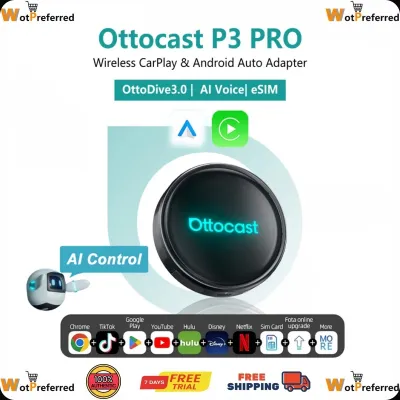
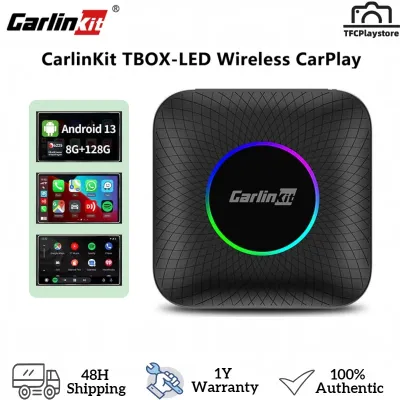
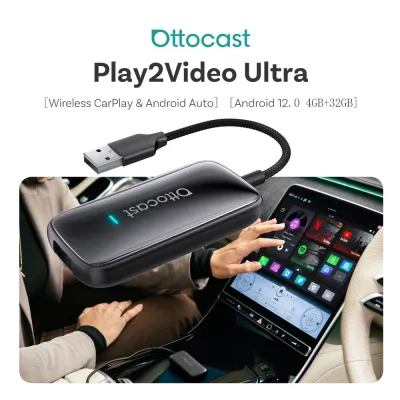
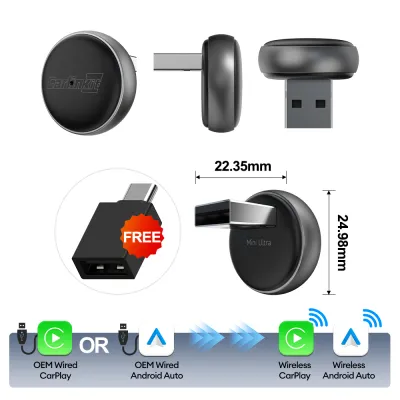

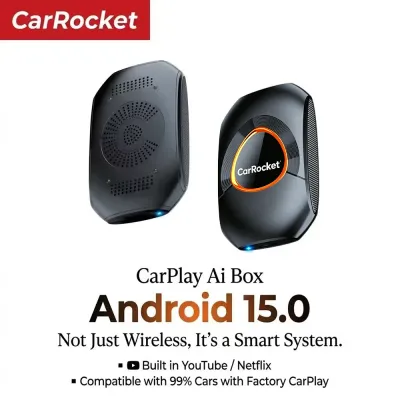
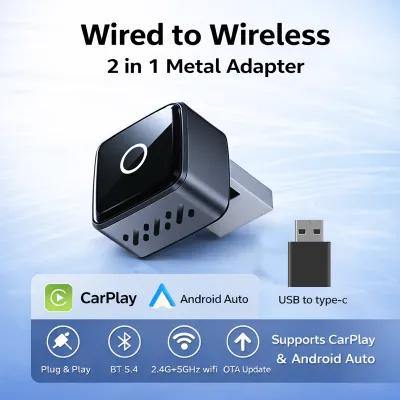
Prices are valid at publication and may change. Please refer to the product page for the latest price.
Next, look for physical input ports around the center console, armrest compartment, and glove box. An auxiliary (AUX) port—typically a 3.5mm jack—or a standard USB media port allows for direct audio connections that bypass radio interference. If your car lacks these but has a working FM radio, your options will lean toward wireless broadcast solutions.
Finally, inspect your vehicle’s power delivery options. Note whether your USB ports are older USB-A types with low power output or modern USB-C ports capable of driving power-hungry smart devices. If you rely on the 12V cigarette lighter socket, ensure it is clean and functioning, as this will be the primary power source for older-style receivers and transmitters.
CarPlay AI Boxes: Capabilities and Compatibility Requirements
A CarPlay AI box is a compact hardware device designed to plug into your car’s existing USB port to upgrade the infotainment experience. Its primary function is to convert a restrictive wired CarPlay connection into a wireless one, or to run a standalone Android operating system directly on your dashboard screen. This allows you to run navigation apps, stream media, and use voice assistants without physically plugging in your phone every time you step into the cabin.

However, these devices have strict compatibility prerequisites that you must verify before buying. An AI box generally cannot function unless your vehicle already possesses a factory-installed infotainment system with wired CarPlay support. It uses the existing wired CarPlay protocol to project its own interface onto your screen, meaning it will not work on basic digital radios or older screens lacking this specific integration.
To avoid compatibility issues, always check your vehicle’s head unit firmware version and cross-reference it with the AI box manufacturer’s official compatibility list. Some car models require specific firmware updates to recognize external smart boxes, while others may have USB ports that do not supply enough current to keep the device stable during hot tropical days.
You should also prepare for potential integration limitations. While many AI boxes support steering wheel controls and integrate with factory backup cameras, some aftermarket setups or specific vehicle models may experience lag, button mapping issues, or temporary screen blanking when shifting into reverse.
Bluetooth Audio Receivers: Capabilities and Limitations
If your primary goal is simply to stream music and podcasts from your phone without needing a visual interface on the dashboard, a standalone Bluetooth audio receiver is a highly practical choice. These devices are designed for vehicles that have a working auxiliary (AUX) input but lack built-in Bluetooth connectivity, or for older cars whose built-in Bluetooth only supports phone calls rather than media streaming (A2DP protocol).
The audio quality you experience with a Bluetooth receiver depends heavily on the hardware codecs supported by both the receiver and your phone, as well as the physical shielding of your car’s AUX port. Standard SBC codecs offer basic wireless audio, while advanced codecs like AAC or aptX can deliver higher fidelity, provided your vehicle’s auxiliary wiring is free from ground loop noise.
Power management is another key consideration when choosing a receiver. Some models run on internal rechargeable batteries that require periodic charging, while others plug directly into a USB port for continuous power. USB-powered models are generally more convenient for daily commuting, though they can sometimes introduce electrical hums if the USB power source and the AUX port share a common ground.
Keep in mind that a simple Bluetooth receiver does not provide on-screen navigation, app mirroring, or advanced menu control. Furthermore, if the receiver lacks a high-quality built-in microphone or is placed deep inside a console box, hands-free calling clarity may be significantly compromised compared to factory-installed systems.
FM Transmitters: Capabilities and Trade-offs
For older vehicles that lack both an auxiliary input and built-in Bluetooth, an FM transmitter serves as the ultimate fallback solution. These devices work by receiving a Bluetooth audio signal from your smartphone and broadcasting it as a low-power FM radio signal. You then tune your car’s existing radio receiver to the corresponding empty frequency to hear your audio through the car speakers.
While highly versatile, FM transmitters come with inherent trade-offs in audio quality and signal stability. Because they rely on open radio frequencies, you are likely to encounter static, background hiss, and signal interference, especially when driving through dense urban areas like Metro Manila where the FM dial is crowded with local broadcasts.
Setting up an FM transmitter requires finding a completely unused local frequency, which can be challenging in major cities. The device must be plugged into the vehicle’s 12V cigarette lighter socket, which provides both the physical mount and the electrical power needed to broadcast the signal.
Many modern FM transmitters are bundled with extra features, such as built-in USB fast-charging ports, digital voltage displays, and microSD card slots. When using these multi-functional devices, check your vehicle’s manual to ensure the combined power draw of the transmitter and any charging phones does not exceed the rated amperage of your 12V circuit fuse.
Comparing Connectivity Solutions Across Key Dimensions
To help you visualize how these three options stack up against each other, the table below outlines their core technical and practical differences.
| Dimension | CarPlay AI Box | Bluetooth Receiver | FM Transmitter |
|---|---|---|---|
| Installation Complexity | Plug-and-play via USB (Requires factory wired CarPlay) | Plug into AUX and USB/Battery | Plug into 12V socket and tune radio |
| Audio Quality Potential | High (Digital transfer via USB protocol) | Medium to High (Analog AUX connection, codec dependent) | Low to Medium (Subject to FM radio interference) |
| Visual Interface | Full smart screen interface with app support | None (Phone screen must be used) | None (Basic frequency display on device) |
| Power Source | Vehicle USB port (High power draw) | USB port or internal battery | 12V cigarette lighter socket |
| Best Suited For | Modern cars with wired CarPlay screens | Cars with AUX ports but no wireless audio | Older cars with only FM/AM radio systems |
This comparison highlights that while the CarPlay AI box offers the most comprehensive feature set, it also demands the most advanced factory hardware to function.
Making the Final Decision: Which Solution Fits Your Needs?
To determine the right fit for your daily drive, you can use a simple conditional framework based on your vehicle’s hardware and your personal priorities.
Choose a CarPlay AI box if your vehicle already has a factory wired CarPlay screen, you want a full visual interface for navigation and media apps, and you prefer a completely wireless dashboard experience without mounting your phone. This option is ideal for drivers who spend long hours in traffic and want the convenience of a smart dashboard, even if it requires a larger upfront investment of around ₱3,000 to ₱8,000 depending on the model’s specifications.
Choose a Bluetooth receiver if your car has a working AUX port, you only care about high-quality audio streaming, and you are comfortable using your phone mounted on the dashboard for navigation. This is a highly cost-effective upgrade, often costing under ₱1,000, that avoids the static issues of radio-based solutions.
Choose an FM transmitter if your car’s infotainment system is limited to a classic radio without AUX or USB inputs, and you want a quick, budget-friendly way to play music and take calls without replacing the factory head unit.
Verify first if you have an aftermarket head unit or non-standard steering wheel controls. Some aftermarket Android screens require specific software drivers or external dongles to work with an AI box, and steering wheel media keys may not map correctly without manual configuration.
Neither solution may fit if your vehicle uses a proprietary digital audio bus or an integrated fiber-optic sound system that blocks external analog inputs and lacks standard USB data protocols. In these rare cases, a professional head unit replacement or a specialized vehicle-specific integration harness is required.
Installation Checks and Driving Safety Boundaries
When installing any aftermarket electronic accessory, safety and electrical compatibility must be your top priorities. Always consult your vehicle’s owner’s manual and the device’s instruction guide to verify the power draw limits. Overloading a USB port or a 12V socket can blow fuses or, in extreme cases, damage your vehicle’s sensitive body control modules.
Proper cable routing is essential to prevent physical hazards while driving. Ensure that all power cords and auxiliary cables are neatly tucked away and secured using cable clips. Loose wires must never hang near the steering column, gear shifter, or foot pedals, and they must not cross over any dashboard panels where airbags are deployed.
Finally, always adhere to local traffic laws regarding device usage, such as the Anti-Distracted Driving Act in the Philippines. Interacting with screens, configuring FM frequencies, or watching video playback while the vehicle is in motion is highly dangerous and illegal. Mount your devices securely below the dashboard line of sight, and perform all configurations before you shift out of park.
Frequently Asked Questions (FAQ)
Can I use a CarPlay AI box if my car only has an aftermarket Android head unit?
Most CarPlay AI boxes are engineered specifically to communicate with factory-installed infotainment systems using original wired CarPlay protocols. If your vehicle has an aftermarket Android head unit, standard AI boxes may not initialize correctly. You should check the specific AI box manufacturer’s compatibility documentation, as some models require a dedicated companion app (often installed via APK) to run on aftermarket Android systems.
Will an FM transmitter drain my car battery if left plugged in?
Whether an FM transmitter drains your battery depends entirely on how your vehicle’s 12V cigarette lighter socket is wired. In many vehicles, the 12V socket loses power automatically when the ignition is turned off, preventing any battery drain. However, some cars keep the 12V socket constantly powered; in these vehicles, leaving a transmitter plugged in over several days can slowly deplete the battery. Check your vehicle’s manual or observe if the device’s LED display stays lit after locking the car, and unplug it when parked if the socket remains active.

Community discussion
Share your experience or ask a question. Comments are reviewed before publication.