
Navigating the bustling streets of the Philippines requires constant vigilance, whether you are squeezing through the dense traffic of Metro Manila or driving along unlit provincial highways. In an environment where lane splitting by motorcycles is common, jeepneys make sudden stops, and traffic rules are frequently ignored, having a reliable dashcam is a practical necessity for legal and financial protection. The DDPai Z60 is a popular option for drivers looking for a compact recording solution. To determine if this model is the right fit for your daily drive, you must evaluate how its technical specifications, optical performance, and physical durability align with the unique challenges of local road conditions.
Core Requirements for Dashcams in Chaotic Traffic
To serve as reliable evidence in the event of an accident or a traffic dispute, a dashcam must meet several strict performance baselines. The primary objective of any dashcam is to capture legible details, particularly vehicle license plates and the actions of surrounding road users. In the stop-and-go traffic typical of urban centers, vehicles are often positioned extremely close to one another, but sudden movements can happen in a split second. A dashcam requires a high baseline resolution—ideally 1080p or higher—combined with a stable frame rate of at least 30 frames per second to prevent motion blur when recording moving targets.
Equally important is the camera’s field of view (FOV). A narrow field of view might capture what is directly in front of your bumper but will completely miss a motorcycle filtering through traffic or a vehicle cutting abruptly into your lane from the side. Conversely, an excessively wide field of view can introduce severe fish-eye distortion, making distant objects appear much smaller and harder to identify. For local driving conditions, a balanced field of view between 130 and 140 degrees is generally considered highly effective, providing adequate coverage of adjacent lanes without sacrificing central image clarity.
Products mentioned in this guide
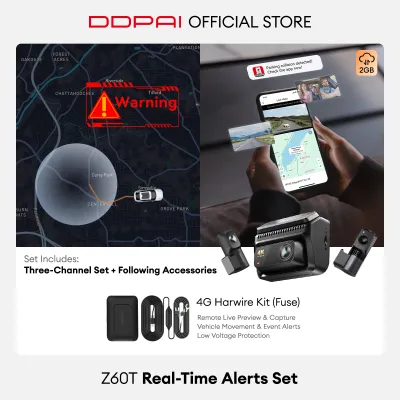
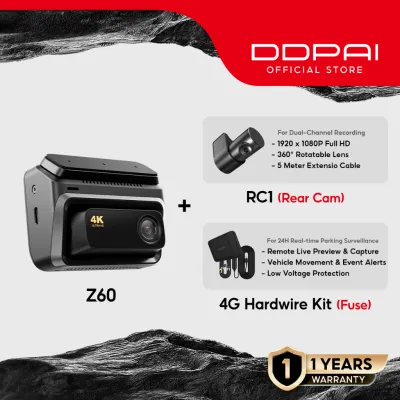
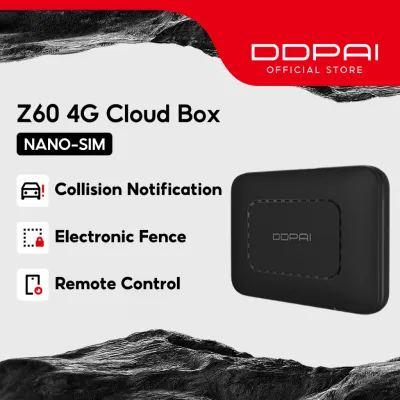
![[LIMITED EDITION] DDPAI Z60 Pro Gold 4K UHD Dual Sony STARVIS 2 HDR Super Capacitor Dash Cam](https://img.lazcdn.com/g/p/436b76da24c40383d03bd3b7ae821c9f.png_400x400q80.png_.webp)

Prices are valid at publication and may change. Please refer to the product page for the latest price.
Furthermore, the continuous nature of long, congested commutes demands robust loop recording and incident-locking mechanisms. Loop recording ensures that the dashcam continuously records over the oldest unprotected footage once the memory card reaches its capacity. However, if an incident occurs, the camera’s internal G-sensor must automatically detect the physical impact or sudden braking and lock the corresponding video file. This prevents critical evidence from being overwritten during a long drive home after a minor collision.
Evaluating the DDPai Z60’s Field of View and Resolution
When considering the DDPai Z60, you should start by verifying its official resolution and field of view specifications. Rather than relying solely on marketing materials, consult the product’s user manual or official technical spec sheets to confirm the maximum recording resolution and the exact diagonal field of view. It is also highly beneficial to search for raw, unedited user-uploaded footage online. Analyzing real-world video samples allows you to observe how clearly the camera captures license plates at various distances and whether the edges of the frame suffer from excessive distortion or blurring.

The quality of a dashcam’s footage is heavily influenced by its internal hardware, specifically the image sensor and the lens aperture. When reviewing the DDPai Z60’s specifications, check the listed aperture value; a wider aperture, represented by a lower f-number such as f/1.8, allows more light to reach the sensor. This optical capability is crucial for maintaining image sharpness and reducing noise in the video. A high-quality sensor ensures that fine details, such as street signs and vehicle decals, remain legible even under challenging environmental conditions.
Keep in mind that recording at higher resolutions significantly increases the size of the video files. If you configure the DDPai Z60 to record at its maximum resolution, a standard-capacity memory card will fill up very quickly, forcing the loop recording system to overwrite older files more frequently. To counter this, you must verify the maximum microSD card capacity supported by the DDPai Z60. Investing in a high-capacity, high-endurance memory card is essential to ensure you have several hours of recorded footage available before the overwrite cycle begins.
Low-Light Performance and Sudden Incident Capture
Night driving in the Philippines presents severe visibility challenges, ranging from poorly lit secondary streets in residential areas to intense glare from oncoming high-beam headlights on provincial roads. To handle these extreme lighting contrasts, a dashcam must feature advanced exposure adjustment technologies. When evaluating the DDPai Z60, check the product documentation for features like Wide Dynamic Range (WDR) or High Dynamic Range (HDR). These digital processing techniques help balance the brightest and darkest areas of an image, preventing oncoming headlights from completely washing out the license plate of the vehicle in front of you.
The reliability of the G-sensor is another critical factor to assess. Local roads are frequently uneven, featuring deep potholes, cracked asphalt, and high speed bumps. If a dashcam’s G-sensor is set to an overly sensitive level, normal driving vibrations or hitting a pothole can trigger the emergency lock mechanism. Over time, this will fill your memory card with locked, un-overwritable files, eventually stopping the camera from recording new footage. You should verify if the DDPai Z60’s companion mobile application allows you to adjust the G-sensor sensitivity to a medium or low setting to prevent these false positives while still ensuring actual collisions are recorded.
Power supply design is a vital safety and reliability consideration for any automotive electronic device. Dashcams generally use either built-in lithium-ion batteries or supercapacitors. In tropical climates, supercapacitors are highly advantageous because they handle extreme temperatures better and do not degrade, swell, or pose a fire risk when exposed to high cabin temperatures. Additionally, supercapacitors provide the reliable, short-term power needed to safely save the active video file when the vehicle’s engine is turned off or if the power cable is severed during a collision. Check the DDPai Z60’s technical specifications to confirm it utilizes a supercapacitor-based power design.
Finally, remember that even an advanced low-light sensor cannot overcome a dirty windshield. Dust, water spots, and interior grease film scatter light, creating severe halos and glare around streetlights and headlights. To maximize the low-light performance of your dashcam, regularly clean both the interior and exterior of your windshield using high-quality glass cleaners and microfiber cloths.
Heat Management and Durability in Tropical Conditions
The intense tropical heat of the Philippines poses a significant challenge to any device mounted directly against a car windshield. When a vehicle is parked under direct sunlight, interior cabin temperatures can easily exceed 50°C. Before purchasing the DDPai Z60, check the operating and storage temperature ranges specified on the product label or manual. The device must be rated to operate reliably within these high-temperature thresholds to prevent system crashes, boot loops, or permanent hardware damage.
The mounting mechanism of the dashcam must also be resilient against heat and ultraviolet (UV) radiation. Standard suction cup mounts often fail in hot climates because the rubber degrades and loses its seal, causing the camera to fall off the windshield. Adhesive-based mounts, particularly those utilizing high-grade double-sided tape combined with an electrostatic protective film, offer much better long-term stability. Verify what mounting accessories are included with the DDPai Z60 and ensure they are designed to withstand prolonged exposure to intense heat and sunlight.
Thermal stress also affects the memory card inside the dashcam. Because the card is continuously writing data while subjected to high ambient temperatures, standard microSD cards are highly prone to premature failure and data corruption. Always pair your dashcam with a high-endurance microSD card specifically rated for continuous recording in extreme temperature environments.
To further protect the dashcam from direct solar heating, pay close attention to its physical placement on the windshield. Mounting the camera directly behind the rearview mirror is highly recommended. This position not only keeps the device out of your direct line of sight to comply with local distracted driving laws but also takes advantage of the shaded area of the windshield, reducing the amount of direct sunlight hitting the camera body.
Frequently Asked Questions (FAQ)
Does the DDPai Z60 support parking mode for unattended vehicles?
To enable parking mode, which monitors your vehicle while it is parked and the engine is turned off, you must check the DDPai Z60’s user manual to confirm compatibility. Parking mode typically requires a continuous power source, which cannot be provided by the standard cigarette lighter adapter once the ignition is off. Therefore, you will need to purchase and install a compatible dedicated hardwire kit.
Hardwiring a dashcam involves making direct electrical connections to your vehicle’s fuse box. Incorrect installation can lead to electrical shorts, damage to the vehicle’s wiring, or a drained car battery. Always refer to your vehicle’s original owner’s manual for specific fuse layouts and electrical safety guidelines. If you are not fully confident in performing automotive electrical work, it is highly recommended to seek qualified professional installation. Ensure the hardwire kit features built-in low-voltage protection to automatically cut power to the dashcam if your car battery drops below a safe threshold.
How do I ensure the dashcam captures clear audio inside the cabin?
To verify and adjust the audio recording settings on the DDPai Z60, you should connect the dashcam to its companion mobile application via Wi-Fi. Navigate to the device settings menu to locate the microphone toggle, where you can enable or disable audio recording. Ensure that the dashcam’s physical mounting position does not block the microphone port, which is typically located on the housing of the unit.
In the Philippines, recording audio inside a vehicle involves important privacy considerations. If you frequently carry passengers, operate a ride-sharing vehicle, or use your car for commercial purposes, recording conversations without the explicit consent of the occupants may violate local privacy laws. To remain compliant, always inform your passengers if audio recording is active, or consider keeping the microphone disabled during shared rides.

Community discussion
Share your experience or ask a question. Comments are reviewed before publication.