
Finding the right car charger is no longer as simple as picking any adapter that fits into your vehicle’s accessory socket. With modern smartphones requiring specific power delivery standards to charge at their maximum speeds, choosing an incompatible charger can leave you with a device that barely maintains its battery level while running navigation apps. To get the fastest and safest charge on the road, you must match the charger’s supported protocols, physical ports, and wattage output to your specific phone model and your vehicle’s electrical limits.
In tropical climates like the Philippines, where high cabin temperatures and intense humidity put extra stress on both car batteries and mobile devices, selecting a high-quality, compatible charger is even more critical. A mismatched or poorly constructed adapter can generate excessive heat, trigger thermal throttling on your phone, or even damage your vehicle’s fuses. By understanding how your phone communicates with a charger, you can make an informed decision that keeps your devices powered up during long commutes or road trips.
Identify Your Phone's Charging Protocol and Power Requirements
Every modern smartphone relies on a specific fast-charging protocol to negotiate power safely and quickly. The most widely adopted open standard is USB Power Delivery (USB-PD), often paired with Programmable Power Supply (PPS) to dynamically adjust voltage and reduce heat generation.
Products mentioned in this guide
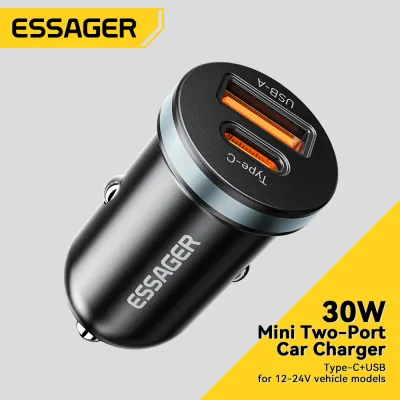
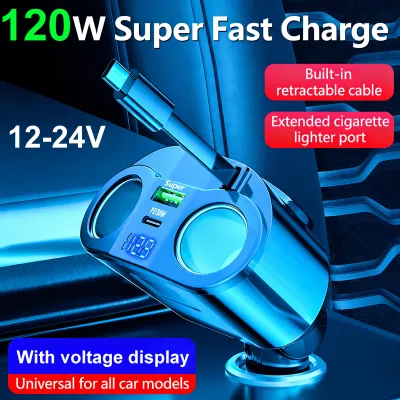
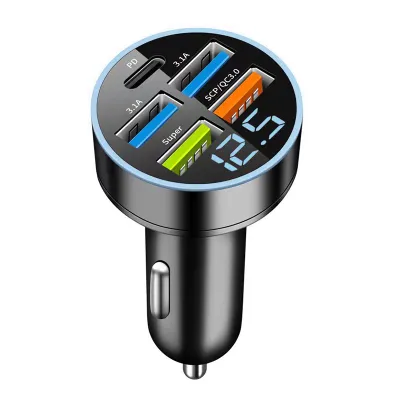
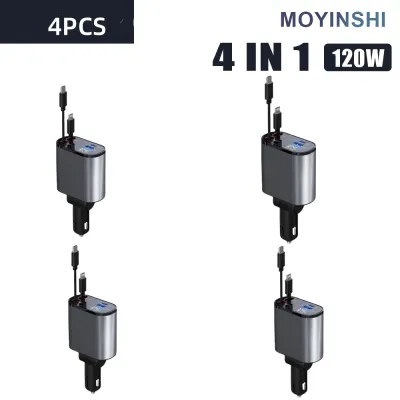
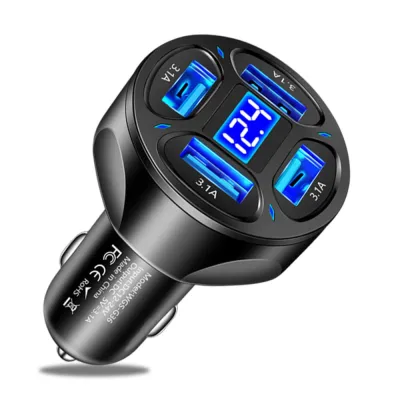
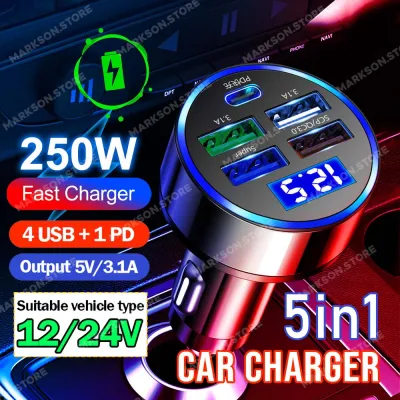
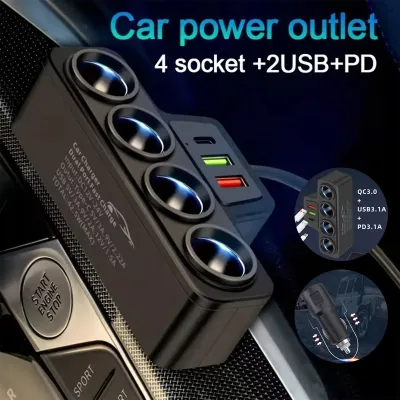
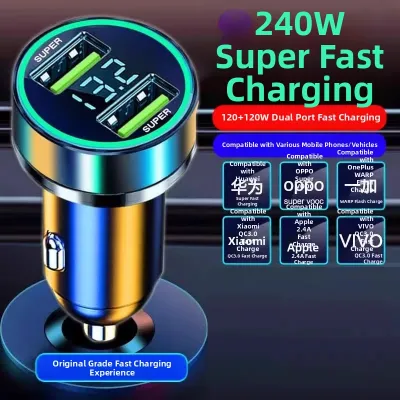
Prices are valid at publication and may change. Please refer to the product page for the latest price.
In addition to open standards, several manufacturers use proprietary fast-charging protocols to achieve ultra-high speeds. These proprietary systems require both a branded charger and a specialized cable; otherwise, the device falls back to a slower, baseline charging speed like 10 watts.
To find out what your phone requires, consult the manufacturer’s official specifications or user manual. Look for the exact fast-charging standards listed, such as USB-PD 3.0, PPS, or specific brand-aligned protocols, and note the maximum input wattage your phone can accept.
A charger with a high total wattage rating does not guarantee fast charging. A 100-watt charger will not fast-charge your phone if it does not explicitly support your phone’s communication protocol, as the two devices cannot establish the handshake required to safely increase voltage and current.
Select the Correct Port Configuration and Cable Type
When evaluating car chargers, the physical ports on the face of the adapter dictate what cables you can use and how much power can be delivered. USB-C ports have largely replaced the older USB-A ports as the industry standard for high-speed charging. This is because the USB-PD protocol, which handles high-wattage power delivery, requires a USB-C to USB-C (or USB-C to Lightning) connection to negotiate fast-charging speeds safely.

While USB-A ports are still useful for charging legacy accessories, dashcams, or older phone models, they are generally limited in their maximum power output. A typical USB-A port on a car charger might max out at 12 to 18 watts, whereas a USB-C port can easily deliver 30, 45, or even 100 watts depending on the charger’s design. If your goal is to rapidly charge a modern smartphone or a laptop while driving, prioritizing an adapter with at least one high-output USB-C port is essential.
Multi-port chargers offer excellent convenience for families or drivers with multiple devices, but they require a clear understanding of power distribution logic. Manufacturers often advertise the combined wattage of all ports combined (for example, a “63W Charger”). In reality, this total is split among the ports, such as 45 watts from the primary USB-C port and 18 watts from a secondary USB-A port. Furthermore, when you plug devices into multiple ports simultaneously, the internal circuitry often redistributes the power, dropping the primary port’s output to prevent overheating.
Before purchasing, consider the physical dimensions of your vehicle’s 12V accessory socket. Sockets vary in depth and diameter depending on the vehicle make, and some cars feature recessed sockets or tight clearances near dashboard panels. Ensure the charger has a low-profile design if space is tight, or an extended body if the socket is deeply recessed, allowing you to plug and unplug cables without struggle.
Match the Charger's Wattage to Your Actual Needs
To avoid overpaying for performance you cannot use, match the charger’s single-port wattage to your phone’s maximum intake capability. If your smartphone supports a maximum of 25-watt fast charging, buying a charger that delivers 100 watts on a single port will not charge your phone any faster than a 30-watt charger. The phone’s internal power management system acts as a gatekeeper, only drawing the power it is programmed to accept.
However, having a charger with a higher wattage capacity than your phone requires is completely safe due to downward compatibility. Modern USB-PD chargers and smartphones negotiate the power delivery rate before any high-voltage current flows. If you plug a 20-watt phone into a 65-watt USB-C port, the charger will safely scale its output down to 20 watts, preventing any damage to your device while leaving headroom to charge larger electronics like tablets or laptops in the future.
Your driving habits and daily scenarios should also dictate your wattage choices. If your primary goal is simply to maintain your phone’s battery level while running GPS navigation, streaming music, and keeping the screen at maximum brightness under the bright Philippine sun, a standard 15-watt to 20-watt charger is usually sufficient. However, if you have a short commute and need to rapidly replenish a nearly dead battery in 15 to 30 minutes, you will need a charger and cable combination that supports your phone’s maximum fast-charging wattage.
Always read the fine print on product packaging regarding single-port versus multi-port output. A charger labeled as “95W” might only deliver 65W on Port A and 30W on Port B. If you need to charge a laptop, verify that a single port can output the full wattage required by that specific device, rather than relying on the cumulative total of all ports combined.
Verify Safety Features and Build Quality
Car electrical systems are notoriously unstable, experiencing frequent voltage spikes and fluctuations when the engine starts, stops, or operates under heavy alternator loads. Because of this, a car charger must feature robust internal protection mechanisms to safeguard your expensive mobile devices. When shopping, look for products that explicitly list overcurrent, overvoltage, overheating, and short-circuit protection on their labels or specifications sheets.
High-quality chargers are typically constructed from fire-retardant polycarbonate or aluminum alloys, which help dissipate heat more effectively than cheap, thin plastics. In warm, humid climates, heat dissipation is a major factor in both the longevity of the charger and the safety of your vehicle. Cheaply made chargers can melt inside the 12V socket, potentially causing a short circuit that blows your vehicle’s accessory fuse.
Always verify that the charger carries recognized safety certification marks, such as CE, FCC, or RoHS, which indicate that the device has been tested to meet basic safety and environmental standards. Avoid unbranded, generic chargers sold at suspiciously low prices on online marketplaces. Investing in a reputable, certified brand ensures that the internal components can handle the electrical noise of a vehicle without transferring harmful voltage spikes to your phone’s delicate battery.
Additionally, check your vehicle’s owner’s manual to confirm the maximum amperage rating of your 12V accessory socket. Most passenger vehicles limit this socket to 10 amps or 15 amps, which translates to roughly 120 to 180 watts of total power at a standard 12-volt vehicle output. Attempting to run multiple high-wattage devices that exceed this limit can instantly blow the vehicle’s fuse, disabling the socket until the fuse is replaced.
Installation and Real-World Testing
Installing a car charger is straightforward, but ensuring a secure physical connection is vital for consistent performance. Insert the charger firmly into the 12V socket until the spring-loaded side contacts click into place. If the charger fits too loosely, vehicle vibrations from driving over uneven roads or speed bumps can cause the contacts to shift, leading to intermittent power loss or rapid connecting and disconnecting cycles that can degrade your phone’s battery health.
Once installed, connect your phone using a high-quality, compatible cable and observe the device’s screen. Most modern smartphones display a specific animation or text notification when fast charging is active, such as “Super Fast Charging” or a double-lightning-bolt icon. You can also verify the charging status within your phone’s battery settings menu, which will explicitly state if it is receiving a fast charge or standard charge.
While testing, establish clear stop conditions to protect your vehicle and your devices. If you notice the charger or the phone becoming excessively hot to the touch, or if you detect a burning plastic smell, unplug the charger immediately. Occasional warmth is normal during fast charging, but extreme heat, sparking upon insertion, or constant charging interruptions indicate a hardware fault, an incompatible protocol, or a damaged 12V socket that requires professional inspection.
Frequently Asked Questions (FAQ)
Will a high-wattage car charger damage my phone's battery?
No, a high-wattage car charger will not damage your phone’s battery, provided it comes from a reputable manufacturer and supports standard charging protocols. Modern smartphones are equipped with sophisticated power management integrated circuits (PMICs) that actively communicate with the charger. The phone only draws the specific amount of current and voltage it is designed to handle, meaning a 100-watt charger will safely deliver only 20 watts to a phone that maxes out at 20 watts.
Why is my phone charging slowly even with a fast car charger?
Slow charging can occur due to several common bottlenecks, even if you are using a high-wattage charger. The most frequent culprit is an inadequate or damaged charging cable that cannot support high-current transmission. Additionally, if you are using a multi-port charger with other devices plugged in, the charger may be dividing its power output, leaving your phone with only a fraction of the maximum wattage. Finally, high cabin temperatures in tropical environments can trigger thermal throttling, causing your phone to intentionally slow down charging speeds to prevent the battery from overheating while running intensive apps like GPS navigation.

Community discussion
Share your experience or ask a question. Comments are reviewed before publication.