
Selecting the right car charger requires looking beyond the maximum wattage printed on the packaging. To keep your smartphones, tablets, dashcams, and laptops powered during long drives or daily commutes, you must align the charger’s power distribution with your devices’ specific fast-charging protocols. A mismatch can leave you with slow charging speeds, excessive heat, or ports that do not deliver enough power when multiple gadgets are plugged in simultaneously.
By understanding how your devices draw power and how multi-port chargers distribute their output, you can make an informed decision. This guide will walk you through calculating your power needs, interpreting technical specifications, matching charger designs to your vehicle’s console, and ensuring safe operation within your car’s electrical limits.
Assess Your Devices and Daily Charging Needs
To choose the most efficient charger, you must first audit the devices you plan to charge simultaneously. Devices do not have power pushed into them; instead, they draw only the power they are rated to receive. To find your total wattage requirement, identify the maximum charging rate of each device you expect to plug in at the same time and add them together. For example, if you want to charge a laptop that requires 65 watts alongside a smartphone that fast-charges at 25 watts, your ideal charger should be capable of delivering at least 90 watts of combined power across those active ports.
Products mentioned in this guide
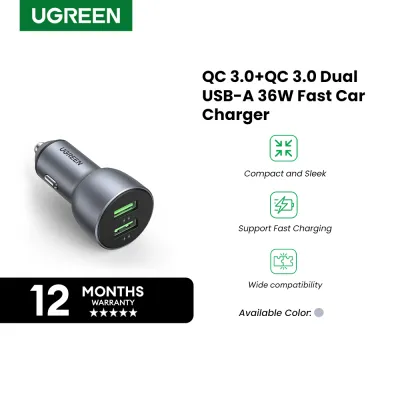
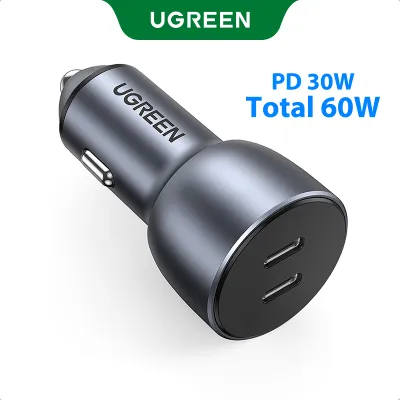
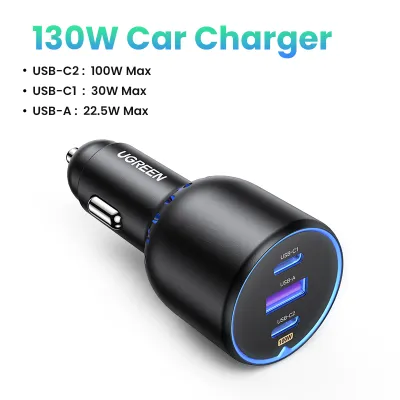
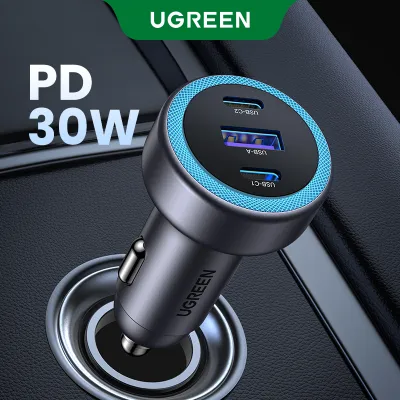
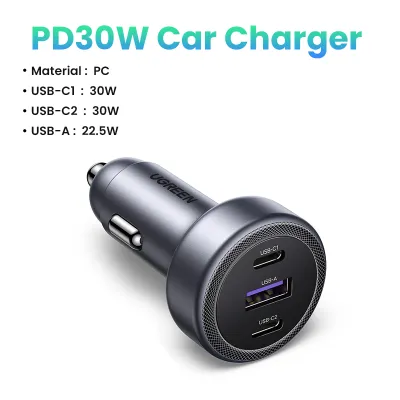
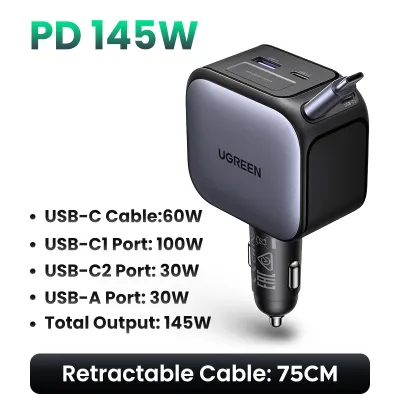
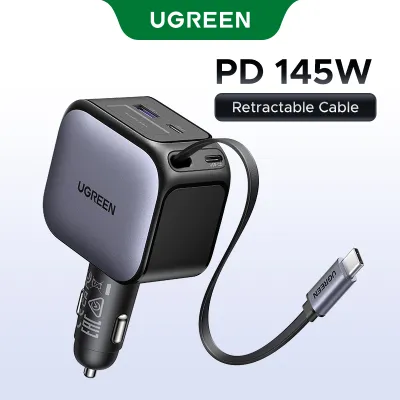
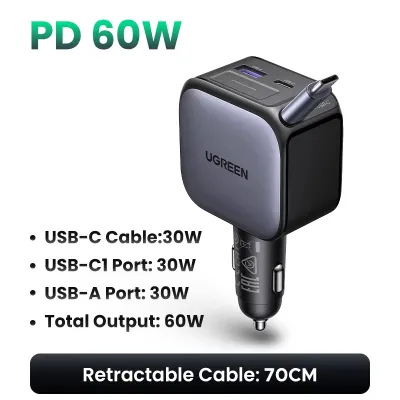
Prices are valid at publication and may change. Please refer to the product page for the latest price.
Identifying your devices’ fast-charging protocols is equally critical. Modern electronics rely on different standards to negotiate high-speed charging safely. USB Power Delivery (PD) is the universal standard used by most modern laptops, iPhones, and iPads. Programmable Power Supply (PPS) is an extension of the PD standard that allows for dynamic voltage adjustments, which is essential for enabling maximum charging speeds on newer Samsung flagship phones. Meanwhile, many Android devices and older accessories rely on Quick Charge (QC) protocols. If your charger does not support the exact protocol your device requires, the charging speed will default to a standard, much slower rate.
Finally, take note of the charging cables you currently use. Many legacy accessories and older dashcams still rely on USB-A to USB-C or Micro-USB cables. Newer smartphones and laptops almost exclusively ship with USB-C to USB-C cables to support higher wattages. Count your existing cables and determine your port preferences. While transitioning to a fully USB-C setup is excellent for future-proofing, keeping at least one USB-A port on your car charger remains highly practical for passenger compatibility and legacy devices.
Key Specifications to Check on Ugreen Car Chargers
When browsing Ugreen car chargers, you will see prominent wattage ratings on the packaging, such as 30W, 69W, or 130W. It is vital to understand that this number represents the total combined output of all ports combined, not the output of a single port. A charger labeled as 130W does not deliver 130W to a single phone; instead, it might split that power into 100W on the primary USB-C port and 30W shared across the remaining ports. Always check the detailed power distribution matrix printed on the back of the packaging or in the user manual to see exactly how much power each port can deliver when multiple devices are connected.

To ensure optimal fast charging, look for explicit mentions of Power Delivery (PD) 3.0 or PD 3.1 and Programmable Power Supply (PPS) on the USB-C ports. For the USB-A ports, verify support for Quick Charge (QC) 3.0. A charger equipped with PD 3.1 can deliver up to 140W on a single port, which is ideal for high-end laptops, whereas standard PD 3.0 maxes out at 100W. Having PPS support ensures that your compatible smartphone charges quickly without generating unnecessary heat, preserving your device’s long-term battery health.
Physical design and build materials also play a significant role in how a charger performs in your vehicle. Car consoles vary widely, with some 12V accessory sockets recessed deep inside cubby holes and others sitting flush on the dashboard. A bulky charger might block nearby cup holders, gear shifters, or console lids. Additionally, consider the housing material. Aluminum alloy shells generally offer superior heat dissipation compared to plastic alternatives. In tropical climates like the Philippines, where cabin temperatures can rise significantly when parked under the sun, efficient heat dissipation is crucial for maintaining stable charging speeds and preventing thermal throttling.
Match Charger Ports to Your Specific Gadgets
If your primary goal is to power a single high-power device like a laptop or a flagship tablet, focus on chargers that feature a high-wattage single USB-C port. Laptops typically require a minimum of 45W to 65W to charge effectively while in use. Attempting to charge a laptop with a standard 18W or 30W phone charger may result in extremely slow charging, or the battery might continue to drain despite being plugged in. For these scenarios, a dedicated high-output charger that concentrates its power into a single USB-C port is the most efficient choice.
For families, carpools, or users carrying multiple mobile devices, multi-port chargers with intelligent power distribution are highly beneficial. These chargers utilize internal chips to detect which ports are active and dynamically adjust the wattage allocated to each device. For instance, when you plug in a second phone, the charger automatically redistributes the power to ensure both devices charge safely without overloading the system. This eliminates the need to carry multiple separate adapters and keeps the console area organized.
If you run a dashcam alongside your smartphone, your charging needs are slightly different. Dashcams require a continuous, low-draw power supply, usually via a USB-A port. In this setup, look for a charger that offers a dedicated low-profile port that does not interfere with your daily phone charging. A multi-port charger allows you to keep the dashcam permanently powered while leaving a high-speed USB-C port free for quick phone top-ups. This prevents the inconvenience of having to unplug your safety camera whenever your phone needs a quick charge.
Safety, Compatibility, and Vehicle Constraints
Before purchasing a high-wattage car charger, you must verify that your vehicle’s electrical system can handle the load. Most passenger cars, SUVs, and sedans use a 12V electrical system, while larger commercial trucks and buses use a 24V system. Most Ugreen car chargers are designed to accept a wide input voltage range of 12V to 24V, making them compatible with both vehicle types. However, you must check your vehicle’s owner’s manual to find the fuse rating of your accessory socket, which is typically fused at 10 amps or 15 amps. At 12V, a 10A fuse can support a maximum continuous draw of 120W, so drawing more than this limit across multiple high-power devices could blow the fuse.
Safety certifications and built-in protection mechanisms are essential for safeguarding your expensive electronics from electrical fluctuations. High-quality car chargers feature integrated circuitry that protects against overcurrent, overvoltage, short circuits, and over-temperature conditions. When starting your car’s engine, the vehicle’s electrical system can experience brief voltage spikes. A charger equipped with robust transient voltage suppression will absorb these spikes, preventing harmful electrical surges from reaching your connected smartphone or laptop.
Heat management is another critical safety consideration, particularly in warm, humid tropical environments. High-wattage charging naturally generates heat as voltage is stepped down to match your device’s requirements. If the charger is covered by console clutter, placed in an unventilated compartment, or exposed to direct sunlight through the windshield, it can overheat. To prevent damage, high-quality chargers will automatically reduce their power output when internal temperatures get too high. To maintain optimal charging speeds, ensure the area surrounding your car’s accessory socket remains clear of papers, plastic bags, and other insulating materials.
Where to Buy and How to Verify Authenticity
To ensure you receive a genuine product that includes all advertised safety protections and fast-charging protocols, always purchase from authorized channels. Counterfeit chargers often look identical to genuine models on the outside but lack critical safety features like over-temperature protection and high-quality capacitors, posing a risk to your vehicle and devices. In the Philippines, buy directly from official Ugreen flagship stores on major e-commerce platforms or from reputable, authorized physical consumer electronics retailers.
When your package arrives, perform a quick physical inspection to verify its authenticity. Genuine Ugreen packaging features high-quality, sturdy cardboard with crisp, clear printing of technical specifications and regulatory markings. Look for a scratch-off security label on the box, which contains a unique verification code that you can enter on the official website to confirm the product’s authenticity. Inside the box, you should find a professionally printed user manual and a local warranty card.
Once you have verified the product, follow the manufacturer’s instructions to register your purchase and activate your local warranty. Keeping your proof of purchase and registering the product ensures that you can easily access customer support or claim a replacement if you encounter any manufacturing defects or performance issues during the warranty period.
Frequently Asked Questions (FAQ)
Can I leave my Ugreen car charger plugged in when the car is off?
Whether you can leave your charger plugged in depends entirely on how your vehicle’s 12V accessory socket is wired. In many modern vehicles, power to the accessory socket is automatically cut off when the ignition is turned off or when the driver’s door is opened. However, some vehicles keep the socket constantly powered even when the engine is off and the keys are removed. You can easily test this by plugging in your phone after turning off the engine; if the phone continues to charge, your socket remains active.
If your vehicle’s socket stays constantly powered, leaving the charger plugged in can cause a slow, parasitic drain on your car battery. While a standby charger with no devices connected draws a negligible amount of current, leaving it plugged in for several days or weeks without running the engine can gradually weaken an older or already degraded car battery. If your vehicle keeps the socket active, it is best practice to unplug the charger when parking the car for extended periods.
Why is my device charging slowly even with a high-wattage Ugreen charger?
Slow charging can occur for several reasons, even when using a high-wattage charger. The most common culprit is the charging cable. Standard charging cables often lack the internal chips or wire gauge required to support high-wattage power delivery. For example, to charge a device at speeds above 60W, you must use a USB-C to USB-C cable rated for 5 amps that contains an E-Marker chip. If you use a basic, low-quality cable, the charger will automatically limit the output to a safe, standard speed.
Another common reason is multi-port power splitting. When you connect multiple devices to a single charger, the internal controller redistributes the total available wattage. If you plug a second device into a multi-port charger, the primary port may drop from its maximum output to a lower wattage to accommodate the new device. Additionally, modern smartphones and tablets utilize thermal throttling; if your device or the charger becomes too warm—which is common in hot tropical environments—the device will temporarily slow down its charging speed to protect its battery from heat damage.

Community discussion
Share your experience or ask a question. Comments are reviewed before publication.