
Plugging your smartphone into your car stereo’s built-in USB port only to watch the battery percentage slowly drop while running a navigation app is a common frustration for many drivers. Standard USB ports integrated into factory or older aftermarket head units are primarily designed for low-power data transmission, not rapid power delivery. To keep your devices charged during long commutes or road trips, upgrading your vehicle’s charging setup with a dedicated fast-charging USB port is the most reliable solution.
Achieving true fast charging requires understanding the electrical limitations of your current car stereo and choosing the right integration path. Whether you decide to install a flush-mounted dashboard module, upgrade your entire head unit, or use a heavy-duty accessory socket adapter, matching the hardware to your device’s charging protocol is essential. By selecting the correct port type and following safe installation practices, you can enjoy rapid, reliable charging without risking damage to your vehicle’s electrical system.
Understanding How to Add Fast Charging to Your Car Setup
To add genuine fast charging to your vehicle, you must first distinguish between a data-link USB port and a dedicated power-delivery port. The USB port built into the faceplate or rear harness of most car stereos is engineered to read flash drives or establish a data connection for smartphone integration systems like Apple CarPlay and Android Auto. Because their primary job is data transfer, these ports typically output a meager 0.5 to 1.5 amperes of current. This low current is barely enough to maintain your phone’s battery level when resource-heavy GPS navigation and music streaming apps are running simultaneously.
Products mentioned in this guide
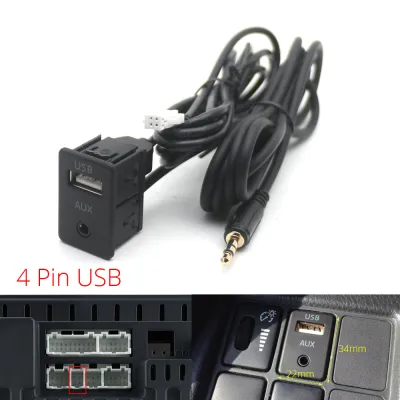
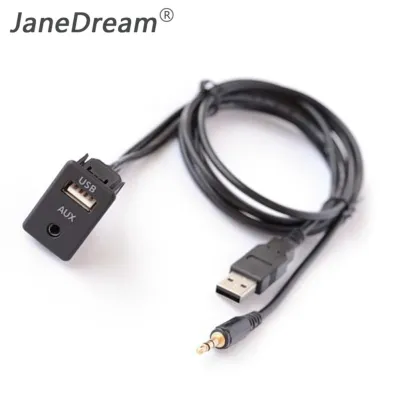
Prices are valid at publication and may change. Please refer to the product page for the latest price.
If you want to upgrade your charging capabilities, you have three primary integration routes to consider. The first route is replacing your entire car stereo with a modern aftermarket head unit that explicitly features high-output fast-charging ports. Many premium receivers now include dedicated high-amperage USB ports designed to charge modern devices quickly while maintaining a stable data connection. However, this is often the most expensive option and may require additional dash kits and wiring harnesses to match your vehicle’s interior.
The second route is installing an aftermarket dash-mounted USB charging module. These standalone modules are designed to fit into empty switch blanks on your dashboard or console, giving your interior a clean, factory-installed appearance. They bypass the car stereo entirely, wiring directly into your vehicle’s 12V accessory power system to deliver dedicated high-wattage power to your devices. This is highly popular for drivers who want to keep their existing stereo but need modern charging speeds.
The third and simplest route is using a high-quality 12V accessory socket adapter, commonly known as a cigarette lighter charger. While this does not provide a flush, integrated look, modern flush-fit adapters sit almost completely flat inside the socket and offer exceptional power output without requiring any wiring modifications. This is the ideal choice if you want a non-invasive upgrade that can be easily transferred to another vehicle.
Regardless of the route you choose, attempting to modify the internal circuitry of your existing car stereo to force higher power output is highly discouraged. Splicing into the head unit’s internal circuit board or attempting to bypass its built-in fuses voids the manufacturer’s warranty and poses a severe electrical safety risk. Overloading the stereo’s delicate internal components can lead to thermal runaway, permanent hardware failure, or even an electrical fire behind your dashboard.
Comparing USB Port Types and Fast Charging Protocols
When selecting a fast-charging port, you must evaluate both the physical connector type and the underlying charging protocol to ensure compatibility with your mobile devices. The physical ports generally fall into two categories: USB-A and USB-C. USB-A is the traditional rectangular connector that has been the industry standard for decades. While highly durable and compatible with older cables, USB-A ports are physically limited in their power delivery capabilities and cannot support the highest wattage standards required by modern smartphones and tablets.

In contrast, USB-C is the modern, reversible connector designed for high-speed data and high-wattage power transfer. USB-C ports can handle significantly higher electrical currents and voltages, making them the essential choice for true fast charging. If you are planning a long-term upgrade for your vehicle, prioritizing USB-C ports ensures your setup remains compatible with newer devices, which are increasingly phasing out USB-A cables entirely.
Beyond the physical shape of the port, you must match the charging protocol to your specific device. The two most common fast-charging protocols are Quick Charge (QC) and Power Delivery (PD). Quick Charge, developed by Qualcomm, is widely used by many Android-based smartphones. It operates by dynamically adjusting the voltage and current to deliver rapid power safely. USB Power Delivery (PD), on the other hand, is an open, unified standard used by Apple, Google, and many modern laptops and tablets. PD is highly versatile because it can negotiate power levels up to 100 watts or more over a USB-C connection, allowing it to charge larger electronics like tablets and compatible laptops directly in your car.
For the most versatile and future-proof setup, a dual-port configuration featuring both a USB-A port with Quick Charge and a USB-C port with Power Delivery is highly recommended. This combination ensures that both the driver and passengers can charge their devices at optimal speeds, regardless of whether they are using an older legacy cable or a modern high-wattage USB-C cord. It also allows you to power dedicated car accessories, such as dashcams or portable air purifiers, from the USB-A port while keeping the high-speed USB-C port free for your smartphone.
Selection Criteria for Aftermarket USB Charging Modules
If you decide to install a standalone aftermarket USB charging module, you must carefully evaluate several technical specifications to ensure the product is safe, reliable, and compatible with your vehicle. The first criterion is the power output requirement. You must look at the total wattage of the module and verify how that power is distributed across the ports. Many cheap modules advertise a high total wattage, such as 36 watts, but split that power evenly between two ports, meaning you only get 18 watts per port. For true fast charging, ensure the module features independent power management chips that can deliver the maximum rated wattage to each port simultaneously.
Build quality and thermal management are equally critical, especially in tropical climates where cabin temperatures can soar when parked under the sun. High cabin heat increases electrical resistance, which can cause cheap plastic chargers to warp, degrade, or fail prematurely. Look for modules constructed with aluminum alloy or high-grade, flame-retardant polycarbonate shells. These materials facilitate better heat dissipation, ensuring the internal components remain cool and operate efficiently even during long drives in hot weather.
Additionally, you must verify the physical form factor and fitment of the module. Many vehicle manufacturers, such as Toyota, Honda, and Mitsubishi, use proprietary dimensions for their blank dashboard switch panels. Before purchasing a flush-mount USB module, use a caliper or ruler to measure the exact dimensions of your vehicle’s empty switch slots. Choosing a module specifically molded for your vehicle’s make and model ensures a seamless, snap-in fit without the need for cutting or filing your dashboard panels. You should also check the length of the included wiring harness and ensure the connector terminals match your planned connection points.
Finally, never rely solely on marketing claims regarding safety. Look for verifiable electrical safety certification marks printed on the product housing or packaging, such as CE, FCC, and RoHS. These certifications indicate that the device has undergone testing to ensure it includes essential safety features, such as overcurrent protection, overvoltage protection, under-voltage lockout, and short-circuit prevention. Investing in a certified module protects your vehicle’s expensive electrical system and your connected mobile devices from unexpected power surges.
Installation Methods and Electrical Safety Boundaries
Installing an aftermarket USB charging module requires making physical connections to your vehicle’s 12V electrical system. There are two primary methods for sourcing power: wiring directly to the vehicle’s fuse box using an “add-a-circuit” fuse tap, or splicing into existing 12V accessory lines, such as the wiring behind the cigarette lighter socket. Splicing into existing wires is a common DIY method, but it must be done with caution. If you choose to splice, use high-quality T-tap connectors or solder the joints and seal them with adhesive-lined heat shrink tubing to prevent moisture intrusion and loose connections.
Using an add-a-circuit fuse tap in the vehicle’s fuse box is generally considered the safer and cleaner installation method. This approach allows you to tap into an existing circuit without cutting or damaging the factory wiring harness. When using a fuse tap, always insert it into a slot that is controlled by the ignition switch (often labeled as ACC or Accessory). This ensures the USB port only receives power when the vehicle is turned on, preventing parasitic battery drain. Always install an inline fuse on the positive power wire of your new USB module, matching the amperage rating specified by the manufacturer (typically 3A to 10A depending on the module’s power draw).
Before undertaking any electrical work, you must establish clear safety boundaries. Always disconnect the vehicle’s negative battery terminal before touching any wiring to prevent accidental short circuits or blown fuses. Consult your vehicle’s official owner’s manual or wiring diagram to identify the correct fuse slots and wire colors. If your vehicle is equipped with a complex CAN bus multiplex system, or if the installation requires routing wires near side-curtain airbag panels along the A-pillars, stop the DIY process immediately. In these scenarios, improper wiring can trigger dashboard error lights, interfere with vehicle computer systems, or compromise airbag deployment. Consult a qualified automotive electrician to complete the installation safely.
Once the installation is complete, perform routine maintenance checks to ensure the system remains safe over time. Periodically inspect the wiring connections behind the dashboard to ensure they have not vibrated loose from daily driving. In humid tropical environments, check the metal terminals for signs of corrosion or oxidation, which can increase electrical resistance and generate localized heat. If the USB port or the surrounding dashboard panel feels excessively hot to the touch during use, disconnect your devices immediately and have the wiring inspected by a professional.
Frequently Asked Questions (FAQ)
Will a fast-charging USB port drain my car battery when the engine is off?
Whether a fast-charging USB port drains your car battery depends entirely on how the module is wired into your vehicle’s electrical system. If the port is wired to a constant power source (often labeled as BAT or Battery in the fuse box), it will continuously draw power even when the engine is off and the key is removed. While the standby draw of an idle USB module is relatively low, leaving it connected to a constant power source can eventually drain your battery over several days of inactivity.
To prevent battery drain, always wire the USB module to a switched power source (labeled as ACC or Accessory). A switched circuit only receives electrical current when the ignition key is turned to the accessory or run position. You can easily verify this by plugging a device into the port and confirming that it stops charging the moment you turn off the engine and remove the key from the ignition.
Can I use my car stereo's existing USB port for fast charging?
No, you cannot use your car stereo’s existing built-in USB port for fast charging. These integrated ports are hardware-limited by the stereo’s internal power supply, which is typically engineered to output standard USB power of 5 volts at 0.5 to 1.5 amperes (yielding 2.5 to 7.5 watts of power). This limitation is a physical hardware constraint of the stereo’s internal circuit board and cannot be upgraded or bypassed through software updates.
These built-in ports prioritize stable, low-latency data transfer for smartphone integration systems like Apple CarPlay and Android Auto rather than high-wattage power delivery. Attempting to use fast-charging cables or adapters on these data ports will not increase the charging speed, as the port will only supply its maximum rated current. For fast charging, you must use a dedicated power-only port connected directly to the vehicle’s 12V system.
Is it safe to use a cheap, unbranded USB car charger?
Using cheap, unbranded USB car chargers carries significant risks for both your mobile devices and your vehicle’s electrical system. Many low-cost chargers cut corners by omitting essential safety components, such as voltage regulators, thermal cutoffs, and shielding. Without these protections, a cheap charger can pass harmful voltage spikes directly from your vehicle’s alternator to your expensive smartphone, potentially damaging the phone’s sensitive internal battery or charging port.
Furthermore, poorly manufactured chargers often exhibit poor heat dissipation, which can cause them to melt or short-circuit inside the 12V accessory socket. In extreme cases, a short circuit in an uncertified charger can blow vehicle fuses or damage the dashboard wiring harness. To protect your electronics and your vehicle, it is highly recommended to allocate your budget toward reputable, certified brands that provide clear safety specifications and built-in circuit protection.

Community discussion
Share your experience or ask a question. Comments are reviewed before publication.