
Quick Answer: Which Connection Method is Right for You?
Upgrading your in-car connectivity often comes down to a choice between modern convenience and budget-friendly utility. If you want to use your phone’s navigation, messaging, and media apps directly on your vehicle’s built-in dashboard screen without plugging in a cable, a wireless CarPlay adapter is the correct tool. However, if your vehicle has an older dashboard radio without a smart screen, a Bluetooth FM transmitter serves as an audio-only workaround.
It is crucial to understand that an FM transmitter cannot project the visual CarPlay interface onto your dashboard; it only streams audio through your car’s radio speakers. Choose a wireless CarPlay adapter if you need full screen mirroring, interactive navigation apps, and seamless interface integration on your car’s display. Choose a Bluetooth FM transmitter if you only need wireless audio streaming and hands-free calling in an older vehicle without a compatible smart infotainment system.
The Core Difference: True CarPlay vs. Audio-Only Streaming
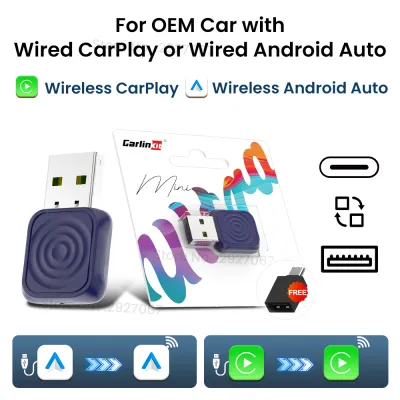
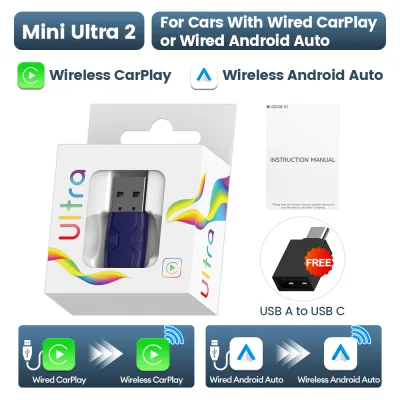
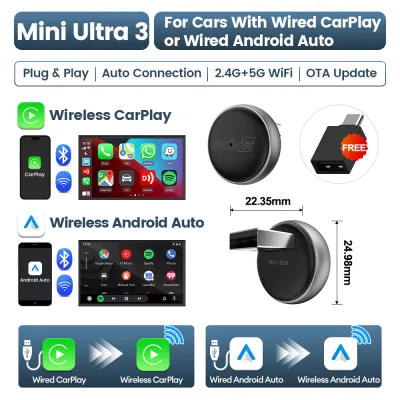
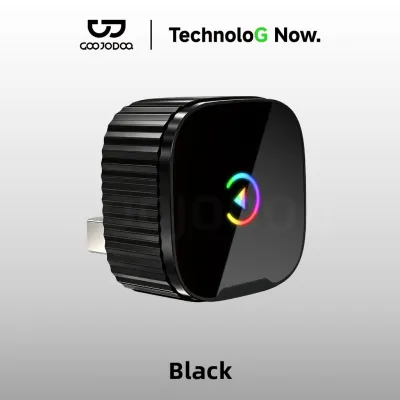
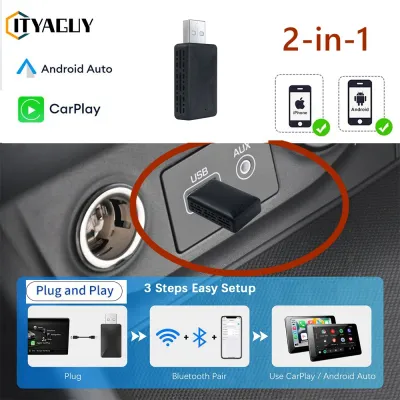
To make an informed purchase, it is essential to understand the technological distinction between these two devices. A wireless CarPlay adapter acts as a bridge between your phone and your car’s existing infotainment system. It plugs directly into the car’s USB data port and utilizes a dual-band connection. The adapter uses Bluetooth for the initial handshake to locate your phone, then immediately switches to a high-bandwidth Wi-Fi connection to transmit the heavy data load, including real-time video maps and high-fidelity audio. This allows the phone to project a fully interactive user interface onto the car’s screen.
Products mentioned in this guide
Prices are valid at publication and may change. Please refer to the product page for the latest price.

Conversely, a Bluetooth FM transmitter is a much simpler analog bridge designed for older vehicles. It plugs into your car’s 12V accessory outlet (the cigarette lighter socket) and pairs with your phone via standard Bluetooth. It then converts that digital audio signal into an analog FM radio signal, broadcasting it over a short distance on a specific frequency. You tune your car’s radio to that same frequency to hear your phone’s audio. Because FM radio waves only carry audio data, there is no way for an FM transmitter to transmit video, touch inputs, or the interactive CarPlay interface.
Audio Quality, Latency, and Connection Reliability
The listening experience and connection stability of these two methods differ significantly under typical driving conditions. CarPlay adapters maintain a digital signal path throughout the entire transmission. The audio travels from your phone via Wi-Fi to the adapter, and then directly into your car’s head unit via the USB port. This preserves high-fidelity sound, deep bass, and clear vocals, delivering an experience identical to a wired connection.
FM transmitters, however, suffer from the inherent limitations of analog FM broadcasting. The digital audio signal from your phone is compressed, converted to analog, and sent through the air, making it highly susceptible to background hiss, static, and interference. In densely populated urban areas, such as Metro Manila or Metro Cebu, finding an entirely empty FM frequency is incredibly difficult. Local radio stations often bleed into your chosen frequency, causing sudden bursts of static or overlapping audio during your commute.
Latency is another key differentiator when using navigation prompts or watching parked videos. Because wireless CarPlay relies on high-speed Wi-Fi, audio latency is minimal—usually under a second—which is perfectly acceptable for real-time GPS instructions and hands-free calls. FM transmitters can sometimes suffer from noticeable audio lag, especially when skipping tracks via phone controls or when playing video content while parked.
Vehicle Compatibility and Installation Requirements
Before purchasing either device, you must verify if your specific car setup supports the hardware to prevent incompatible purchases. To use a wireless CarPlay adapter, your vehicle must meet strict prerequisites. First, the car must already have factory-installed wired CarPlay. The adapter does not add CarPlay to a car that never had it; it simply converts an existing wired connection into a wireless one. Second, the USB port you plug the adapter into must be an active data port (often marked with a phone or USB icon), not a charge-only port.
For an FM transmitter, the requirements are much simpler, making it highly compatible with older vehicles. You only need a working 12V power outlet to power the device and a functional car FM radio receiver. Physical placement and cable management also differ. A CarPlay adapter is typically a small, lightweight dongle that tucks neatly into your center console storage or sits flat near the USB port, requiring minimal cable management. An FM transmitter is usually a bulkier plug that protrudes from your 12V socket.
In tropical climates, where cabin temperatures can soar when parked under the sun, mounting positions and heat dissipation are critical safety considerations. Devices left in direct sunlight on the dashboard can overheat, so keeping adapters tucked away in shaded consoles is highly recommended. Always ensure that any mounted device does not obstruct your view of the road or interfere with the safe operation of your vehicle’s controls.
Cost Considerations and Value Evaluation
When evaluating these options on online marketplaces, the price difference reflects the vast gap in technology. A Bluetooth FM transmitter is a highly affordable, entry-level accessory, often costing only a few hundred ₱. It is an excellent, low-risk purchase if you simply want to play music or take hands-free calls in an older vehicle without spending a significant amount.
A wireless CarPlay adapter is a premium infotainment upgrade, typically priced at several thousand ₱. While it costs significantly more than an FM transmitter, it delivers a complete, hands-free smart driving experience. When shopping on ecommerce platforms, look closely at product specifications, chipset quality, and verified customer reviews regarding connection stability.
Be cautious of ultra-cheap, unbranded wireless CarPlay adapters. These budget models often use inferior Wi-Fi chips that struggle with heat dissipation—a critical issue in tropical climates—leading to frequent connection drops, severe audio lag, and a frustrating user experience. Investing in a reputable brand with a clear warranty and return policy ensures long-term reliability.
Final Decision Framework: Choose Based on Your Car's Setup
To make the right choice for your vehicle, follow this simple decision path based on your car’s existing hardware and your personal needs:
Choose a Wireless CarPlay Adapter if:
- Your vehicle already has a built-in screen with factory-wired CarPlay.
- You want a clean, cable-free dashboard without losing access to interactive maps, touch controls, and voice assistants.
- You prioritize high-fidelity digital audio quality and stable, interference-free connections.
Choose a Bluetooth FM Transmitter if:
- Your car is an older model with a traditional analog radio and no smart infotainment screen.
- Your primary goal is to stream music, podcasts, or GPS audio prompts through your car speakers.
- You want a simple, budget-friendly plug-and-play solution that requires no complex setup.
Before purchasing, always consult your vehicle’s owner manual to confirm the location and data capabilities of your USB ports. If opting for an FM transmitter, scan your local radio dial during your daily commute to identify open, static-free frequencies in your typical driving areas.
Frequently Asked Questions (FAQ)
Can I use an FM transmitter if my car already has wired CarPlay?
Yes, but doing so is a significant downgrade in both functionality and audio quality. An FM transmitter will only send audio to your car speakers and will completely disable your ability to use the interactive CarPlay screen, steering wheel controls, and navigation maps. If your car already supports wired CarPlay, investing in a dedicated wireless CarPlay adapter is the superior choice to maintain full system integration.
Why does my FM transmitter have static or buzzing noises?
Static and buzzing are usually caused by radio frequency interference or electrical grounding issues. To resolve this, find a completely empty FM frequency on your car radio where you hear only pure static, then match your transmitter to that exact frequency. Additionally, ensure the transmitter is firmly seated in the 12V socket; dirt or corrosion inside older sockets can cause poor electrical contact, leading to a persistent hum.
Do wireless CarPlay adapters drain the car battery when parked?
Most modern vehicles cut power to their USB data ports a few minutes after the engine is turned off and the doors are locked, preventing any battery drain. However, some older or specific vehicle models keep their USB ports constantly powered. To verify your car’s behavior, plug a phone charger into the USB port, turn off the ignition, lock the doors, and check if the charger’s indicator light remains on after several minutes.

Community discussion
Share your experience or ask a question. Comments are reviewed before publication.